15
• Pairing
If you replace the remote controller or add a new one, you need to pair the new remote
controller with PowerDolphin before use. The pairing steps are as follows:
1. Connect your phone to the remote controller via Wi-Fi or a USB cable.
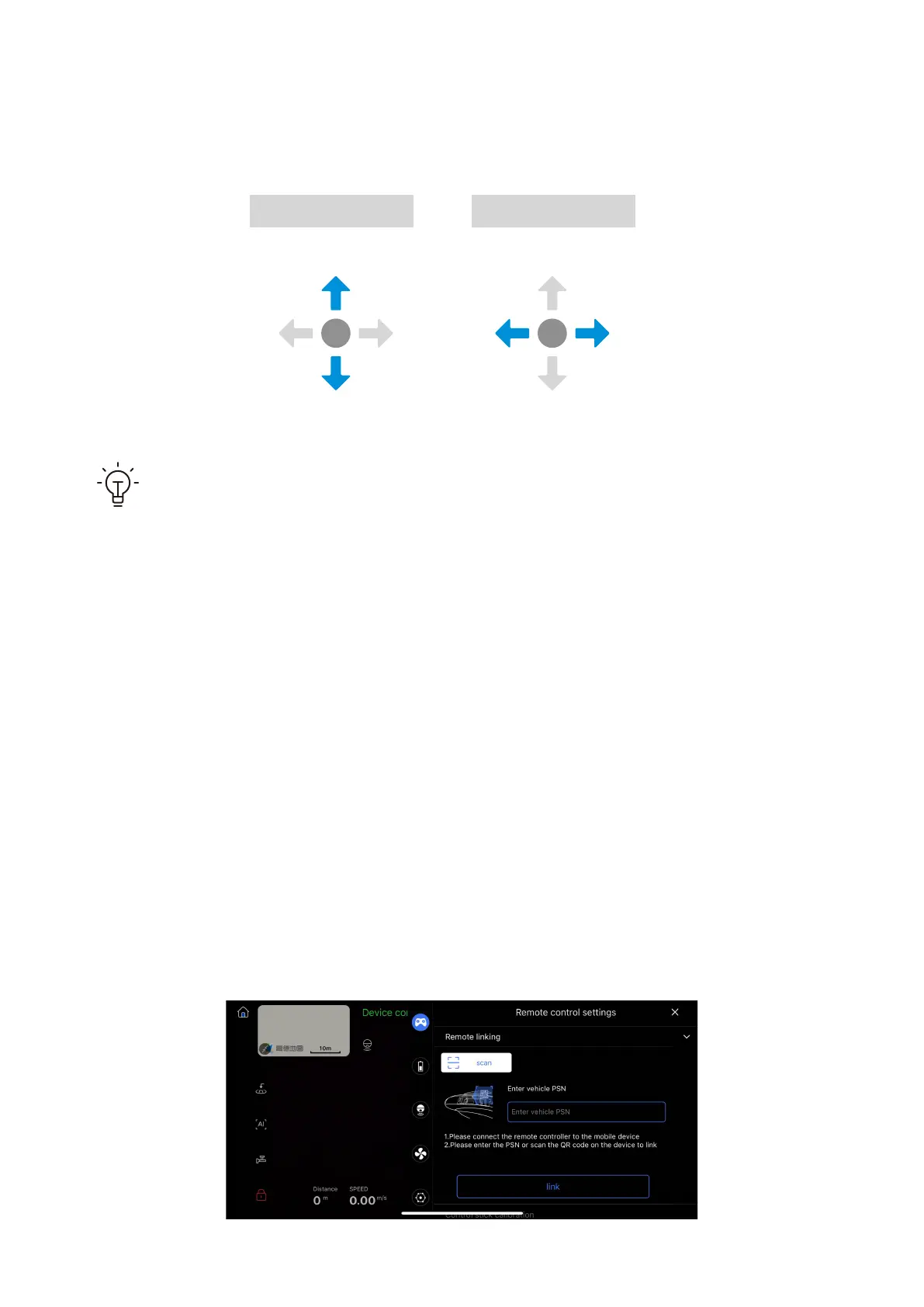
2. Open the Vision+ 2 App, access the product screen of PowerDolphin, and go to
Settings > Remote controller settings > Remote controller pairing.
• Control stick mode: The default mode is as follows. You can customize the settings in
the App.
Left control stick Right control stick
Forward
Backward
Turn left Turn right
If the lights of the Lock/Unlock, Smart return, and Custom buttons blink in
sequence when the remote controller is powered on, your device is not con-
nected to the remote controller; if the lights go out, your device is connected to
the remote controller.



 To Next Page