30
Because PowerDolphin cannot avoid obstacles, you need to ensure that: (1) the waypoints
are in the waters; (2) the waypoints are far away from obstacles and banks; (3) There are no
obstacles between waypoints. This is to prevent PowerDolphin from hitting obstacles or
banks.
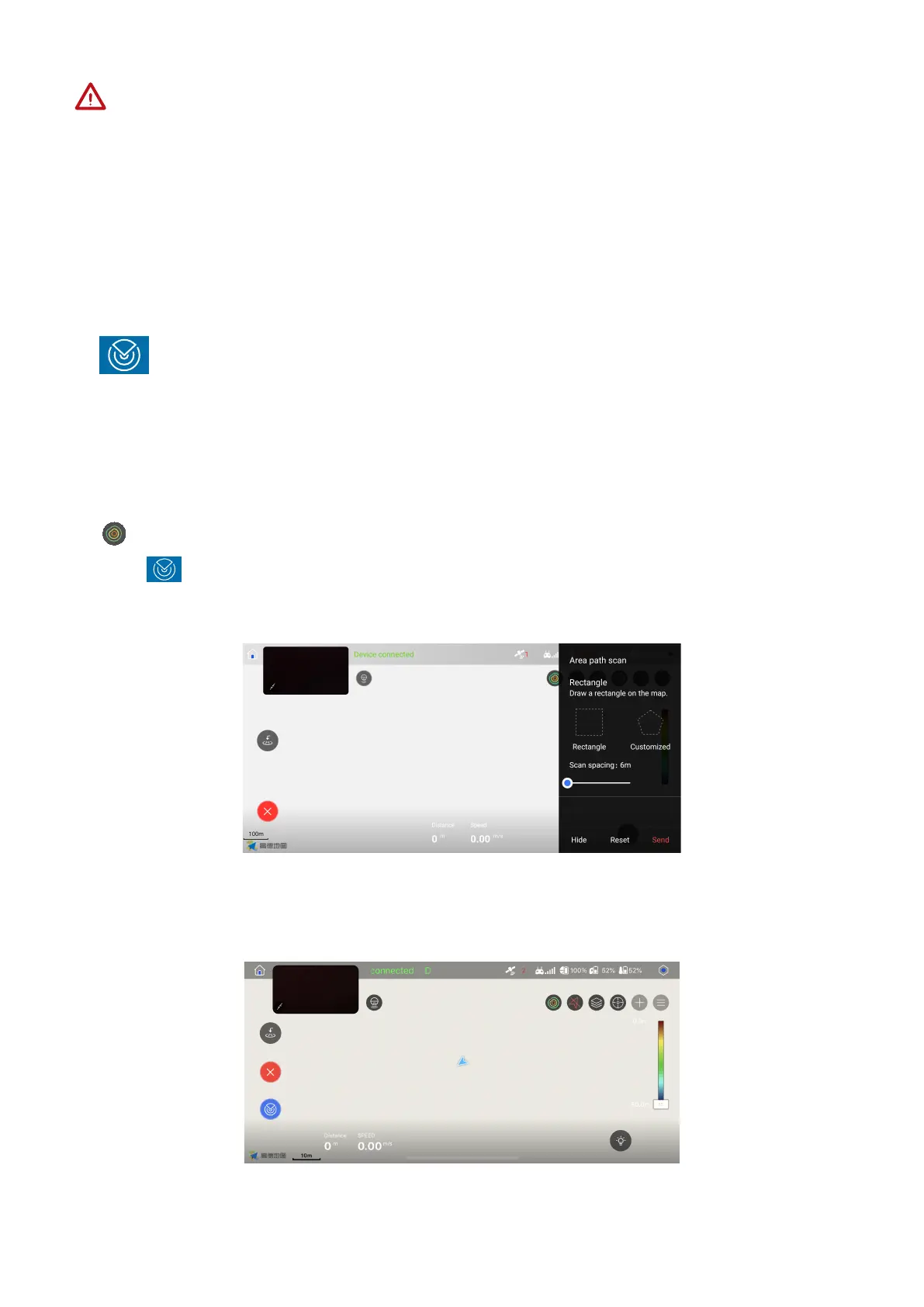
: Area path scan refers to the function that PowerDolphin plans a route auto-
matically based on the enclosed area you draw on the map, scans its topog-
raphy, and draws a bathymetric map.
2. Area path scan
1. Confirm PowerSeeker connected successfully , and then toggle the mapping button to
.
2. Tap enter ‘area scan’.
3. Use selected square or customized shape to define scan area on the map.
4. Tap Start to proceed task.
(Adjust the colors of the bathymetric map via the color scale.)
5. PowerDolphin will stop after finishing the task.



 To Next Page