Installation
18
Powerware
®
5115 Tower UPS (500–1400 VA) U ser’s Guide S 05146640 Rev C www.powerware.com
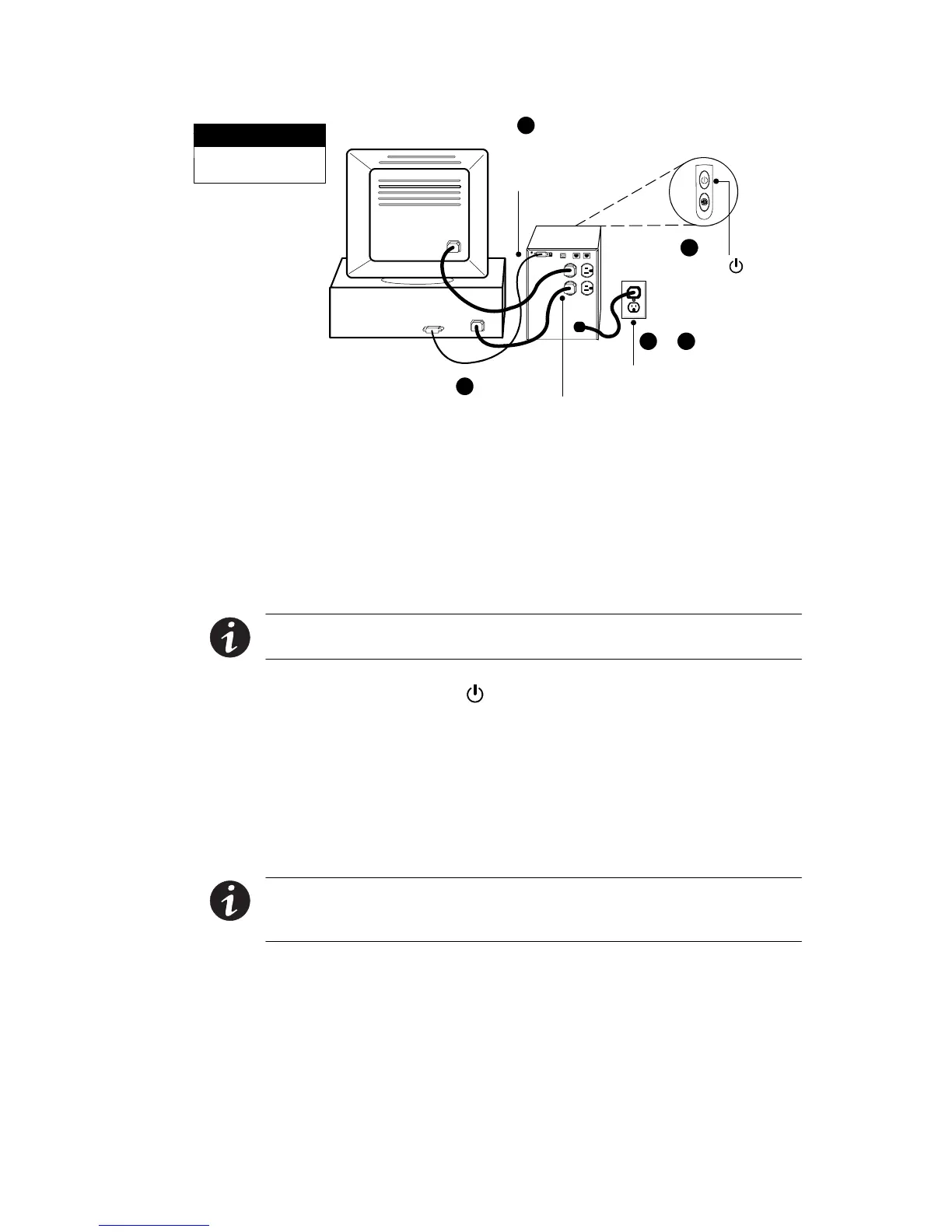
Press the ON button
(on the front panel)
1
Connect communication
cable from comp uter to
UPS (optional)
Connect UPS t o power
2
&
3
4
Connect eq uipment to UPS
5
This is a typical setup;
your setup may vary.
NOTE
Figure 2. Typical UPS Installation (120V Model Shown)
3. Plug the UPS power cord into a power outlet.
Verify that the circuit has an upstream overcurrent protection of
15A for 120V models or 10A for 230V models.
4. Plug the equipment to be protected into the UPS output
receptacles.
NOTE DO NOT protect laser printers with the UPS because of the
exceptionally high power requirements of the heating elements.
5. Press and hold the button until you hear the UPS b eep
(approximately two seconds).
The
µ
indicator illuminates indicating that power is available
from the UPS output receptacles. The UPS conducts a self-test
and enters Normal mode.
If the alarm beeps or a UPS alarm indicator stays on, see Table 9
on page 40.
NOTE The batteries charge to 90% capacity in approximately 3 hours.
However, it is recommended that the batteries charge for 6 to 24 hours
after installation or long-term storage.












 To Next Page