22
|
12780 San Fernando Road, Sylmar, California 91342 | www.semcopackaging.com | Email: semcoinfo@PPG.com
12. Troubleshooting (cont.)
Issue: Machine starts operating, but stalls in the ‘DOWN’ position.
1. Check to make sure you have the proper configuration of the Semkit package you are trying to mix.
Utilize the Semkit package ruler on the left-hand side of the machine by pulling the dasher rod of the
Semkit all the way to the top of the cartridge and placing on the door ramp to identify the proper type of
Semkit package. Then, turn the Semkit package configuration switch accordingly.
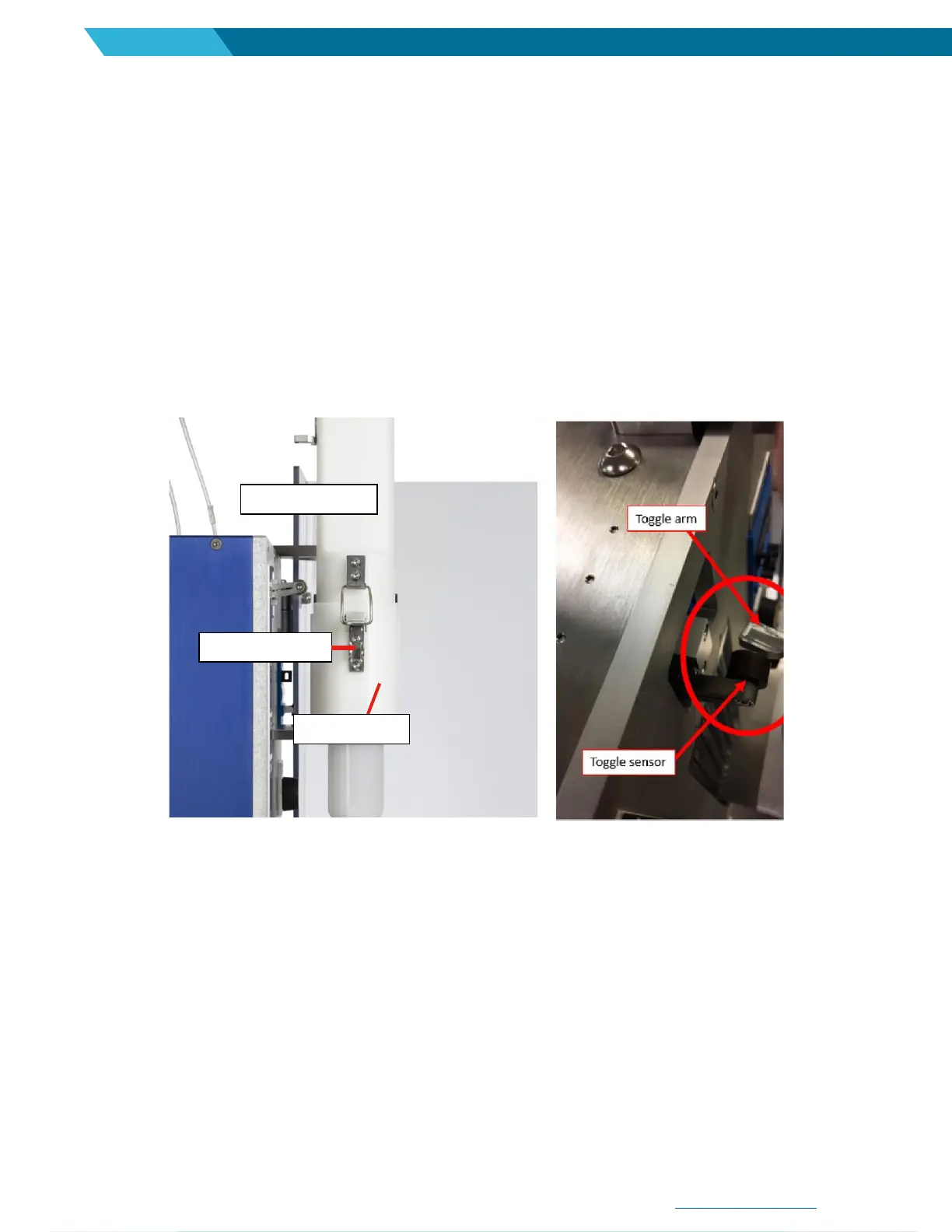
2. Verify the cartridge pusher is installed completely into the cartridge holder. If the pusher is not fully
engaged into the locked/closed position, the toggle arms will not contact the toggle sensor. See pictures
below:
Cartridge pusher is not turned completely into cartridge holder (left). The pin
needs to make contact to the edge of the slot. The toggle arm on the cartridge
pusher does not contact the toggle sensor (right) while in the down stroke cycle.
3. Verify toggle sensor is not loose or out of position. See Calibration-toggle switch (page 26). If the toggle
arm is loose or has shifted, use 2.5 mm Allen wrench to re-position and tighten the bolt. Adjusting the
sensor higher will reduce chance for stalling but may mix the plunger end of the cartridge less.
4. Remove the cartridge pusher assembly and check for debris inside cartridge (behind plunger). This may
be preventing the mixer from completing the down stroke properly.


 To Next Page