12780 San Fernando Road, Sylmar, California 91342 | www.semcopackaging .com | Email: semcoinfo@PPG.com
|
23
12. Troubleshooting (cont.)
Issue: Material is not mixed properly on the plunger end.
1. Check to make sure you have the proper Semkit package configuration selected for the package you are trying to
mix. Utilize the Semkit package ruler on the left-hand side of the machine by pulling the dasher rod of the Semkit
package all the way to the top of the cartridge and placing on the door ramp to identify the proper Semkit
package. Then, turn the Semkit package configuration switch accordingly.
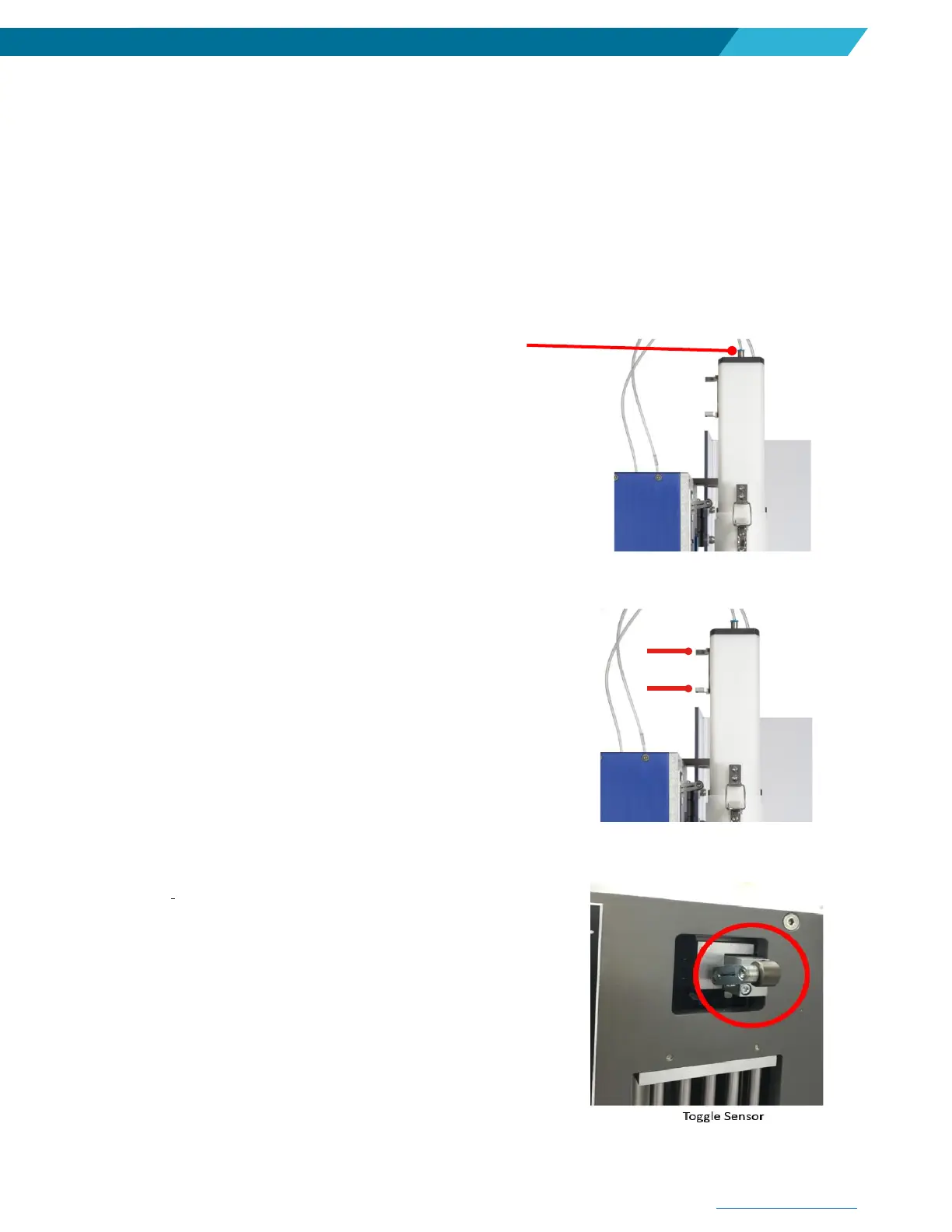
2. Review the cap assembly hose (McMaster-Carr 50315K68)
and make sure it’s not tangled, kinked, or otherwise damaged.
3. Review the flags on the back of the cap assembly and
ensure they are not bent, broken, or otherwise damaged.
4. Verify the toggle sensor is not loose or out of position. It should
be 30 degrees from horizontal position; however, it should be
‘engaging’ when at the horizontal position. If the toggle arm is
loose or has fallen to a more horizontal position, use 2.5 mm
Allen wrench to re-position and tighten the bolt. Adjusting the
sensor higher will reduce chance for stalling but may mix the
plunger end of the cartridge less.


 To Next Page