14
COMPRESSOR OPERATION & POWER INDICATION
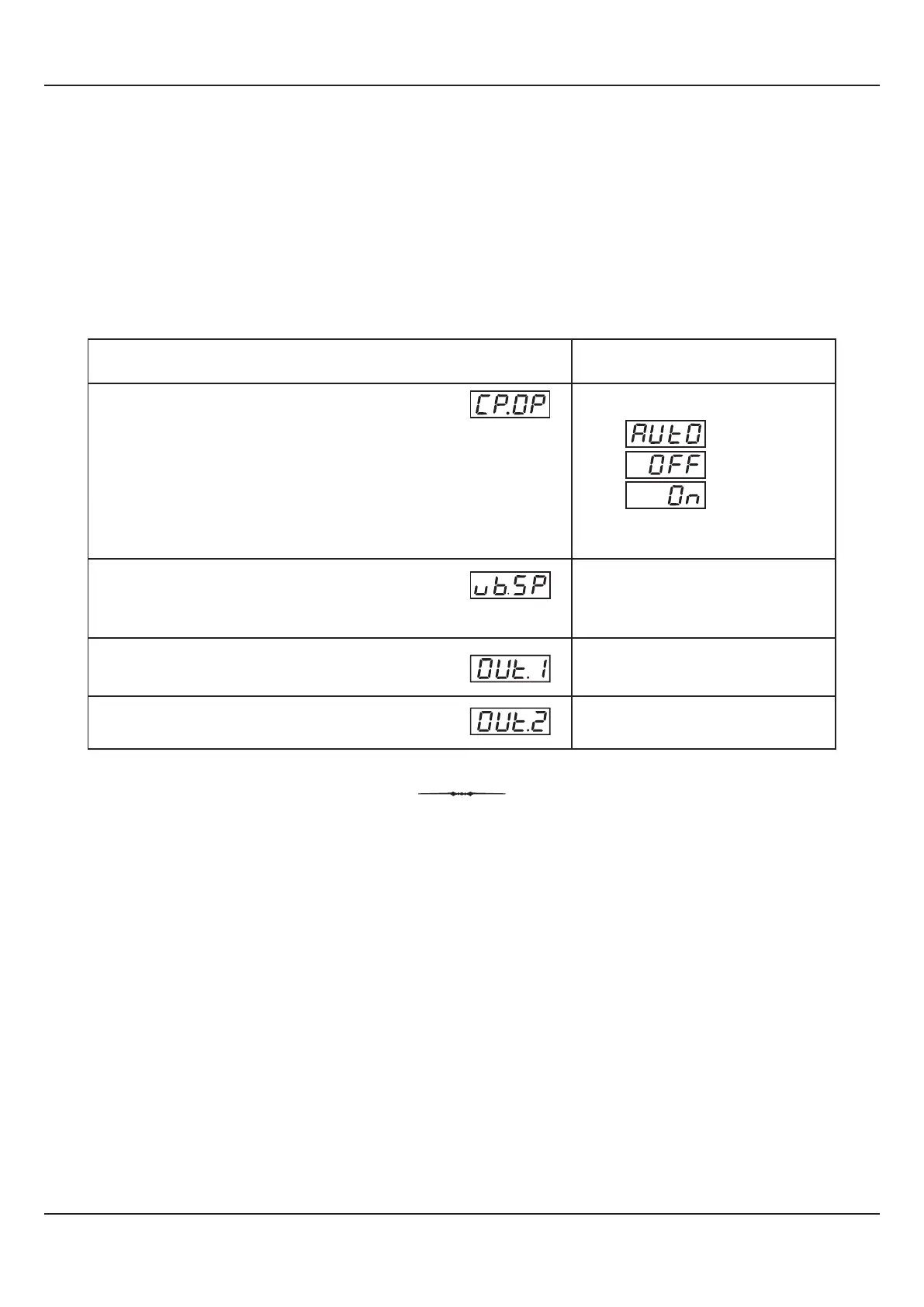
The PAGE-1 allows the operator to select the compressor switching as ‘Automatic’ or ‘Manual’, through a parameter
‘Compressor Operation’. This parameter is available and applicable only if the ‘Compressor Control’ is selected for ‘Output-3
(OP3) Function’ in PAGE-13 parameter list. The page also facilitates viewing the PID output powers for both Temperature and
%RH control loops and also Wet-Bulb Setpoint. Refer Table 9.1 below.
Table 9.1
OUTPUT POWER FOR %RH LOOP
OUTPUT POWER FOR
TEMPERATURE LOOP
WET-BULB TEMPERATURE SETPOINT
This value is derived using Dry-Bulb SP & %RH SP.
COMPRESSOR OPERATION MODE
If selected as ‘Auto’, the compressor switching is determined by
the controller based on the setting for the parameter ‘Compressor
Control Strategy’ on PAGE-33.
The ‘Off’ or ‘On’ selection allows the operator to manually switch
the compressor OFF or ON regardless of the ‘Compressor Control
Strategy’.
(Default : Auto)
Automatic
Off
On
Parameter Description
Settings
(Default Value)
0 to 100.0%
(View Only - Non editable)
0 to 100.0%
(View Only - Non editable)
Within Specified
Temperature Range
(View Only - Non editable)
User Manual
HumiTherm-c (Dry-Wet)
Section 9

 To Next Page
 Loading...