EasyManua.ls Logo

Precor 600 Line - User Manual

Precor 600 Line
4 pages
Print Icon
To Next Page IconTo Next Page
Loading...
Treadmill 600/700 Line Assembly Guide
Assembly requirements
Precor recommends at least two people for this installation. DO NOT
attempt assembly by yourself.
Follow the steps in the order listed in this assembly guide. Be sure to:
l Assemble the equipment close to where you plan to use it.
l Assemble the equipment on a solid, flat surface, so that it remains level and stable.
l Locate the equipment a minimum of .6 m (23.6 in.) on either side of the equipment and 2
m (79 in.) behind the treadmill. DO NOT move the equipment without assistance.
Hardware kit
Required tools
#3 Phillips screwdriver 7/32-inch hex wrench 1/4-inch hex wrench
5/16-inch hex wrench Torque wrench with tension to at least 25 ft-lb (33.90 Nm) with
5/16-inch and 7/32-inch drivers
Component Description Quantity
Washer (3/8-inch) 6
Self-tapping pan head screw
(1/4 x 1-inch)
6
Self-tapping pan head screw
(1/4 x .75-inch)
29
Socket head cap screw
(3/8 x 5/8-inch)
6
Plastic grommet (1/4-inch) 6
Star tooth washer (3/8-inch) 12
Button head screw (3/8 x 1-inch) 12
NOTE There may be extra hardware included with the treadmill.
Torque measurements
Use the following torque measurements to tighten the fasteners. If a torque is not provided, then
fully tighten the fastener with the appropriate tool.
l Socket head cap screws 25 ft-lb (33.90 Nm)
l Button head screws 25 ft-lb (33.90 Nm)
Attach uprights to treadmill
WARNING DO NOT connect electrical power until all assembly
procedures are complete and the console is properly installed.
1. Remove the hood from the treadmill base and set it
aside (Figure 1).
2. Position a base side cover against the treadmill frame
so that the tabs fit into the frame.
Figure 1
3.
Attach the base side cover using two screws
(Figure 2), one for the side attachment and one for
the front attachment.
Figure 2
©2020 Precor Incorporated |Treadmill 600-700 Assembly Guide | P/N 305285-101C | 23 October 2020| 1
Question and Answer IconNeed help?

Do you have a question about the Precor 600 Line and is the answer not in the manual?

Summary

Assembly requirements

Attach uprights to treadmill

Attach base side cover

Position and attach base side cover using screws.

Route data cable and attach right upright

Route data cable and attach right upright support with screws.

Attach left upright support

Attach left upright support with screws and washers.

Attach heart rate bar

Position and attach heart rate bar

Attach heart rate bar assembly to dash frame using screws and washers.

Route heart rate cable

Route heart rate cable through back frame and out top hole.

Attach tread arms to heart rate bar

Attach tread arms to heart rate bar using screws and washers.

Attach the dash

Mount dash assembly on uprights

Set dash assembly on upright supports and align screw holes.

Secure dash assembly to uprights

Attach dash assembly to each upright with screws and washers.

Complete dash attachment

Remove and reattach dash cover

Remove dash cover, route data cable, and reattach cover.

Attach filter to drive power cable

Disconnect and remove old power cable

Disconnect existing power cable from drive unit and ground terminal.

Connect new power cable and secure supply

Connect new power cable and attach power supply with Velcro fasteners.

Install accessory jack

Prepare for accessory jack installation

Remove blank plate and thread cable assembly down through upright.

Connect TV and Ethernet cables

Pass TV and Ethernet cables through grommet and into panel connectors.

Attach safety key

Install bottom and top safety key parts

Fit bottom safety key onto dash assembly and position top piece.

Route safety key cable and attach top part

Route safety key cable and attach top part with screws.

Attach dash arm

Insert grommets into dash arms

Insert grommets into dash arms above each upright support.

Attach front and bottom arm covers

Attach front and bottom arm covers using screws.

Attach treadmill hood

Secure treadmill hood

Place hood onto treadmill and attach using screws.

Install console

Secure console to dash assembly

Secure console to dash assembly using screws.

Attach dash cover

Place dash cover onto dash assembly and attach with screws.

Level the treadmill

Adjust rear feet for leveling

Use wrench to loosen jam nuts on rear feet and adjust for level.

Connect power cord

Plug power cord into an appropriate outlet.

Check running belt alignment

Perform belt alignment check

Turn on treadmill, set speed, and observe belt centering.

Adjust running belt tracking

Adjust belt tracking at low speed

Start treadmill, set speed, and adjust tracking with roller bolt.

Adjust belt tracking at higher speeds

Increase speed and make small adjustments as needed.

Test safety features

Test stop button functionality

Verify that the STOP button pauses and stops the workout.

Test reset switch functionality

Verify that the reset switch stops the treadmill and resets console.

Test Auto Stop feature

Verify treadmill stops automatically after inactivity.

Activate safety code

Enable safety code setting for unauthorized use prevention.

Overview

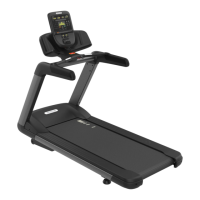
The Precor Treadmill 600/700 Line is a piece of cardio equipment designed for walking, jogging, and running workouts. This assembly guide provides instructions for setting up and maintaining the treadmill, ensuring safe and proper operation.

Assembly Requirements and Setup:

The treadmill requires assembly, and Precor strongly recommends that at least two people perform the installation to prevent injury. The equipment should be assembled on a solid, flat, and level surface, close to its intended use location. A minimum clearance of 6 meters (23.6 inches) on either side and 2 meters (79 inches) behind the treadmill is required. The equipment should not be moved without assistance once assembled.

Hardware and Tools:

The assembly process involves various fasteners, including washers, self-tapping pan head screws, socket head cap screws, plastic grommets, star tooth washers, and button head screws. A hardware kit is provided, and extra hardware may be included. Required tools include:

  • #3 Phillips screwdriver
  • 5/16-inch hex wrench
  • 7/32-inch hex wrench
  • 1/4-inch hex wrench
  • Torque wrench with tension to at least 25 ft-lb (33.90 Nm) with 5/16-inch and 7/32-inch drivers.

Torque Measurements:

Specific torque measurements are provided for critical fasteners to ensure proper assembly and safety:

  • Socket head cap screws: 25 ft-lb (33.90 Nm)
  • Button head screws: 25 ft-lb (33.90 Nm) For fasteners without specified torque, they should be fully tightened with the appropriate tool.

Assembly Steps:

  1. Attach Uprights to Treadmill: The hood is removed, and base side covers are attached to the treadmill frame using two self-tapping pan head screws (1/4 x .75-inch). The right upright support is positioned, and the data cable is routed through it, ensuring it is not pinched. The upright support is then secured to the base frame with three button head screws (3/8 x 1-inch) and three washers (3/8-inch). This process is repeated for the left upright support. If a Personal Viewing System (PVS) or network cables are to be added, they should be routed through the left upright support at this stage.
  2. Attach the Dash: The dash assembly is placed on top of the upright supports and secured to each upright using three button head screws (3/8 x 1-inch) and three washers (3/8-inch). All 12 screws are then tightened to 25 ft-lb (33.90 Nm), following a specific order for the lower upright screws.
  3. Complete Dash Attachment: The dash cover is removed, and the data cable is routed through the right tube of the dash assembly. For PVS or networked consoles, cables are routed through the left side of the dash assembly.
  4. Attach Heart Rate Bar: The heart rate bar assembly is attached to the dash frame using two socket head cap screws (3/8 x 5/8-inch) and two washers (3/8-inch), partially tightened. The heart rate cable is routed through the back frame. The screw from the bottom of the tread arm is removed, and plastic covers are detached. The tread arm is fitted into the heart rate bar and attached to the dash assembly with two socket head cap screws (3/8 x 5/8-inch) and two washers (3/8-inch), partially tightening with a hex key. The underside of each heart rate arm is secured with one self-tapping pan head screw (1/4 x 1-inch), fully tightened. This process is repeated for the other arm, and all six socket head screws are tightened to 25 ft-lb (33.90 Nm).
  5. Attach Filter to Drive Power Cable: The existing power cable is disconnected from the drive unit, power filter, and ground terminal. A new power cable is connected, following a diagram that specifies connections for drive input, brown lead, blue lead, green and yellow lead, and AC input. Velcro fasteners are used to attach the power supply to the right side of the treadmill base, and the AC input cable is plugged into the power supply.
  6. Install Accessory Jack (for touchscreen consoles only): The blank plate at the right-front corner of the treadmill is removed. The cable assembly is threaded through the channel in the right upright support, and excess cable is taped into place. The lower end of the TV cable is passed through the right-hand grommet and inserted into the connector, tightened to 30 in-lb (3.39 Nm) with a 7/16-inch torque wrench. The Ethernet cable is passed through the right-hand grommet and snapped into the eight-pin coupler. Any optional console cables are fitted into the notch, and the panel is replaced and tightened.
  7. Attach Safety Key: The bottom part of the safety key assembly is fitted onto the bottom of the dash assembly and heart rate arms, snapping it into place. The top piece is positioned, and the cable is routed under the black bar and up through the dash. The top part of the safety key assembly is attached using two self-tapping pan head screws (1/4 x .75-inch).
  8. Attach Dash Arm: Two plastic grommets (1/4-inch) are inserted into the dash arms. The front arm cover is attached using four self-tapping pan head screws (1/4 x .75-inch). The bottom arm cover is attached using four self-tapping pan head screws (1/4 x .75-inch). This is repeated for the other arm.
  9. Attach Treadmill Hood: The hood is placed onto the treadmill and attached using four self-tapping pan head screws (1/4 x .75-inch) with a #3 Phillips head screwdriver, fully tightening the fasteners. Before attaching the hood, it is crucial to examine the electrical bleed line between the belt motor and the frame, ensuring it is securely connected and undamaged. The treadmill should not be connected to electrical power while the hood is removed.
  10. Install Console: The console is secured to the dash assembly using four self-tapping pan head screws (1/4 x 1-inch). The dash cover is placed onto the back of the dash assembly and attached using the two previously removed screws plus five additional self-tapping pan head screws (1/4 x .75-inch) from the hardware kit.

Post-Assembly Checks and Maintenance Features:

  • Level the Treadmill: The treadmill must be level and stable. The adjustable feet on the rear can be adjusted using a 3/4-inch open-end wrench, but should not be extended more than 3/4-inch (2 cm). The treadmill requires a 20-amp individual branch circuit, grounded per NEC guidelines.
  • Check Running Belt Alignment: The running belt alignment is critical to prevent tearing or fraying, which is not covered by the warranty. The treadmill should be turned on, and the speed set to 3 mph (5 kph). The belt should remain centered on the running bed. If it drifts, adjustments are made using the right side take-up roller mounting bolt in quarter-turn increments. The speed is then increased to 9 mph (14 kph) and then 12 mph (19 kph), making further adjustments as needed. If hesitation is noticed during foot plant, the Running Belt Tension procedure in the Maintenance Guide should be consulted.
  • Test Safety Features:
    • STOP Button: Start a workout, press STOP once to pause, and press STOP again to display a workout summary.
    • Reset Switch: Start a workout, tug the safety clip lanyard to make the reset switch pop up and the treadmill slow to a stop. Press the reset switch back into position to return to the Welcome screen.
    • Auto Stop™: This feature gradually stops the treadmill after two minutes of inactivity. To test, start a workout but do not step on the belt. The treadmill should slow to a stop and prompt the user to confirm presence.
  • Safety Code: A safety code can be activated to prevent unauthorized use. To activate, enter code 5651565 in Club Settings, navigate to Safety Code, enable it, and save. The console will then prompt for a code (1 2 3 4) before starting a workout.

Important Notes:

  • Do not connect electrical power until all assembly procedures are complete and the console is properly installed.
  • Do not pinch or crush cables during assembly.
  • The tracking adjustments should only be done in quarter-turn increments using hand tools and only on the right side take-up roller mounting bolt.
  • For proper equipment maintenance, refer to the Cardio Equipment Maintenance Guide at www.precor.com.

Precor 600 Line Specifications

General IconGeneral
BrandPrecor
Model600 Line
CategoryFitness Equipment
LanguageEnglish

Related product manuals