EasyManua.ls Logo

Precor M9.41si - Getting Started with Your Treadmill; Understanding Treadmill Features

Precor M9.41si
38 pages
Print Icon
To Next Page IconTo Next Page
To Previous Page IconTo Previous Page
Loading...
I
PREOOR
<c
Smart
Rate
on
the
Low
Impact
Treadmills
>
I
Owner’s
Manual
Addendum
This
addendum
accompanies
your
M9.21/M9.21S,
M9.41s,
or
C942
Owner's
Manual
and
provides
information
about
the
new
Smart
Rate
display.
As
you
can
see
on
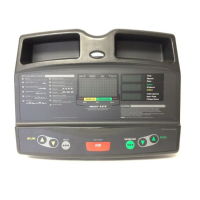
your
new
treadmill’s
electronic
console
display.
Smart
Rate
has
been
added.
An
explanation
of
this
new
feature
is
provided
below.
Nolo:
You
must
wear
the
Precor
chest
strap
to
transmit
your
heart
rate
to
the
receiver
in
the
electronic
console.
Refer
to
your
Precor
Heart
Rate
Option
Owner’s
Manual.
SMART
RATE:
When
the
optional
Precor
heart
rate
receiver
has
been
properly
installed
and
you
wear
the
Precor
Heart
Rate
Option’s
chest
strap,
a
blinking
segment
in
the
bar
graph
appears
on
the
left
of
the
display.
If
you
have
entered
your
accurate
age
(completed
during
the
setup
prompts),
the
blinking
segment
shows
you
the
zone
that
your
heart
rate
is
in:
either
Weight
Loss
or
Cardiovascular.
Important:
The
Smart
Rate
blinking
Indicator
light
and
the
heart
rate
display
only
appear
when
the
Precor
heart
rate
receiver
is
Installed
in
the
electronic
display
and
the
chest
strap
transmitter
is
used.
The
Smart
Rate
indicator
lights
do
not
appear
when
you
use
the
Quick
Start
key.
If
the
Smart
Rate
lights
appear,
but
do
not
blink,
it
means
that
a
receiver
Is
installed,
but
that
you
are
not
wearing
the
chest
strap
transmitter
or
it
is
not
working
properly.
To
correct
transmitter
problems,
refer
to
your
Precor
Heart
Rate
Option
Owner’s
Manual
or
refer
to
Obtaining
Senrice
'm
your
owner’s
manual.
Understanding
Smart
Rate
The
treadmills’
software
incorporates
the
latest
in
cardiac
monitoring
to
provide
Smart
Rate
—a
visual
aid
that
lets
the
user
know
where
his
or
her
heart
rate
is
at
a
glance.
When
the
optional
receiver
is
installed
and
the
Precor
Heart
Rate
Option
chest
strap
is
worn,
the
graph
on
the
display
lights
up
with
colored
cells
to
indicate
exercise
intensity.
A
specific
percent
of
the
user’s
heart
rate
appears
as
a
blinking
cell
within
that
zone.
Smart
Rate
simplifies
the
correlation
between
heart
rate
and
exercise.
You
don’t
have
to
stop
concentrating
on
your
workout
to
find
your
pulse
anymore.
If
you
enter
your
appropriate
age
during
the
setup
prompts,
Smart
Rate
performs
all
the
calcula¬
tions
for
you
and
displays
a
graphic
image
of
where
you
are
in
your
zone.
Smart
Rate
uses
your
age
and
your
maximum
aerobic
heart
rate
to
calculate
the
zone.
The
blinking
cell
symbolizes
the
percent
at
which
your
heart
rate
is
working.
Using
Smart
Rate
during
a
workout
with
any
treadmill
program
helps
maximize
your
weight
loss
or
cardiovascular
fitness
regimen.
While
you
work
out
in
a
particular
course,
try
changing
the
speed
or
incline
to
help
position
your
heart
rate
in
the
desired
Smart
Rate
zone.
page
1

Related product manuals