24
NOTE:
•Donotpressthepuncturedsiteagainsttheteststriportrytosmeartheblood.
•Ifyoudonotapplyabloodsampletotheteststripwithin3minutes,themeter
will automatically turn off. You must remove and reinsert the test strip to start
a new test.
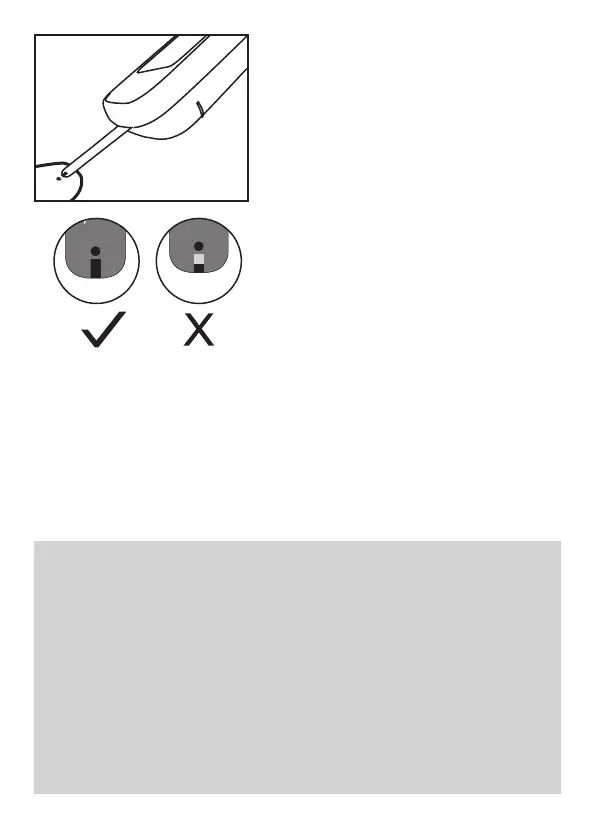
•Theconfirmationwindowshouldbefilledwithbloodbeforethemeterbegins
to count down. NEVER try to add more blood to the test strip after the drop of
blood has moved away. Discard the used test strip and retest with a new
one.
•Ifyouhavetroublefillingtheconfirmationwindow,pleasecontactyourhealth
care professional or the local customer service for assistance.
4. Apply the sample
Hold the blood drop to touch the
absorbent hole of the test strip. Blood will
be drawn in and after the confirmation
window is completely filled, the meter
begins counting down. Do not remove
your finger until the meter beeps.



 To Next Page