23
2. Select the appropriate measuring mode by pressing M Button.
Forselectingthemeasurementmode,pleaserefertothe“THEFOUR
MEASURINGMODES”section.
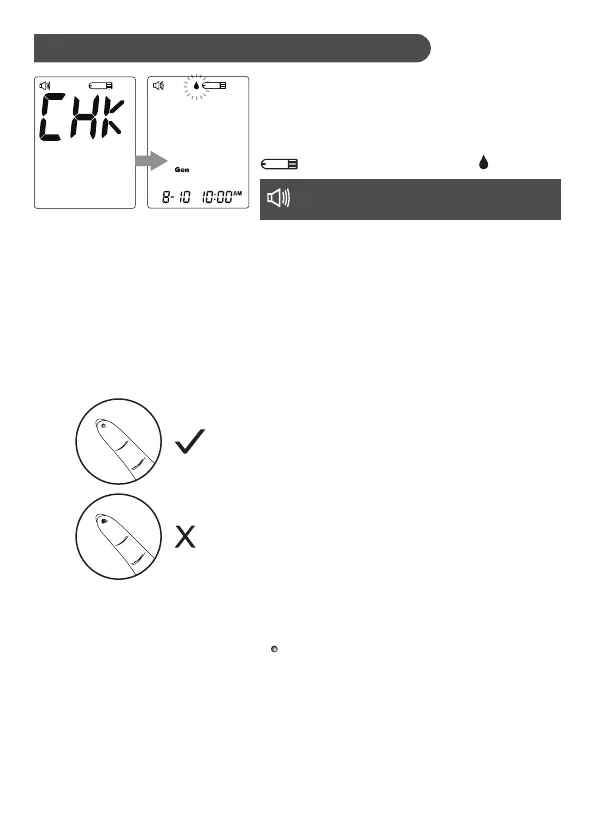
1. Insert the test strip to turn on the
meter
Wait for the meter to display the test strip
and flashing blood drop symbols.
3. Obtaining a blood sample
Usethepre-setlancingdevicetopuncture
the desired site. After penetration,
discard the first drop of blood with a
clean cotton swab. Gently squeeze the
punctured area to obtain another drop of
blood. Be careful NOT to smear the blood
sample.
The volume of blood sample must be at
least0.7microliter(μL)ofvolume.
(actualsize).
Performing a blood glucose test
" Please apply blood onto the test strip. "
Premium V12 Voice model only.
Voice Guide:



 To Next Page