Studio One ArtistQuickStart
Creating a New Song
Quantum 2626
Owner’sManual
6.3.1
Configuring Your I/O
1.
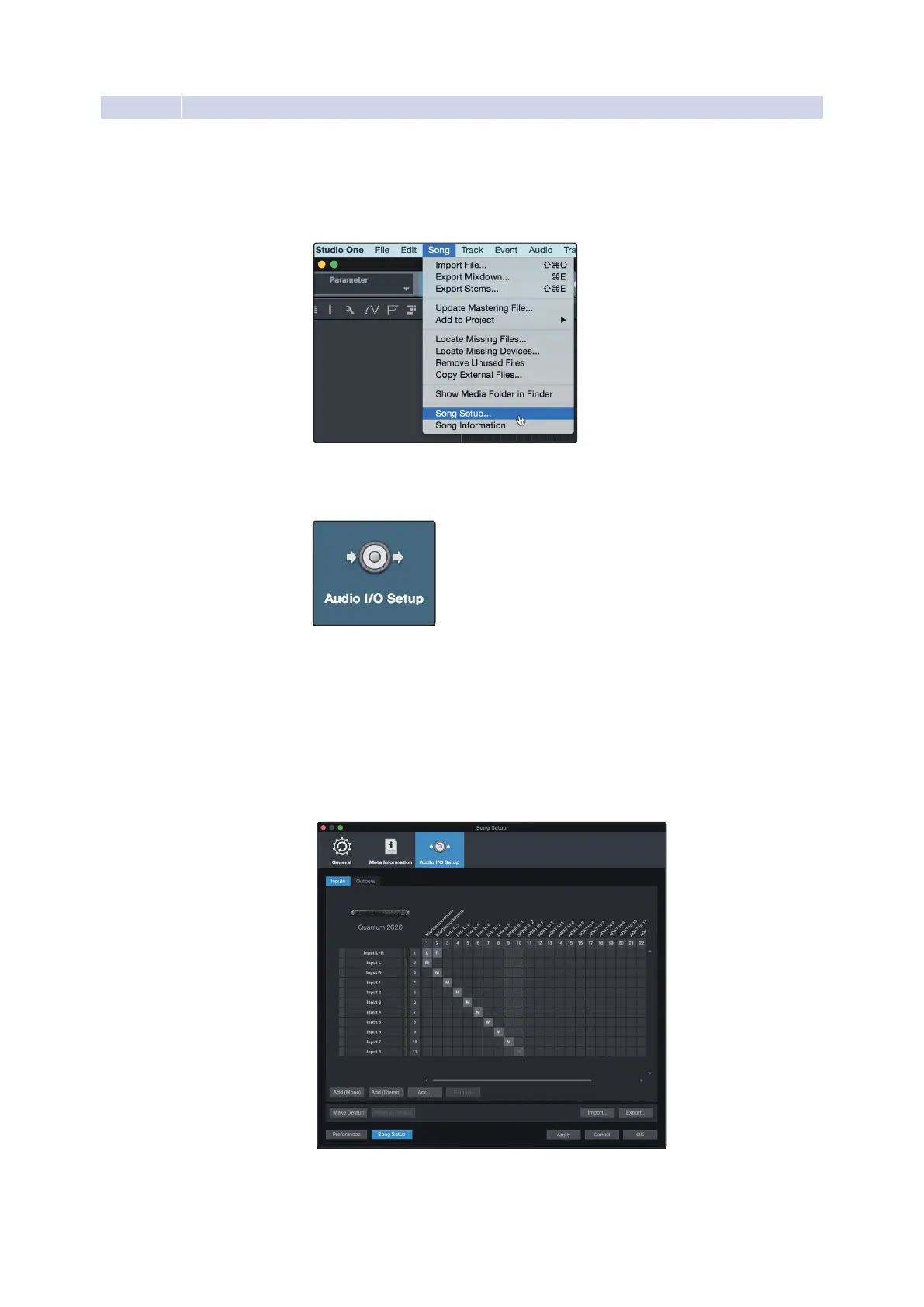
Click on Song
|
Song Setup to set your sample rate and
resolution and configure your audio I/O.
点击歌曲|歌曲设置,设置你的采样率和分辨率,
配置你的音频I/O。
2.
Click on the Audio I/O Setup tab.
点击音频
I/O
设置标签。
3.
From the Inputs tab, you can enable any or all of the inputs on your PreSonus
Quantum audio interface that you’d like to have available. We recommend
that you create a mono input for each of the inputs on your interface. If you
plan on recording in stereo, you should also create a few stereoinputs.
在
Inputs
选项卡上,你可以启用你想要的
PreSonus Quantum
音频接
口上的任何或所有的输入。我们建议为接口上的每个输入创建一个
单声道输入。如果你打算用立体声录音,你也应该创建一些立体声
输入。
Power User Tip: If you plan on using the Talkback mic, you will need to enable it
as an input for your session and create a track for it.















 To Next Page