EN • 29
ENGLISHFRANCAISNEDERLANDSESpAñoLITALIANoDEuTSCH
664Y2300.C
mCBA pARAmETERS FoR THE SpECIALIST
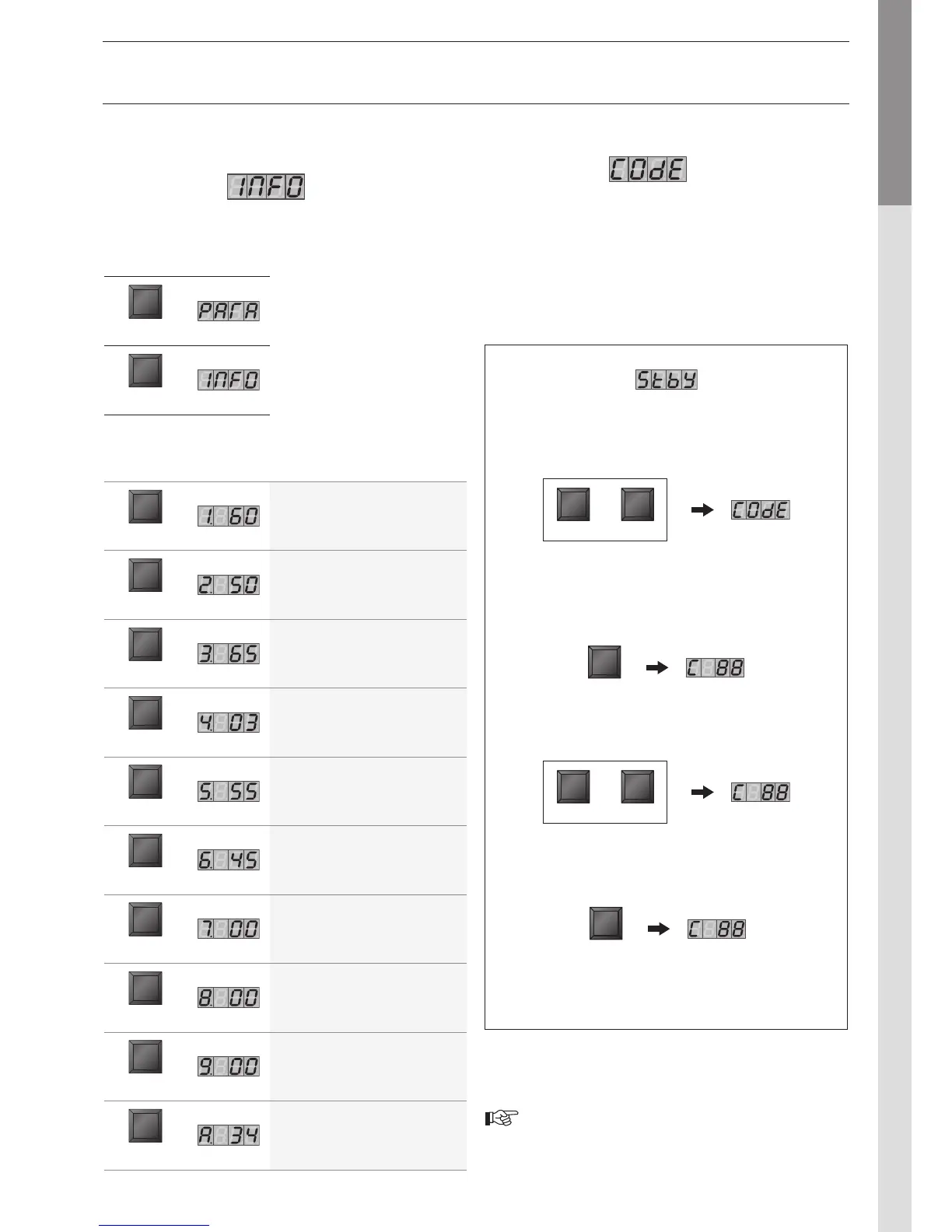
ENTERING THE CODE
Code Mode
You can access the following parameters by entering the service
code:
• Parameters 5 - 42
• Communication mode
• Fan Speed mode
• ERROR mode
To access Code mode, press
and simultaneously
(only from Standby mode!).
Press once and the system displays C
in position 1, followed by arbitrary
characters in positions 3 and 4.
Press , the screen flashes briefly
to indicate that the code has been accepted.
Press until the system
displays the correct mode.
REQUEST FOR INFORMATION
ON THE INSTALLATION
Info Mode
To switch from to mode, press twice.
Touche Screen
Description
of parameters
STEP
Start temperature T1 in °C
STEP
Return temperature T2 in °C
STEP
Hot water temperature T3 in °C
STEP
Outdoor temperature T4 in °C
STEP
Flue gas temperature
STEP
Start temperature calculated in °C
STEP
Rate of increase in the start
temperature in °C/s
STEP
Rate of increase in the return
temperature in °C/s
STEP
Rate of increase in the hot water
temperature in °C/s
STEP
Start temperature of the 2nd
central heating circuit
Key Screen
MODE
MODE
Press until the system
displays the information you
need. The point located behind
the first position flashes to
indicate that the boiler is in
mode.
or


 To Next Page