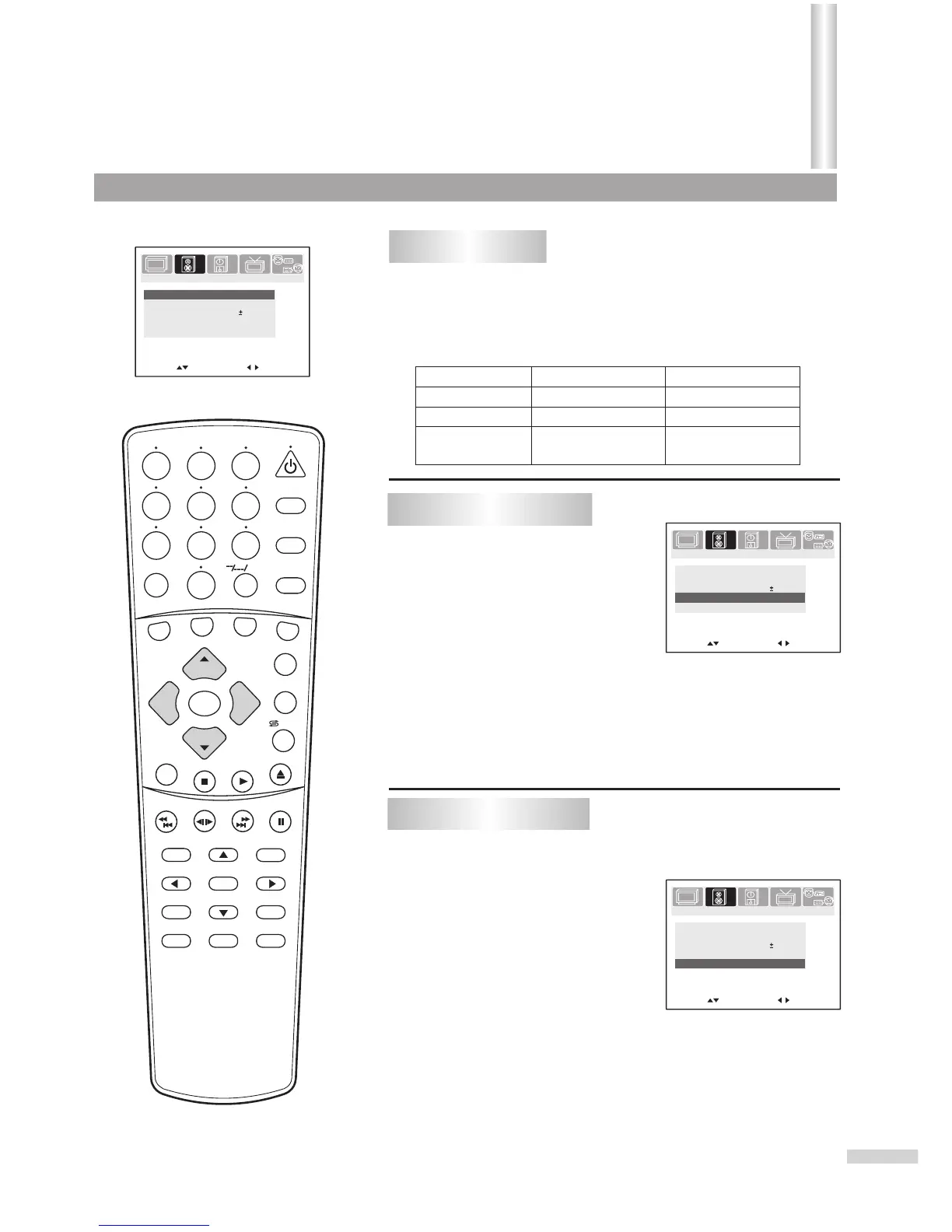
From the SOUND menu, press CH+ or CH- repeatedly
to select item.
Press VOL+ or VOL- to adjust.
Item
VOL- VOL+
Bass
Balance
decreases the
right channel
decreases the
left channel
Treble
Adjusting sound
1
2
20
SEARCH
1
2
3
4
5
6
7
8 9
0
DVD MENU
TITLE
ENTER
PLAY
STOP
SR/SF
REW/PREV
RETURN
OPEN/CLOSE
DSP/OSD
STEREO/AUDIO&CH
FWD/NEXT
PAUSE/STEP
REPEAT A-B
ANGLE
SUBTITLE
CH
MENU
CH
Cable/SAT
DVD COMBO
SET
MUTE
AV/SETUP
+10
SLEEP
VCR
TV
VOL
VOL
TV/DVD
+
-
There are two preset sound modes (News, and Music) and
one user-set sound mode (Personal).
Each preset mode has it's own sound settings (Bass, Treble, and
Balance).
The adjusted settings are stored in Personal mode.
News: Select for a speech or conversation program.
Music: Select for a music program.
Selecting sound mode
Minus Plus
Minus Plus
From the SOUND menu, press
CH+ or CH- repeatedly to
select Sound Mode item.
Press VOL+ or VOL- to select.
1
2
Setting S.woofer item
From the SOUND menu, press CH+ or CH- repeatedly
to select S. woofer item.
Press VOL+ or VOL- to set On
or Off.
1
2
Move[ ] Adjust[ ]
Bass
59
Treble
69
Balance
Sound mode
Personal
00
PICTURE
TIMERSOUND
TUNING
SET UP
S.woofer
On
Move[ ] Adjust[ ]
Bass
59
Treble
69
Balance
Sound mode
Personal
00
PICTURE
TIMERSOUND
TUNING
SET UP
S.woofer
On
Move[ ] Adjust[ ]
Bass
59
Treble
69
Balance
Sound mode
Personal
00
PICTURE
TIMERSOUND
TUNING
SET UP
S.woofer
On
Sound
(Continued)
/ZOOM



 To Next Page