TV-Y7 VIEW
FANTASY V
TV-G
---
---
---
---
VIOLENCE
TV-PG
SEXUAL
TV-MA
DIALOG
CONTENT
TV-14
LANGUAGE
TV-Y
NONE F V S L D
TV-Y7
TV-G
TV-PG
TV-MA
TV-14
TV-Y
CONTENT
MPAA RATING
CANADIAN FRENCH RATING
New password
BLOCK ON
TV PARENTAL GUIDELINES
CANADIAN ENGLISH RATING
E
C8+
G
PG
18+
14+
C
Move[ ] Select[ ]
Move[ ] Select[ ]
Move[ ] Select[ ]
Move[ ] Select[ ]
PICTURE
TIMERSOUND
TUNING
SET UP
28
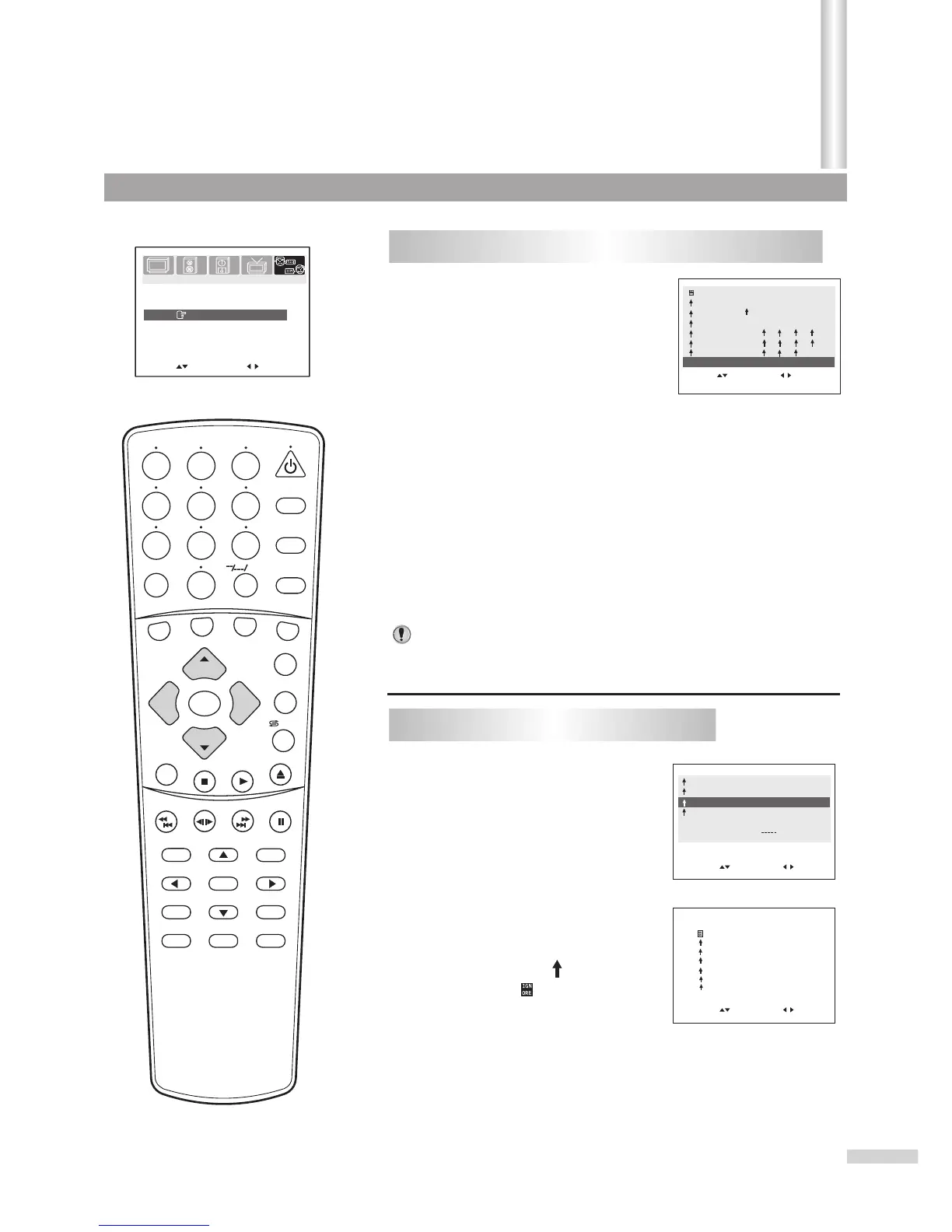
Setting individual Content Categories for TV Rating
Press VOL+ or VOL- to enter
the CONTENT menu.
2
From the PARENTAL
GUIDELINES submenu, press
CH+ or CH- repeatedly to
select CONTENT.
1
Press CH + or CH- repeatedly to select a TV Rating.
3
Press VOL + to enter the content categories menu.
4
Press CH+ or CH- repeatedly to select a content
category.
5
Press VOL + to set Block or View. If the content
category does not apply to the TV rating, - - - will be
displayed.
6
Press VOL - to exit content categories menu.
CANADIAN ENGLISH RATING SET-UP
22
Press VOL+ or VOL- to enter
the CANADIAN ENGLISH
RATING sub-menu.
If you want to exit the menu, please press the MENU button
repeatedly.
From the V-chip submenu,
press CH+ or CH- repeatedly to
select CANADIAN ENGLISH
RATING item.
11
Canadian English Language Ratings:
*
*
*
*
*
*
*
E: Exempt.
C: Children.
C8+: Children 8 years and older.
G: General programming, suitable for all audiences.
PG: Parental guidance.
14+: Viewers 14 years and older.
18+: Adult programming.
Press CH+ or CH- repeatedly to
select the desired rating.
Press VOL+ or VOL- to either
block the rating (" " will appear),
or unblock (" " will appear) it.
33
44
Notes:
SEARCH
1
2
3
4
5
6
7
8 9
0
DVD MENU
TITLE
ENTER
PLAY
STOP
SR/SF
REW/PREV
RETURN
OPEN/CLOSE
DSP/OSD
STEREO/AUDIO&CH
FWD/NEXT
PAUSE/STEP
REPEAT A-B
ANGLE
SUBTITLE
CH
MENU
CH
Cable/SAT
DVD COMBO
SET
MUTE
AV/SETUP
+10
SLEEP
VCR
TV
VOL
VOL
TV/DVD
+
-
Parental Control
(Continued)
Setting V-chip
/ZOOM



 To Next Page