Functional Pre-Print Test
Before testing your rst print, you need to make sure all of your axis are working as expected on
your bot. Connect your printer to your computer and make sure both of them are powered on.
Connect to the printer
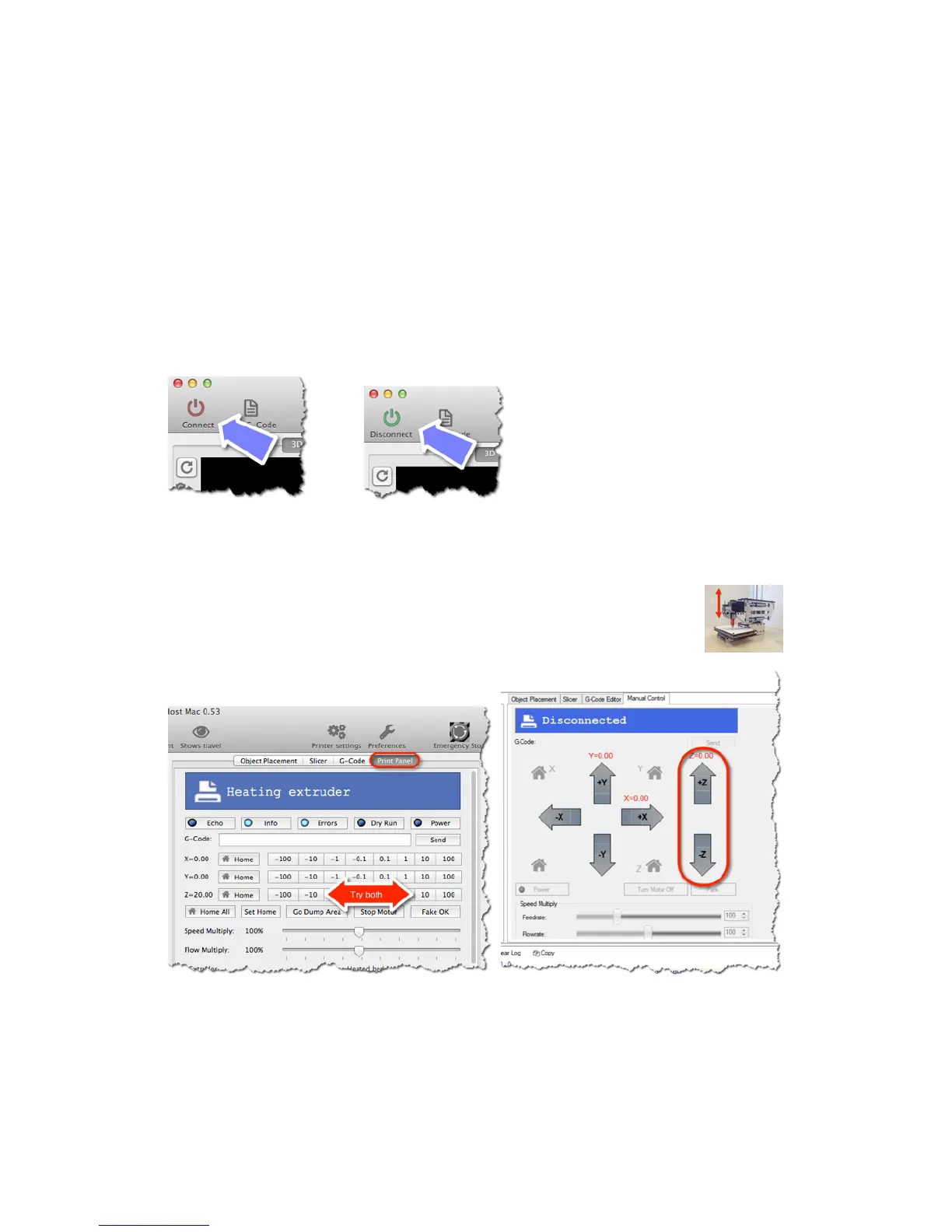
Click on the Connect button and it should turn green to indicate your are properly connected
Test the Z axis
Click on both the 10 and -10 buttons for the Z axis. Your extruder should be able
to move up and down freely.
Mac Windows
16



 To Next Page