Printing your First 3D Model
Now that your bot is assembled, connected to your computer, and the software installed - it’s
time to run your rst test print!
Download File
Go towww.thingiverse.comand nd something to print. For your rst print, we recommend
either the5mm Calibration CubeorMr. Jaws. Click on the big blue Download button and
select either an individual le or the entire zip le.
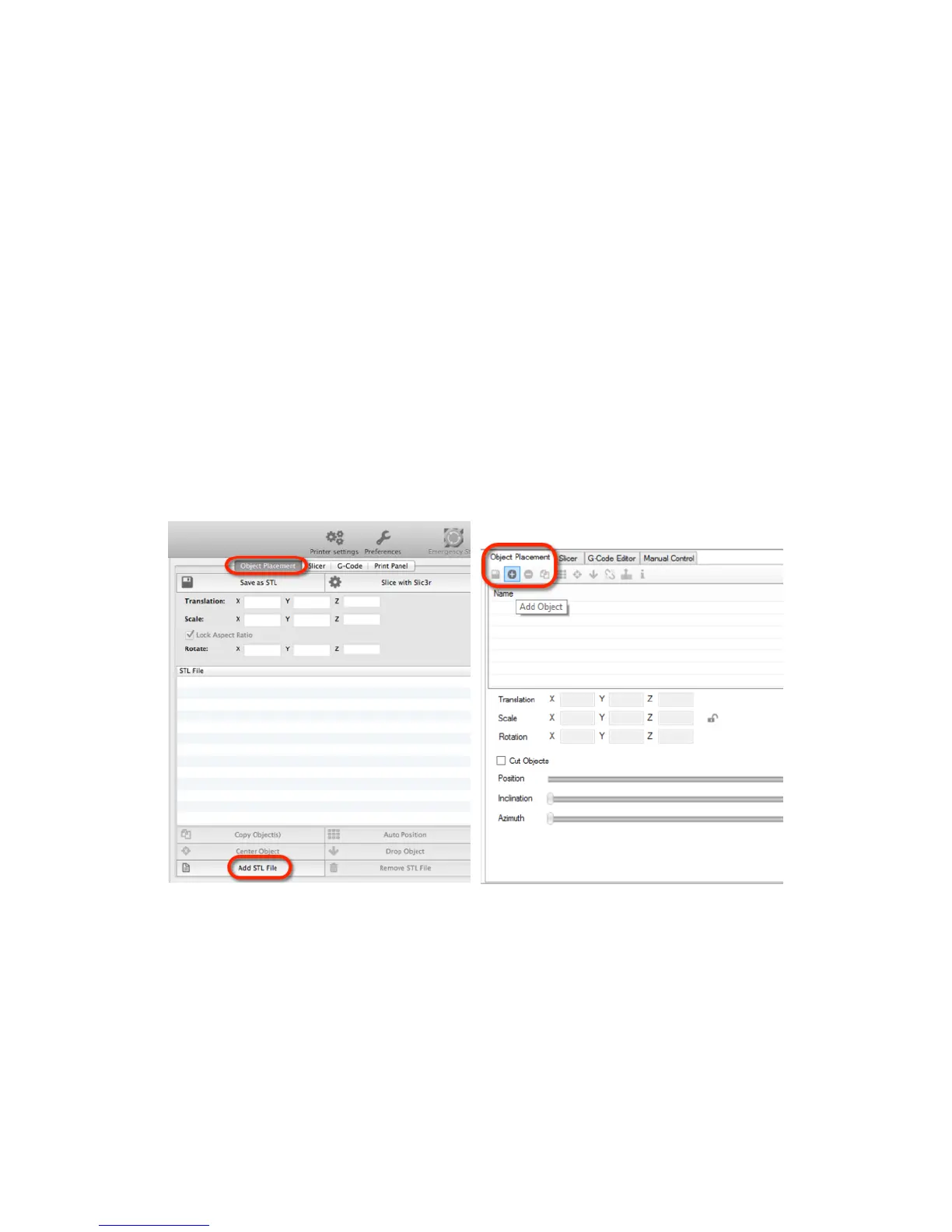
Add STL File
After you have downloaded a model, open Repetier and add the .STL le
Mac Windows
Scale Your 3D Model
Depending on the size of your 3D Model you may need to resize it. Look at the 3D image in the
Repetier window and how it relates to the box. If it is outside the boundaries of the box then
you will need to scale the model down. Go to Scale. The X value will automatically be set to 1
which means 100%. Change the X value and press enter (.5 = 50%, .35 = 35%).
19



 To Next Page