Priva B.V.
10 FS Reader – User & Service manual – 00.010
Operation
FS Reader User Interface methods
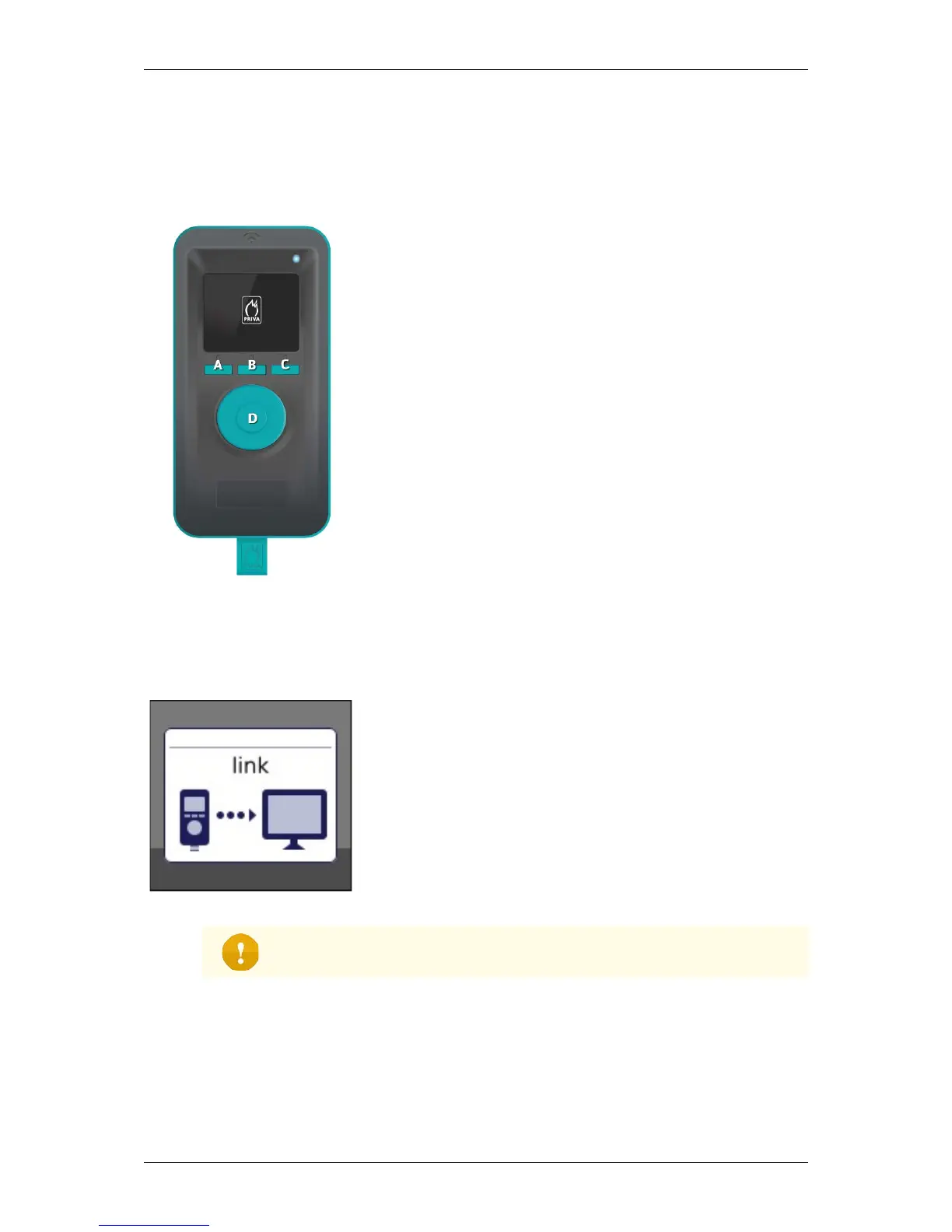
The FS Reader has the following ways to interact with the user:
• The display shows the user information.
• Soft key A, B and C: the left, middle and right soft keys
are used to activate functions in the display menu.
• Soft key D: the scan button is used to scan the RFID
tag.
• Led: in the upper right corner just above the display.
• Buzzer: makes a sound to attract the attention of the
user.
• Vibration motor: makes the FS Reader vibrate to give
the user extra feedback.
Commissioning: link FS Reader to the customer system
This screen indicates that the FS Reader has not been
registered yet or has been ‘unlinked’ since. The FS Reader
cannot scan at that time.
Please refer to the ‘FS Reader Software User Manual’ how to
register or link the FS Reader to the customer system.
Please be aware that the FS Reader needs to communicate through the wireless
network with the Server in order to be able to receive the ‘Link’ status message and to
synchronize the internal clock.


 To Next Page