FS Reader – User & Service manual – 00.010 11
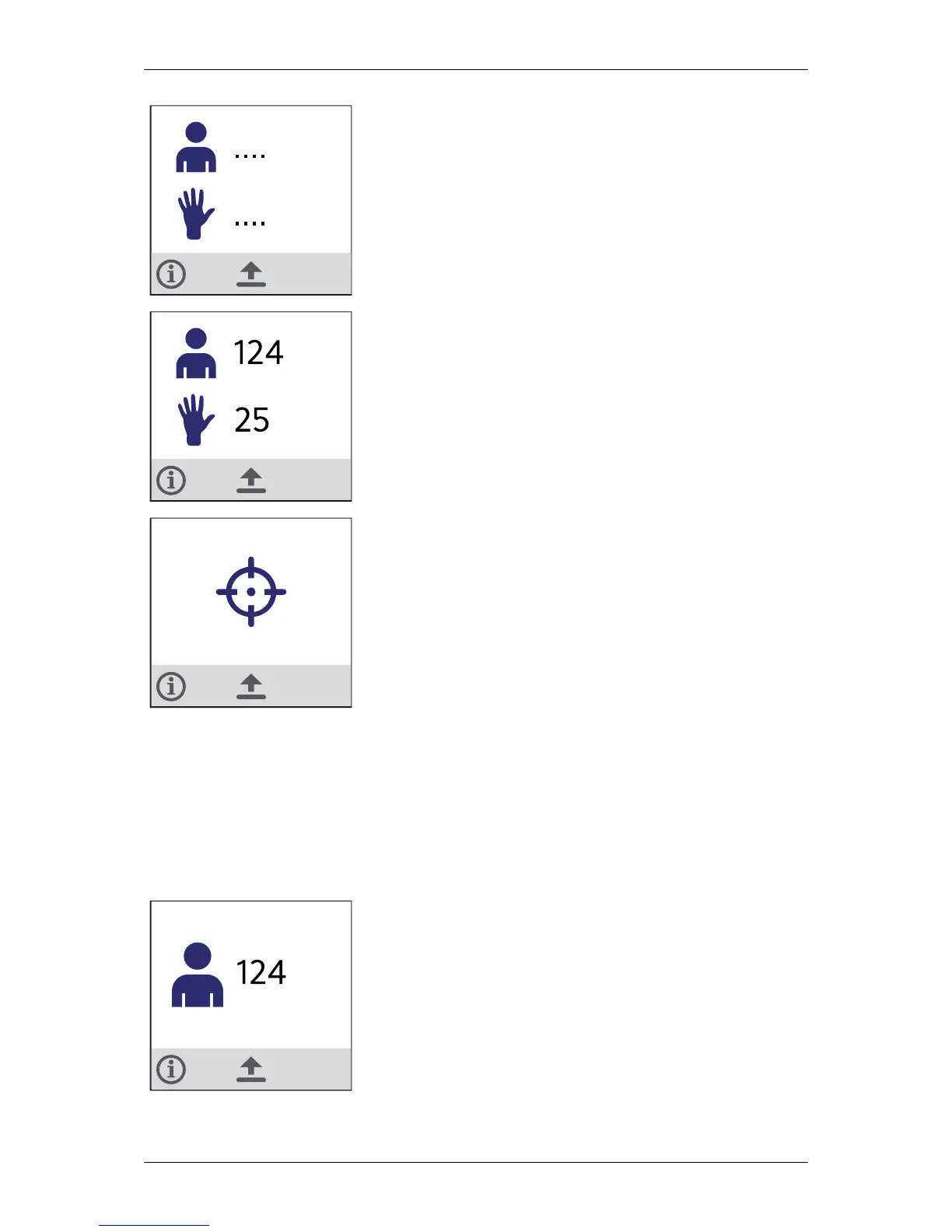
When the FS Reader is linked to the system for the first time,
this screen shows that no employee and no activity has been
scanned yet.
When the FS Reader has been used before, it will remember the
employee number and activity number that were most recently
scanned.
Is this example, the most recent employee #124 performed
#25 as most recent activity.
This display is shown continuously when the FS Reader is
scanning in search for an RFID tag.
When the FS Reader is waiting for an action from the user, the
icon is blinking on and off.
After 20 seconds the display is less bright and after 30 seconds
the display switches to power save mode.
Scanning of basic tags
Pressing the large scan button scans the RFID tag held in front of the FS Reader. If
scanned, the screen will display the type and number of the tag scanned and the FS
Reader provides haptic (buzzer and vibration) feedback.
The following basic tag types can be scanned:
Employee #124 has been scanned.


 To Next Page