Priva B.V.
16 FS Reader – User & Service manual – 00.010
Diagnostic information
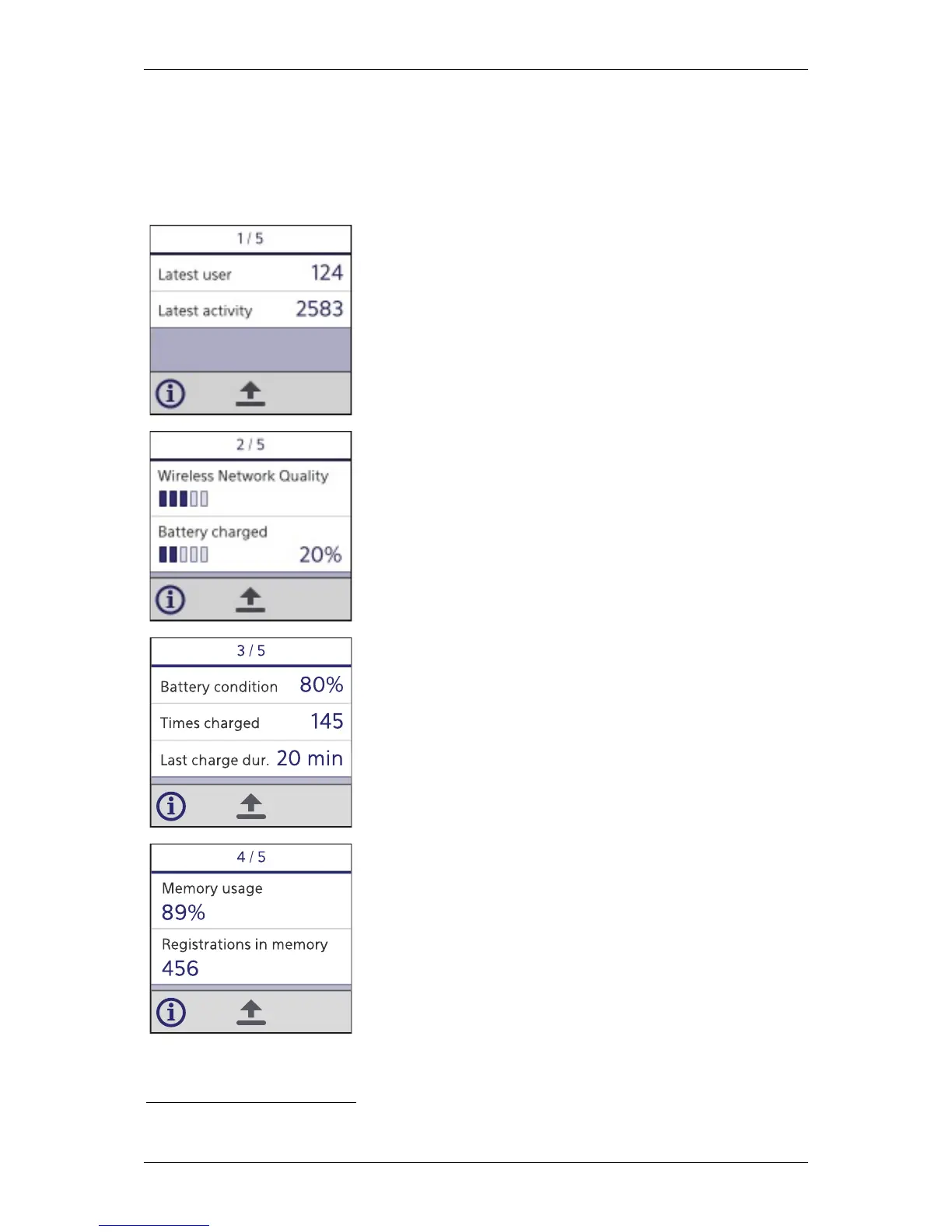
Pressing the left soft button repeatedly will cycle through five diagnostic screens. This
cycle will be ended by pressing any other button.
Latest user:
The last person tag scanned with the FS Reader.
Latest activity:
The last activity tag scanned by the FS Reader.
Wireless Network Quality:
The quality of the signal to the current access point (FS Router
or FS Concentrator) to which the FS Reader is connected.
Battery charged:
The percentage of power in the battery, compared to the
maximum power capacity of the battery.
Battery condition:
The portion of the original charge capacity the battery is
capable of charging now.
Times Charged:
Number of times the FS Reader battery has been charged.
2
Last charge dur:
Duration of the last charging time of the FS Reader.
Memory usage:
Percentage of the memory of the FS Reader currently in use.
Registrations in memory:
Number of registrations in the FS Reader that have not yet been
stored in the central server.
2
This number will reset to zero when the battery is disconnected from the FS Reader.


 To Next Page