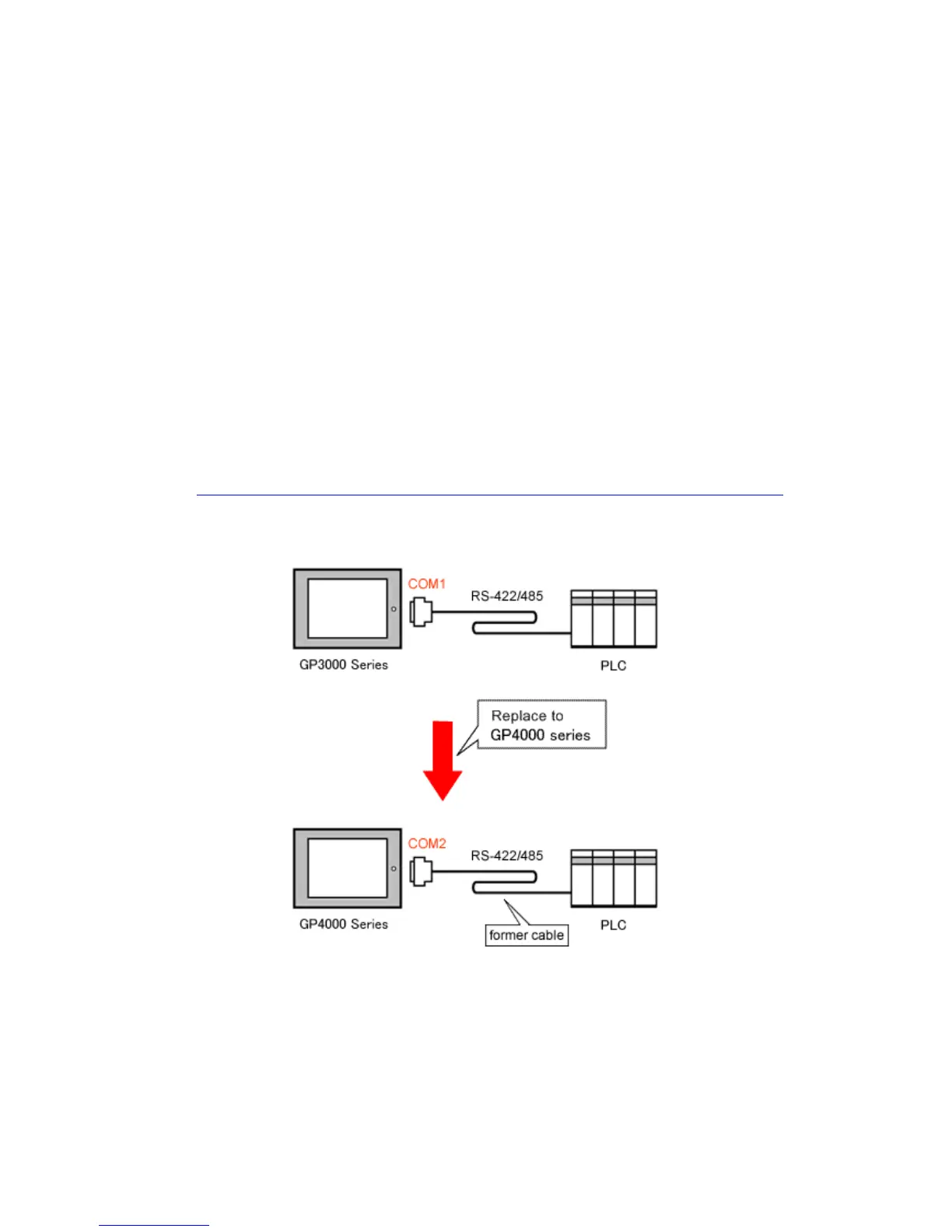
4.5 Cable Diagram at the time of replacement
The connection cable for GP/ST-3500 series can be used for GP-4501T/TW.
But please note that there are precautions and restrictions as described below when
replacing GP-3500S/L.
・ When a RS-422/485 device is connected via the COM1 port, if GP-3500S/L is
replaced with GP-4501T/TW, it will be connected via the COM2 port of
GP-4501T/TW. (The cable diagram can be still used.)
Before GP-4501T/TW is connected, be sure to change the port setting to COM2 on
the Device/PLC setting. Also, please check the communication settings with
GP-Pro EX Device/PLC Connection Manual just in case.
(http://www.pro-face.com/otasuke/files/manual/gpproex/new/device/index.htm
)
43/49






 To Next Page