Installation and Wiring
138
Step Action
1 Place the GP unit on a clean and level surface with the display facing
downward.
2 Check that the GP unit’s gasket is seated securely into the gasket’s groove,
which runs around the perimeter of the GP unit frame.
3 Cut a hole in the installation panel as defined by the GP unit’s panel cutout
dimensions.
GP-4200 Series (see page 63)
GP-4300 Series (see page 81)
GP-4400 Series (see page 96)
GP-4500 Series (see page 116)
GP-4600 Series (see page 133)
4 Insert the GP unit into the panel-cut.
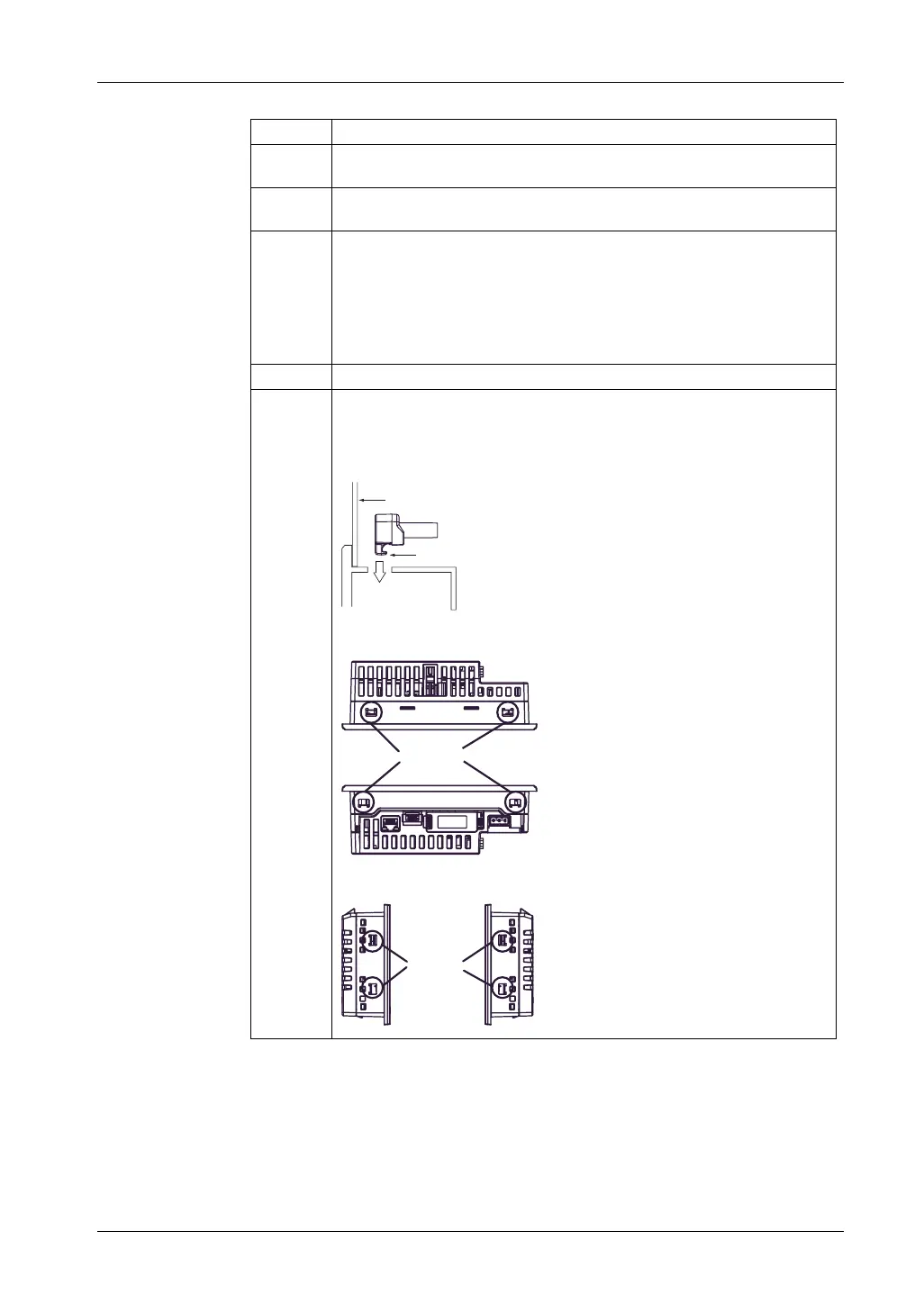
5 Insert the installation fasteners into the GP unit’s insertion slots on the top and
bottom sides (left and right sides for the GP-4200 Series). Slide the fasteners
to the back. If the fasteners are not correctly attached, the GP unit may shift or
fall out.
GP-4301T
GP-4201T
Installation Panel
Hook
Slots
Slots





 To Next Page