
 Need help?
Do you have a question about the Pro-Form 210 CSX and is the answer not in the manual?
Contact details for customer support in the UK.
Contact details for customer support in Australia.
Details on locating and applying warning decals on the exercise bike.
Provides dimensions and weight of the PROFORM 210 CSX exercise bike.
Identifies small parts and their quantities required for bike assembly.
Lists required tools and general assembly preparation steps.
Attaching the front and rear stabilizers to the main bike frame.
Steps for installing the upright, handlebar, console, and associated wiring.
Procedures for attaching the seat post, seat, and pedals.
Connecting the power adapter and performing a final inspection of the assembled bike.
How to plug in the power adapter and adjust seat/pedals for use.
Explains console functions, diagram, and available features like manual mode.
Detailed steps for using the console in manual mode, controlling resistance and viewing progress.
Details volume control, pausing/ending workouts, and automatic console power-off.
Instructions for selecting and using the various onboard workout programs.
Instructions for connecting tablets, heart rate monitors, and using the sound system.
How to change console settings like units of measurement and demo mode.
Guidance on regular upkeep and cleaning of the exercise bike.
Troubleshooting common console feedback problems and adjusting the reed switch.
Procedure for adjusting the drive belt to prevent pedal slippage.
Using heart rate zones to set intensity for fat burning and aerobic exercise.
Guidelines for warming up, training, cooling down, and workout frequency.
A comprehensive list of all parts with key numbers and quantities.
A visual breakdown of the exercise bike components for identification.
Information and required details for ordering replacement parts.
Instructions for environmentally responsible disposal and recycling of the electronic product.
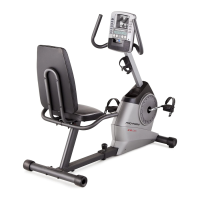
The Pro-Form 210 CSX is an exercise bike designed for home use, offering a range of features to enhance cardiovascular fitness, build endurance, and tone the body. This manual provides comprehensive instructions for assembly, operation, maintenance, and safety.
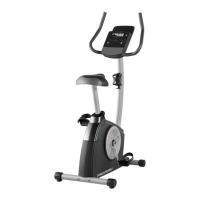
The Pro-Form 210 CSX is a stationary exercise bike that allows users to engage in cycling workouts. It features a console that provides continuous exercise feedback, including time, distance, calories burned, RPM, speed, and heart rate (when a compatible monitor is used). The bike offers adjustable resistance levels, allowing users to customize the intensity of their workouts. It also includes a selection of onboard workouts (Calorie, Time, and Interval) that automatically adjust resistance and prompt users to maintain target pedaling speeds. The console supports Bluetooth connections to tablets for use with the iFit app, enabling users to record and track workout information. Additionally, it has a sound system that allows users to play music or audio books during exercise.
 General
| Brand | Pro-Form |
|---|---|
| Model | 210 CSX |
| Category | Fitness Equipment |
| Language | English |



 To Next Page