
 Need help?
Do you have a question about the Pro-Form 520x and is the answer not in the manual?
Read all precautions and instructions before operating this equipment. Save this manual for future reference.
Covers user responsibilities, proper treadmill placement, environmental factors, user limits, and safe operating practices.
Keep hands and feet away from moving parts while the treadmill is in operation.
Information on treadmill decals and the importance of saving the user manual for future reference.
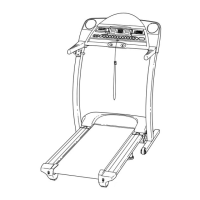
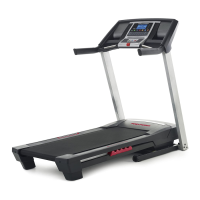
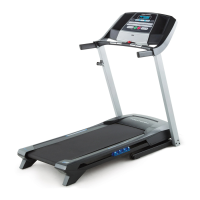
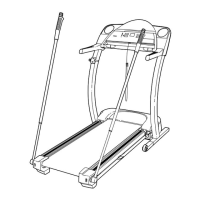
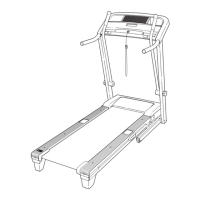
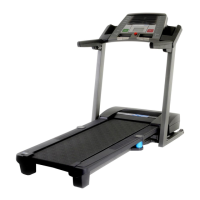
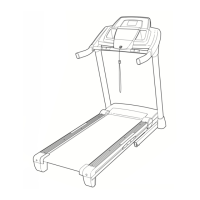
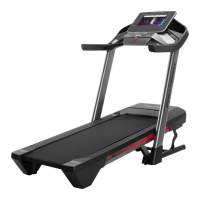
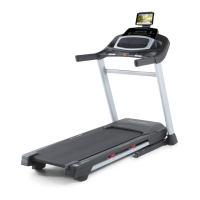
Highlights the PROFORM 520x treadmill's advanced technology, space-saving design, and home use convenience.
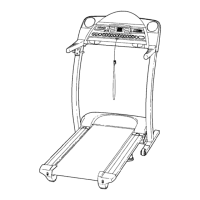
Familiarize yourself with the treadmill's parts through a labeled diagram including console, handrails, and walking belt.
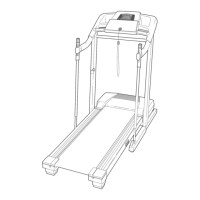
Requires two people, specific tools, and outlines initial setup steps including attaching extension legs.
Details the process of lowering uprights and securing them with screws and base pads for stability.
Covers attaching handgrip extensions, top/bottom handgrips, and ensuring all parts are securely tightened.
Instructions on the Performant Lube walking belt and warnings against using other substances.
Details safe power cord connection, surge suppressor usage, and grounding requirements for the treadmill.
Diagram illustrating the console layout, including displays, buttons, and indicator lights.
Covers console safety precautions and key features like manual control, personal trainer programs, and iFIT.com integration.
Instructions on turning on the power, using the safety clip, and starting/stopping the walking belt.
Details how to adjust speed and incline, and interpret console displays for calories, heart rate, and distance.
Explanation of Time/Incline, Distance/Laps, and Speed/Min-Mile displays for tracking workout progress.
Guide to using the handgrip pulse sensor and proper procedure for ending an exercise session.
Steps to select a personal trainer program, understand its profiles, and begin the workout.
Details how the program adjusts speed/incline, provides alerts, and allows manual adjustments during the workout.
Instructions for using heart rate programs, including the need for a chest pulse sensor and selecting a program.
Explains how to estimate maximum heart rate and set target heart rate percentages for training zones.
Steps to enter user age and set the maximum speed limit for heart rate programs.
Describes how the treadmill adjusts speed/incline to maintain target heart rate and manual override options.
Guides on connecting a CD player to the treadmill using LINE OUT or PHONES jacks for iFIT.com.
Instructions for connecting portable stereos via AUDIO OUT or LINE OUT jacks, including adapter use.
Details connections for home stereos using LINE OUT jacks, including adapter and Y-adapter usage.
Instructions for connecting computers via LINE OUT or PHONES jacks for iFIT.com programs.
Guides on connecting a VCR to the treadmill for iFIT.com video programs.
Steps for selecting and playing iFIT.com CD/video programs, including console interaction and audio alerts.
How to manually adjust speed/incline during iFIT.com programs and stop/restart the walking belt.
Tips for resolving issues like speed/incline not changing or console not detecting program signals.
Steps to connect to the iFIT.com website, select a program, and run it via the treadmill console.
Guidance on starting web programs, understanding speed/incline change alerts, and manual overrides.
How to access information mode for usage hours/miles and turn the demo mode on/off.
Information on the benefits and purchase of an optional chest pulse sensor for heart rate programs.
Detailed steps on how to safely fold the treadmill into its storage position, including latch mechanism.
Instructions on how to move the folded treadmill using its wheels, emphasizing caution and proper lifting techniques.
Steps to safely lower the treadmill from its storage position back to the operational position.
Solutions for issues like the treadmill not turning on, turning off during use, or speed display malfunctions.
Addresses problems with the walking belt slowing, being off-center, or slipping, and how to adjust.
Troubleshooting for incorrect incline changes or sync issues with iFIT.com programs.
Guidance on using heart rate to determine proper intensity for fat burning and aerobic exercise.
Recommendations for structuring workouts with warm-up, training, cool-down, and optimal exercise frequency.
Demonstrates and describes five fundamental stretches for improving flexibility and preventing injury.
Information on contacting customer service for assembly help, missing parts, or repair service, and ordering parts.
Details the warranty coverage for defects in material or workmanship for 90 days from purchase date.



 To Next Page
 General