19
O
ur Web site at www.iFIT.com allows you to play
iFIT.com programs directly from the internet. To use
p
rograms from our Web site, the elliptical crosstrainer
must be connected to your computer. See HOW TO
CONNECT YOUR COMPUTER on page 17. In addi-
tion, you must have an internet connection and an
internet service provider. A list of specific system
requirements is found on our Web site.
Follow the steps below to use a program from our
Web site.
Turn on the console.
See step 1 on page 11.
Select the iFIT.com mode.
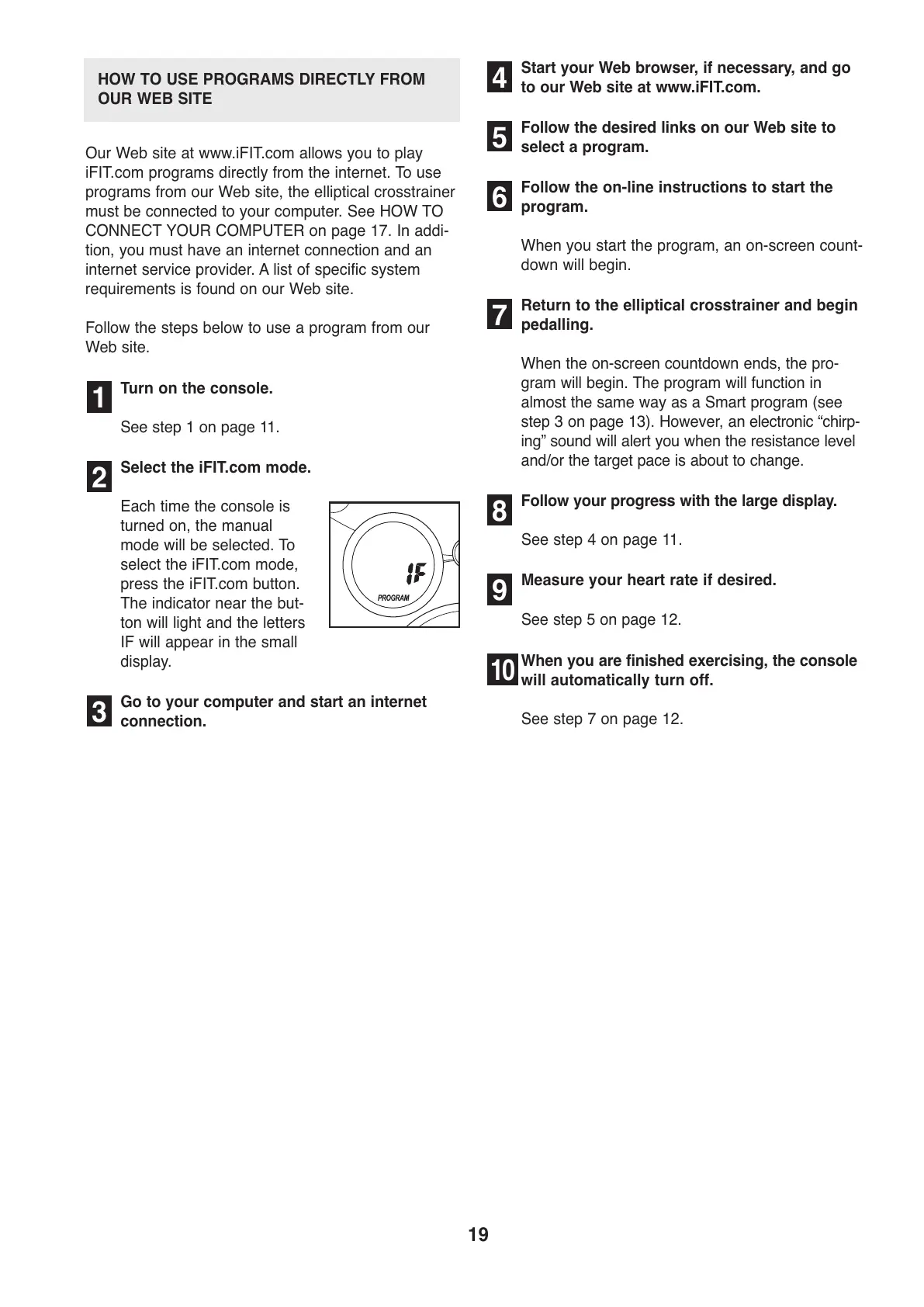
Each time the console is
turned on, the manual
mode will be selected. To
select the iFIT.com mode,
press the iFIT.com button.
The indicator near the but-
ton will light and the letters
IF will appear in the small
display.
Go to your computer and start an internet
connection.
S
tart your Web browser, if necessary, and go
to our Web site at www.iFIT.com.
Follow the desired links on our Web site to
select a program.
Follow the on-line instructions to start the
program.
When you start the program, an on-screen count-
down will begin.
Return to the elliptical crosstrainer and begin
pedalling.
When the on-screen countdown ends, the pro-
gram will begin. The program will function in
almost the same way as a Smart program (see
step 3 on page 13). However, an electronic “chirp-
ing” sound will alert you when the resistance level
and/or the target pace is about to change.
Follow your progress with the large display.
See step 4 on page 11.
Measure your heart rate if desired.
See step 5 on page 12.
When you are finished exercising, the console
will automatically turn off.
See step 7 on page 12.
2
1
10
9
8
7
6
5
4
3
HOW TO USE PROGRAMS DIRECTLY FROM
OUR WEB SITE



 To Next Page