
 Need help?
Do you have a question about the Pro-Form GL36 and is the answer not in the manual?
Instructions on adjusting the bicycle seat height for optimal pedaling.
Guide to adjusting the bicycle seat forward and backward for comfort.
Steps for adjusting the exercise cycle's upright height.
Procedure for adjusting the pedal straps for a secure fit.
Steps to connect a portable CD player to the exercise cycle for audio.
Instructions for connecting a home stereo system to the exercise cycle.
Guidelines for connecting a VCR to the exercise cycle for audio.
Procedures for replacing batteries in the console.
Steps to ensure the exercise cycle is stable on uneven floors.
Tips for accurate heart rate readings from the handgrip sensor.
Guidance on determining exercise intensity based on heart rate zones.
Recommendations for exercising at low intensity to burn fat.
Advice for strengthening the cardiovascular system with aerobic activity.
Recommended structure for warm-up, training, and cool-down periods.
Guidelines for establishing a consistent exercise routine.
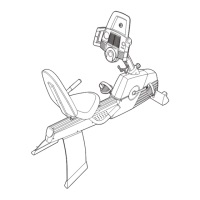
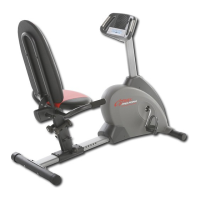
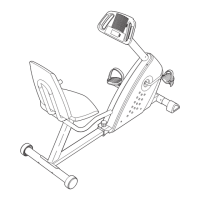
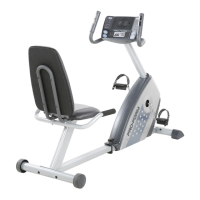
The PRO-FORM GL36 is an exercise cycle designed for home use, offering a range of features to enhance cardiovascular fitness, build endurance, and tone the entire body. This manual provides comprehensive instructions for assembly, operation, and maintenance, ensuring a safe and effective workout experience.
The PRO-FORM GL36 exercise cycle provides a stationary cycling experience with adjustable resistance levels. Its primary function is to facilitate cardiovascular exercise, allowing users to engage in a low-impact workout that targets various muscle groups. The console, powered by four 1.5V "D" batteries, serves as the central control and feedback unit, offering multiple modes of operation including manual, Smart programs, Heart Rate programs, and iFIT.com interactive technology.
In manual mode, users can freely adjust the pedal resistance across ten levels, with level 10 being the most challenging. The console continuously displays exercise feedback such as distance, elapsed time, current pace (in minutes per mile), pedaling speed, and resistance level. It also calculates calories and fat calories burned, providing valuable insights into workout intensity and progress. The console can display measurements in either miles or kilometers, which can be toggled by holding down the On/Reset button for six seconds.
The Smart programs automatically adjust pedal resistance and guide users through effective workouts by prompting them to increase or decrease their pace. These programs include weight loss progressive, weight loss interval, aerobic progressive, and high-performance interval training. Each program consists of one-minute periods, with programmed resistance levels and target paces. The console indicates the target pace using arrows in the small display, encouraging users to match their pedaling pace to the recommended intensity.
Heart Rate programs are designed to help users maintain their heart rate within specific training zones. Program 1 aims to keep the heart rate between 65% and 85% of the user's maximum heart rate (calculated as 220 minus age), while Program 2 allows users to select a target heart rate between 70 and 170 beats per minute. The console uses a handgrip pulse sensor to monitor heart rate, comparing it to the target and adjusting pedal resistance or prompting pace changes to keep the user within the desired zone.
The iFIT.com interactive technology integrates with external audio devices (CD players, VCRs, or computers) to provide a personalized training experience. iFIT.com CD and video programs automatically control the resistance of the pedals and offer coaching through a personal trainer, accompanied by high-energy music. Users can also access programs directly from the iFIT.com website when the exercise cycle is connected to a computer.
The PRO-FORM GL36 is designed for user comfort and adjustability. The seat post and seat can be adjusted to ensure proper height and position, accommodating users of different statures. The upright, which supports the handlebars and console, can also be adjusted for optimal comfort. Pedal straps are included to secure the user's feet, and their position can be adjusted for a snug fit.
The handgrip pulse sensor, integrated into the handlebars, allows for convenient heart rate monitoring during workouts. Users simply hold the metal contacts with their palms to get a reading. The console also features a fan button to activate a cooling fan at low or high speed, and a thumb wheel to pivot the fan to the desired angle. The fan automatically turns off after thirty seconds of inactivity to conserve battery life.
The exercise cycle is equipped with leveling feet on the front stabilizer to ensure stability on uneven surfaces. For mobility, the GL36 has wheels on the front stabilizer, allowing it to be easily moved by tilting the handlebars and rolling it to a new location.
Regular maintenance is crucial for the longevity and optimal performance of the PRO-FORM GL36. Users are advised to inspect and tighten all parts regularly and replace any worn components immediately.
Cleaning the exercise cycle involves using a damp cloth and a small amount of mild soap. It is important to keep liquids away from the console and protect it from direct sunlight to prevent damage.
Battery replacement is necessary when the console display becomes dim, as most console problems are attributed to low batteries. The manual provides clear instructions for accessing and replacing the four "D" batteries.
For the handgrip pulse sensor, maintaining clean metal contacts is essential for accurate heart rate readings. The contacts can be cleaned with a soft cloth, but alcohol, abrasives, or chemicals should be avoided. Users are also cautioned against moving their hands excessively or holding the contacts too tightly, as this can interfere with readings.
The pedals require periodic retightening, especially after the first week of use, to ensure best performance. The manual specifies tightening the left pedal counterclockwise and the right pedal clockwise.
The PRO-FORM GL36 also includes a limited ninety-day warranty covering defects in workmanship and material under normal use and service conditions. This warranty facilitates repairs or replacements through authorized service centers, provided claims are pre-authorized by ICON Health & Fitness, Inc. The warranty does not cover damage from freight, abuse, misuse, improper usage, or repairs not performed by an authorized service center.
 General
| Display | LCD |
|---|---|
| Resistance Type | Magnetic |
| Display Type | LCD |
| Weight Capacity | 250 lbs |
| Included Accessories | Water Bottle Holder |




 To Next Page