EasyManua.ls Logo

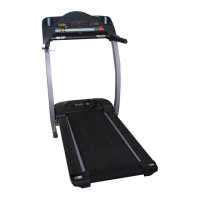
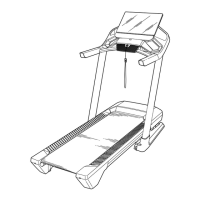
Pro-Form Pro 2000 - User Manual

Pro-Form Pro 2000
40 pages
Print Icon
To Next Page IconTo Next Page
Loading...
Serial Number
Decal
Model No. PFTL13116.1
Serial No.
Write the serial number in the space
above for reference.
CAUTION
Read all precautions and instruc-
tions in this manual before using
this equipment. Save this manual
for future reference.
proform.com
USER’S MANUAL
ACTIVATE YOUR
WARRANTY
To register your product and
activate your warranty today,
go to my.proform.com.
CUSTOMER CARE
For service at any time, go to
proformservice.com.
Or call 1-888-533-1333
Mon.–Fri. 6 a.m.–6 p.m. MT
Sat. 8 a.m.–12 p.m. MT
Please do not contact the store.

Questions and Answers

Summary

Safety and Initial Setup

WARNING DECAL PLACEMENT

Locating and applying warning decals for safety.

IMPORTANT PRECAUTIONS

Essential safety guidelines and warnings before operating the treadmill.

Treadmill Assembly

BEFORE YOU BEGIN

Initial steps and overview before starting treadmill use.

PART IDENTIFICATION CHART

Visual guide to identify small parts used during assembly.

ASSEMBLY: Getting Started

Overview, tools, and initial registration for assembly.

ASSEMBLY: Frame and Upright Connection

Connecting the main frame, uprights, and managing wires.

ASSEMBLY: Handrails and Console Mounting

Attaching the handrails and the main console assembly.

ASSEMBLY: Final Frame Components

Securing storage latch and final cover installation.

Treadmill Operation: Power and Manual Mode

HEART RATE MONITOR USAGE

Instructions for using the chest heart rate monitor.

POWER CONNECTION AND SAFETY

Proper connection of the power cord and surge suppressor.

CONSOLE FEATURES OVERVIEW

Overview of the console display, buttons, and functionalities.

STARTING UP AND MANUAL MODE

How to power on the treadmill and operate it manually.

Treadmill Operation: Workouts and Connectivity

WORKOUT MODES AND FAN OPERATION

Using onboard workouts, fan settings, and heart rate measurement.

BLUETOOTH DEVICE CONNECTIVITY

Pairing tablets and heart rate monitors with the console.

SETTINGS, SOUND, AND TABLET HOLDER

Adjusting console settings, using the sound system, and tablet holder.

Treadmill Storage, Maintenance, and Troubleshooting

FOLDING, MOVING, AND LOWERING

Procedures for folding, moving, and preparing the treadmill for use.

MAINTENANCE AND TROUBLESHOOTING

Routine maintenance and solutions for common treadmill problems.

Exercise Guidance and Parts Information

EXERCISE GUIDELINES AND INTENSITY

Recommendations for workout intensity, duration, and frequency.

SUGGESTED STRETCHES

Basic stretches to perform before and after exercise.

PART LIST

A comprehensive list of all treadmill parts with key numbers.

EXPLODED DRAWINGS

Visual breakdown of treadmill components for identification.

Warranty and Support Information

ORDERING PARTS AND LIMITED WARRANTY

Information on ordering replacement parts and product warranty terms.

Summary

Safety and Initial Setup

WARNING DECAL PLACEMENT

Locating and applying warning decals for safety.

IMPORTANT PRECAUTIONS

Essential safety guidelines and warnings before operating the treadmill.

Treadmill Assembly

BEFORE YOU BEGIN

Initial steps and overview before starting treadmill use.

PART IDENTIFICATION CHART

Visual guide to identify small parts used during assembly.

ASSEMBLY: Getting Started

Overview, tools, and initial registration for assembly.

ASSEMBLY: Frame and Upright Connection

Connecting the main frame, uprights, and managing wires.

ASSEMBLY: Handrails and Console Mounting

Attaching the handrails and the main console assembly.

ASSEMBLY: Final Frame Components

Securing storage latch and final cover installation.

Treadmill Operation: Power and Manual Mode

HEART RATE MONITOR USAGE

Instructions for using the chest heart rate monitor.

POWER CONNECTION AND SAFETY

Proper connection of the power cord and surge suppressor.

CONSOLE FEATURES OVERVIEW

Overview of the console display, buttons, and functionalities.

STARTING UP AND MANUAL MODE

How to power on the treadmill and operate it manually.

Treadmill Operation: Workouts and Connectivity

WORKOUT MODES AND FAN OPERATION

Using onboard workouts, fan settings, and heart rate measurement.

BLUETOOTH DEVICE CONNECTIVITY

Pairing tablets and heart rate monitors with the console.

SETTINGS, SOUND, AND TABLET HOLDER

Adjusting console settings, using the sound system, and tablet holder.

Treadmill Storage, Maintenance, and Troubleshooting

FOLDING, MOVING, AND LOWERING

Procedures for folding, moving, and preparing the treadmill for use.

MAINTENANCE AND TROUBLESHOOTING

Routine maintenance and solutions for common treadmill problems.

Exercise Guidance and Parts Information

EXERCISE GUIDELINES AND INTENSITY

Recommendations for workout intensity, duration, and frequency.

SUGGESTED STRETCHES

Basic stretches to perform before and after exercise.

PART LIST

A comprehensive list of all treadmill parts with key numbers.

EXPLODED DRAWINGS

Visual breakdown of treadmill components for identification.

Warranty and Support Information

ORDERING PARTS AND LIMITED WARRANTY

Information on ordering replacement parts and product warranty terms.

Pro-Form Pro 2000 Specifications

General IconGeneral
BrandPro-Form
ModelPro 2000
CategoryTreadmill
LanguageEnglish

Related product manuals