EasyManua.ls Logo

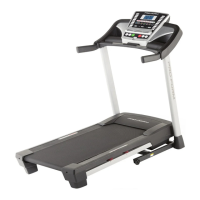
Pro-Form PRO 7000 - User Manual

Pro-Form PRO 7000
40 pages
Print Icon
To Next Page IconTo Next Page
Loading...
www.proform.com
Model No. PFTL17112.0
Serial No.
Write the serial number in the space
above for reference.
Serial Number
Decal
To register your product and
activate your warranty today,
go to www.proformservice.com/
registration.
For service at any time, go to
www.proformservice.com.
Or call 1-888-533-1333
Mon.-Fri. 6 a.m.-6 p.m. MT
Sat. 8 a.m.-4 p.m. MT
Please do not contact the store.
®
;ER'S A UAL
Question and Answer IconNeed help?

Do you have a question about the Pro-Form PRO 7000 and is the answer not in the manual?

Pro-Form PRO 7000 Specifications

General IconGeneral
Running Area22" x 60"
Incline15%
Decline-3%
Speed0 - 12 mph
Display10" HD Touchscreen
FoldingYes
Weight Capacity300 lbs
Deck CushioningProShox Cushioning
Programs50+

Summary

Important Precautions

Assembly

The Chest Heart Rate Monitor

Operation and Adjustment

How to Connect the Power Cord

Steps to properly connect the treadmill's power cord and use a surge suppressor.

How to Turn on the Power

How to Use the Manual Mode

How to Use an Onboard Workout

How to Use a Set-a-Goal Workout

How to Use an iFit Workout

How to Change Console Settings

How to Move the Treadmill

Troubleshooting

Symptom: The power does not turn on

Steps to diagnose and fix power-on issues.

Symptom: The displays of the console do not function properly

Steps to troubleshoot non-responsive console displays.

Symptom: The power turns off during use

Steps to resolve issues with the treadmill shutting off during operation.

Symptom: The incline of the treadmill does not change correctly

Procedure to recalibrate the incline system.

Symptom: The walking belt slows when walked on

Steps to address issues with the walking belt speed.

Symptom: The walking belt is off-center or slips when walked on

Instructions for centering and tightening the walking belt.

Exercise Guidelines

Related product manuals