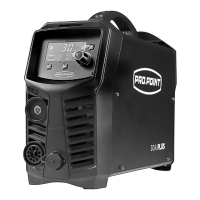
9085754 PROCUT 30A Digi Plus Plasma Cutter V1.0
26 For technical questions call 1-800-665-8685
4. Follow instructions for lubricating and changing accessories.
5. Only use accessories intended for use with this tool.
6. Keep the tool handles clean, dry and free from oil/grease at all times.
7. Maintain the tool’s labels and name plates. These carry important
information. If unreadable or missing, contact Princess Auto Ltd. for
replacements.
WARNING! Only qualified service personnel should repair the tool.
An improperly repaired tool may present a hazard to the user
and/or others.
MAINTENANCE SCHEDULE
Remember that this schedule is based on the assumption that your
machine will be used for its designed purpose. Sustained high-load or
high-temperature operation or use in unusually wet or dusty conditions,
will require more frequent service.
Daily
examination
Check to make sure that the knob and switches on the front and back
panels of the plasma cutting unit are working and correctly set. Replace a
switch or knob that is not working or cannot be set correctly.
Turn the cutting unit on and note if it is shaking, making any strange
sounds or emitting odours. If there is one of the above problems, have
a qualified technician repair the cutting unit.
Check that the fan rotates and is undamaged. Check for and
remove anything blocking the fan if it doesn’t rotate. Have a
qualified service technician repair a damaged fan.
Check that all cable and hose connections are tight. Tighten if
loose. If unable to tighten, replace the connector.
Check to see if the current output cable is damaged. If it is damaged,
have the output cable replaced by a qualified service technician.
examination
Use dry, compressed air to clear the inside of the cutting unit. Make
sure to blow out dust from the internal components.
Make sure that all hardware is securely tightened on the cutting unit.
examination
Check to make sure that the current matches the specifications.
Measure with clamp multimeter. Have the cutting unit serviced if
the amperage or voltage is not correct.
Annual
examination
Measure the insulating impedance among the main circuit, PCB
and case, if it is below 1MΩ, the insulation may be damaged and


 To Next Page