Validating Telephone Service and Polarity
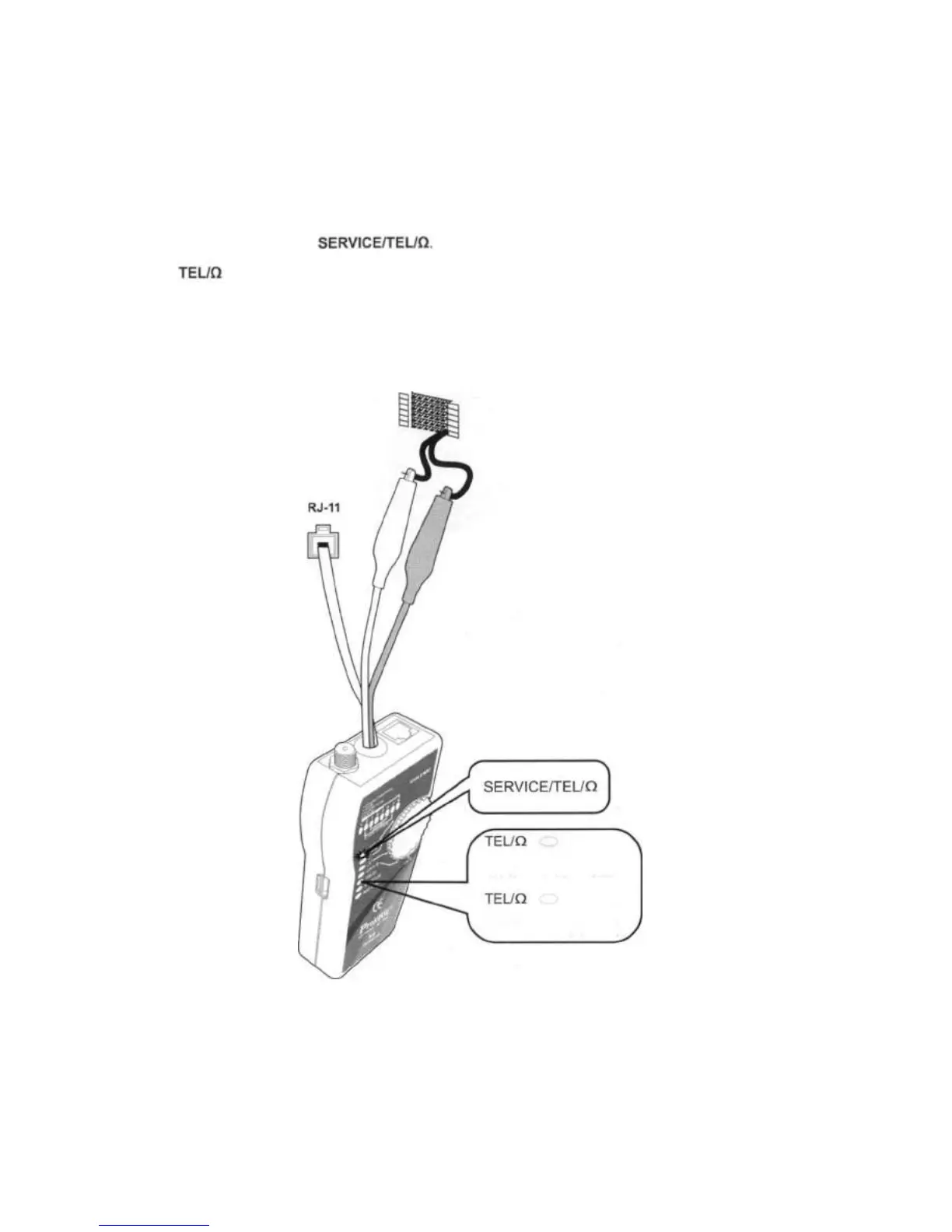
The Toner detects telephone service and circuit polarity on its banana, RJ11 and RJ45 jacks.
To validate telephone service and polarity, do the following as Figure 9 shown below.
1. Connect the Toner to the circuit as shown in Figure 9. Connect the test leads to the telephone punch-down
blocks, RJ11, and RJ45 jacks.
2. Turn the Toner's switch to
3. The LEDs of the Toner indicates the status as below:
Green light: Red test lead at positive (+) polarity
Black test lead at negative (-) polarity
Red light: Red test lead at negative (-) polarity
Black test lead at positive (+) polarity
Figure 9 Validating Telephone Service and Po
14
Telephone
Pounch-down
Block
Red test lead (- polarity)
Black test lead (+ polarity)
Red:
Red test lead (+ polarity)
Black test lead (- polarity)
Green:


 To Next Page