©2022 Pro-Vision Solutions, LLC. Page 9 of 56
Analog Camera Installation
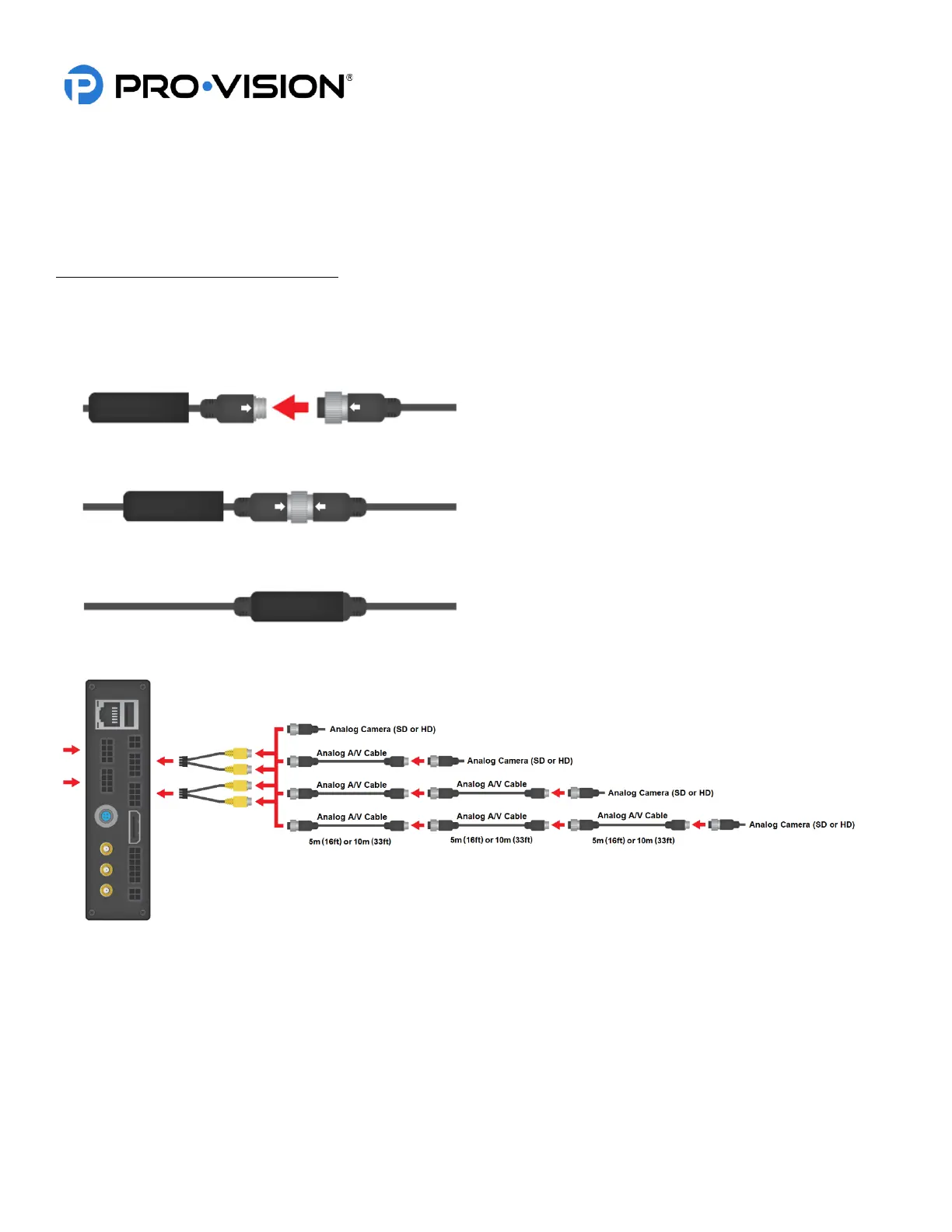
The DVR unit supports any combination of up to eight (8) analog Standard Definition (SD) and Analog High Definition
(AHD) cameras.
Cameras are connected to the yellow analog camera inputs on the Camera Interface cables (shown below).
Analog HD Camera Cables/Connections:
Cameras can be either directly connected, or connected through analog A/V cables:
• PX-1942 5m (16ft) Analog A/V Cable
• PX-1943 10m (33ft Analog A/V Cable
Step 1 Align arrows on connectors and then slide
them together.
Step 2 Thread the collar of the female connector
until it is tight.
Step 3 Slide the rubber boot over the connectors,
completely covering the connection for a
durable waterproof seal.



 To Next Page