©2022 Pro-Vision Solutions, LLC. Page 4 of 56
Data Storage Devices & Readers
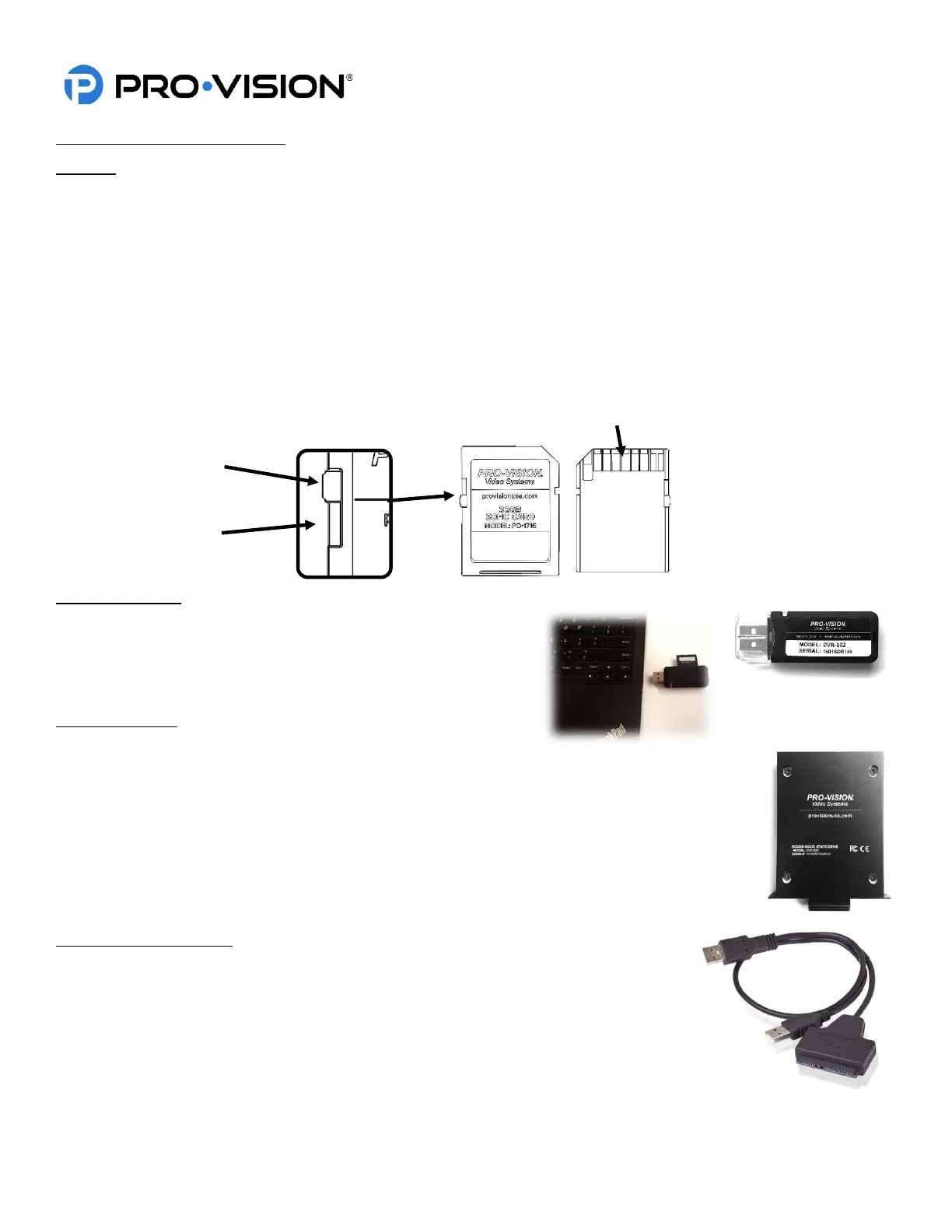
SD Card
The base DVR-908 kit may come with different size SD cards base on the ending of the kit number. Kits ending in “-64”
includes a 64GB SDXC card. The SD card is the primary recording media for your DVR unit; it contains the video that is
recorded by the DVR.
Spare/Replacement cards are available in various sizes to meet the desired storage capacity requirements:
• 32GB SDHC (P/N: PD-1716)
• 64GB SDXC (P/N: PD-1718)
• 128GB SDXC (P/N: PD-1728)
• 256GB SDXC (P/N: PD-1738)
IMPORTANT: The SD card can only be inserted into the unit with the contacts first and label facing away from the
windshield. If the SD card is inserted improperly, you risk damage that may not be covered under
warranty.
USB Card Reader
The USB Card Reader (P/N: DVR-102) allows any SD, SDHC, or
SDXC card to be read in a computer through a USB port. For best
performance use a USB 2.0 port; this will provide the maximum read
speed from the SD card.
Solid-State Drive:
A Solid-State Drive (SSD) is a high-capacity storage device that
utilizes high-performance, solid-state flash memory to provide storage that is not affected by the
typical vibration experienced in a mobile environment.
Solid State Drives are available in multiple capacities:
• 500GB SSD (P/N: DVR-830)
• 1TB SSD (P/N: DVR-831)
• 2TB SSD (P/N: DVR-832)
• 4TB SSD (P/N: DVR-834)
Solid-State Drive Reader:
The Solid-State Drive Reader (P/N: DVR-802) is a cable used to connect an SSD to a
computer for the purpose of viewing files or downloading data from the SSD to a computer
or network.



 To Next Page