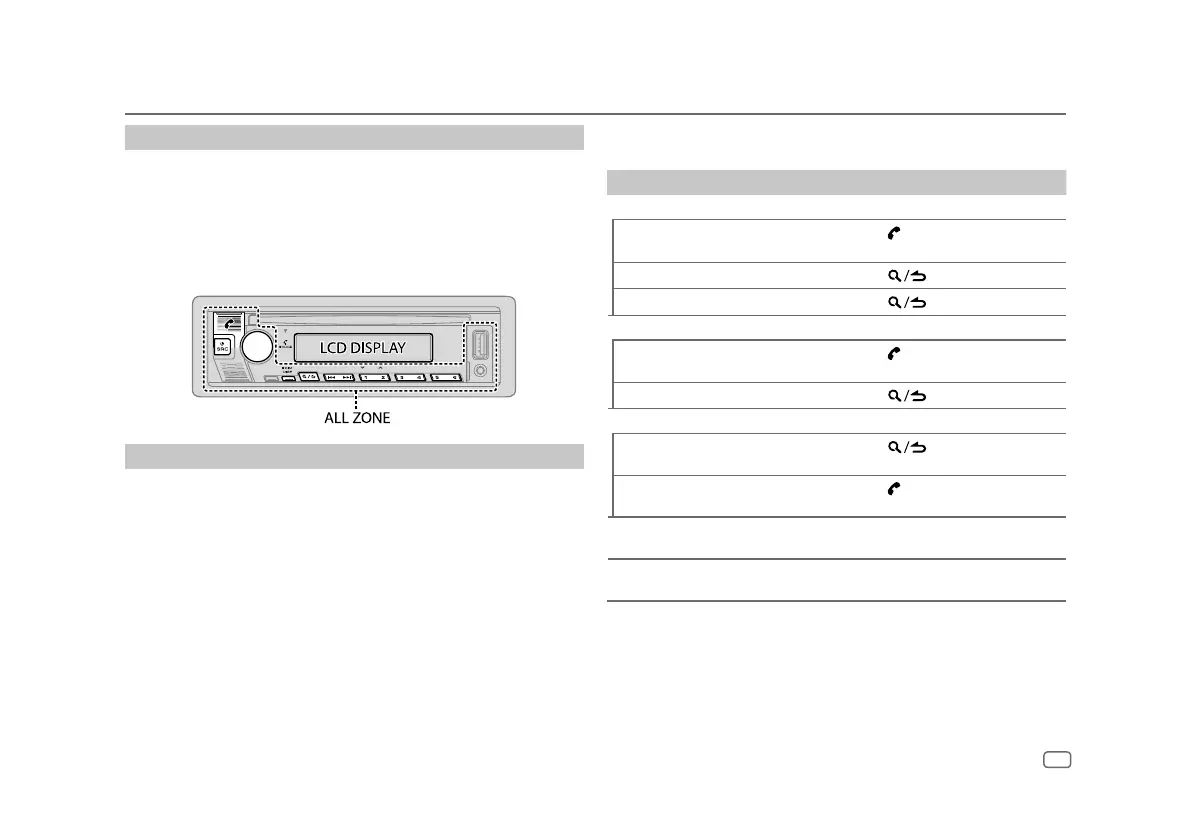
Auto Pairing
When you connect iPhone/iPod touch to the USB input terminal, pairing
request (via Bluetooth) is automatically activated if
[AUTO PAIRING]
is set to
[ON]
. (Page 16)
Press the volume knob to pair once you have confirmed the device name.
Bluetooth — Mobile phone
Receive a call
When there is an incoming call:
• The unit answers the call automatically if
[AUTO ANSWER]
is set to a selected
time. (Page14)
During a call:
• If you turn off the unit or detach the faceplate, Bluetooth is disconnected.
Bluetooth®
The following operations may differ or be unavailable depending on the
connected phone.
To On the faceplate
First incoming call...
Answer a call
Press
or the volume knob or one
of the number buttons (1 to 6).
Reject a call
Press
.
End a call
Press
.
While talking on the first incoming call...
Answer another incoming call and
hold the current call
Press
.
Reject another incoming call
Press
.
While having two active calls...
End current call and activate held
call
Press
.
Swap between the current call and
held call
Press
.
Adjust the phone volume*1
[00]
to
[35]
(Default:
[15]
)
Turn the volume knob during a call.
Switch between hands-free and
private talk modes*2
Press 6 IW during a call.
*1 This adjustment will not affect the volume of the other sources.
*2 Operations may vary according to the connected Bluetooth device.
ENGLISH
13


 To Next Page