Bluetooth®
Bluetooth — Audio
• Operations and display indications may differ according to their availability
on the connected device.
• Depending on the connected device, some features may not work with
your device.
While in BT AUDIO source, you can connect to five Bluetooth audio devices
and switch between these five devices.
Listen to the audio player via Bluetooth
1
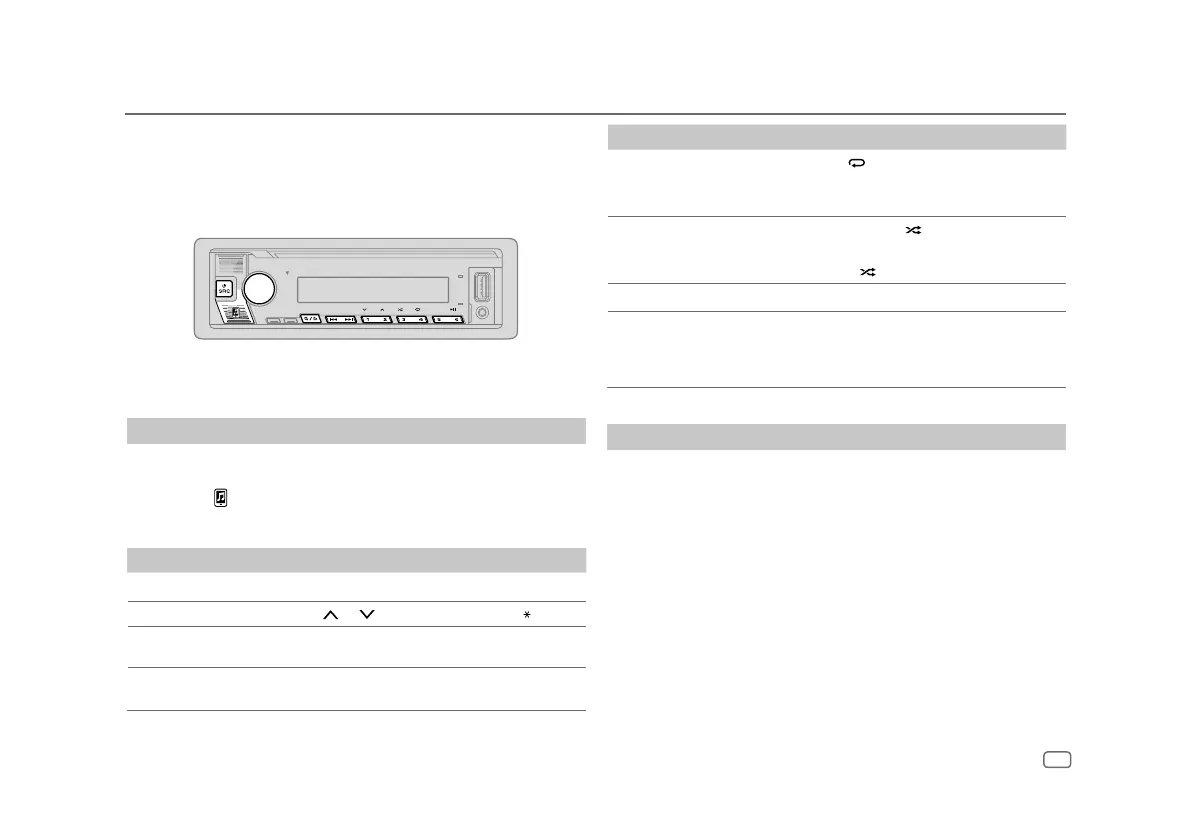
Press B SRC repeatedly (or press SRC on the remote control) to select
BTAUDIO.
• Pressing enters BT AUDIO directly.
2 Operate the audio player via Bluetooth to start playback.
To On the faceplate On the remote control
Play back/pause
Press 6 IW. Press ENT IW.
Select group or folder Press 2
/ 1 . Press #FM+/ AM–.
Reverse skip/
Forward skip
Press S / T. Press S / T (+).
Reverse/Fast-forward
Press and hold S / T. Press and hold S /
T (+).
ENGLISH
21
To On the faceplate
Repeat play Press 4 repeatedly.
[ALLREPEAT]
,
[FILEREPEAT]
,
[GROUPREPEAT]
,
[REPEATOFF]
Random play Press and hold 3 to select
[ALLRANDOM]
or
[GROUPRANDOM]
.
•
Press 3 to select
[RANDOMOFF].
Select a file from a folder/list Refer to “Select a file to play” on page 10.
Switch between connected
Bluetooth audio devices
Press 5.
(Pressing the “Play” key on the connected
device itself also causes switching of sound
output from the device.)
Listen to iPod/iPhone via Bluetooth
You can listen to the songs on the iPod/iPhone via Bluetooth on this unit.
Press B SRC repeatedly to select iPodBT.
• You can operate the iPod/iPhone in the same way as iPod/iPhone via USB
input terminal. (Page8)
• If you plug in an iPod/iPhone to the USB input terminal while listening to
iPodBT source, the source automatically changes to iPodUSB source. Press
B SRC to select iPodBT source if the device is still connected via Bluetooth.


 To Next Page