2
8
ENGLISH
More information
Playable files
• For USB mass storage class device:
MP3 (.mp3), WMA (.wma), AAC (.aac), AAC (.m4a), WAV (.wav), FLAC (.flac)
• Playable USB device file system: FAT12, FAT16, FAT32
Even when audio files comply with the standards listed above, playback may be impossible
depending on the types or conditions of media or devices.
About USB devices
• You cannot connect a USB device via a USB hub.
• Connecting a cable whose total length is longer than 5 m may result in abnormal playback.
• This unit cannot recognize a USB device whose rating is other than 5 V and exceeds 1.5 A.
About iPod/iPhone
• Made for
– iPod touch (6th generation)
– iPhone 5S, 6, 6 Plus, 6S, 6S Plus, SE, 7, 7 Plus, 8, 8 Plus, X, XS, XS MAX, XR (iOS 12.1 or later)
• It is not possible to browse video files on the “Videos” menu in [MODE OFF].
• The song order displayed on the selection menu of this unit may differ from that of the iPod/
iPhone.
• You cannot operate iPod if “ ” is displayed on iPod.
• Depending on the version of the operating system of the iPod/iPhone, some functions may not
operate on this unit.
References
About Spotify
• Spotify application supports:
– iPhone 5S, 6, 6 Plus, 6S, 6S Plus, SE, 7, 7 Plus, 8, 8 Plus, X, XS, XS MAX, XR (iOS 12.1 or later)
– iPod touch (6th generation)
– Android OS 4.0.3 or above
• Spotify is a third party service, therefore the specifications are subject to change without prior
notice. Accordingly, compatibility may be impaired or some or all of the services may become
unavailable.
• Some functions of Spotify cannot be operated from this unit.
• For issues using the application, please contact Spotify at <www.spotify.com>.
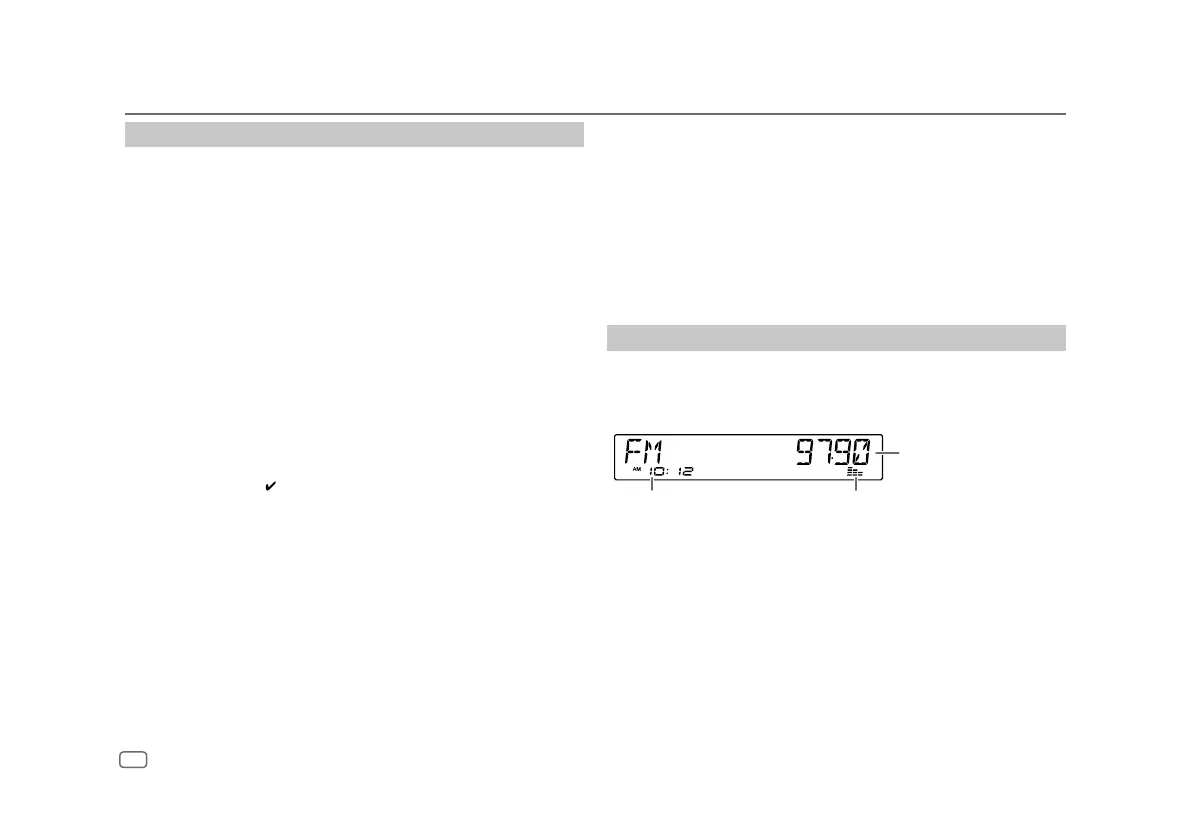
Change the display information
Each time you press DISP, the display information changes.
• If the information is unavailable or not recorded, “NO TEXT”, “NO INFO”, or other information
(eg. station name) appears or display will be blank.
Main display
Clock time
Level meter (Page
25
)


 To Next Page