ENGLISH
Translation of the original German user manual 22
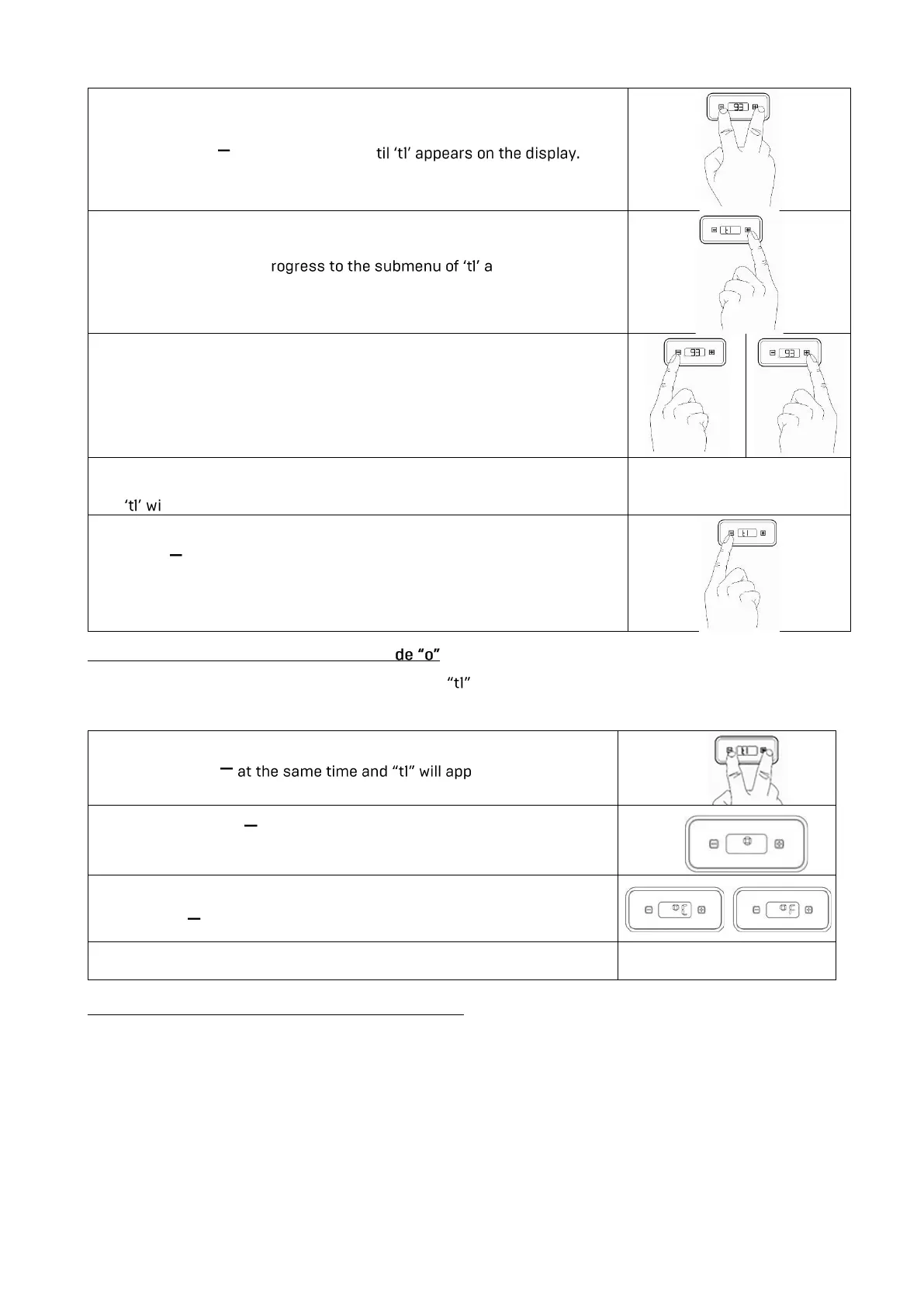
2. Press + and at the same time un
3. Press + in order to p nd to change the
temperature value. The nominal temperature value is displayed.
4. Quickly press
- to decrease
+ to increase
the nominal temperature value.
5. Please wait a short while after having set the nominal temperature
value;
ll be displayed
6. Press in order to leave the programming mode. The newly
programmed nominal temperature is now saved. The heater is now
activated.
6.2. 2 Programming the Temperature Mo
You can also set whether the temperature value of (coffee boiler) should be displayed in °C or °F.
To adjust this setting, proceed as follows:
1. Press + and ear on the display.
2. Press the button twice. After t1, "o" appears on the display.
Press + to enter the menu.
3. Now you can choose between C for Celsius and F for Fahrenheit by
pressing
.
4. Wait a short time and you will exit the menu automatically.
6.2.3 Programming the CLN group cleaning mode
With the PRO 300 you have the option to program a reminder for next the group cleaning at the PID
display. The machine is set to 0 at the time of delivery, so no reminder is programmed yet.



 To Next Page