EasyManua.ls Logo

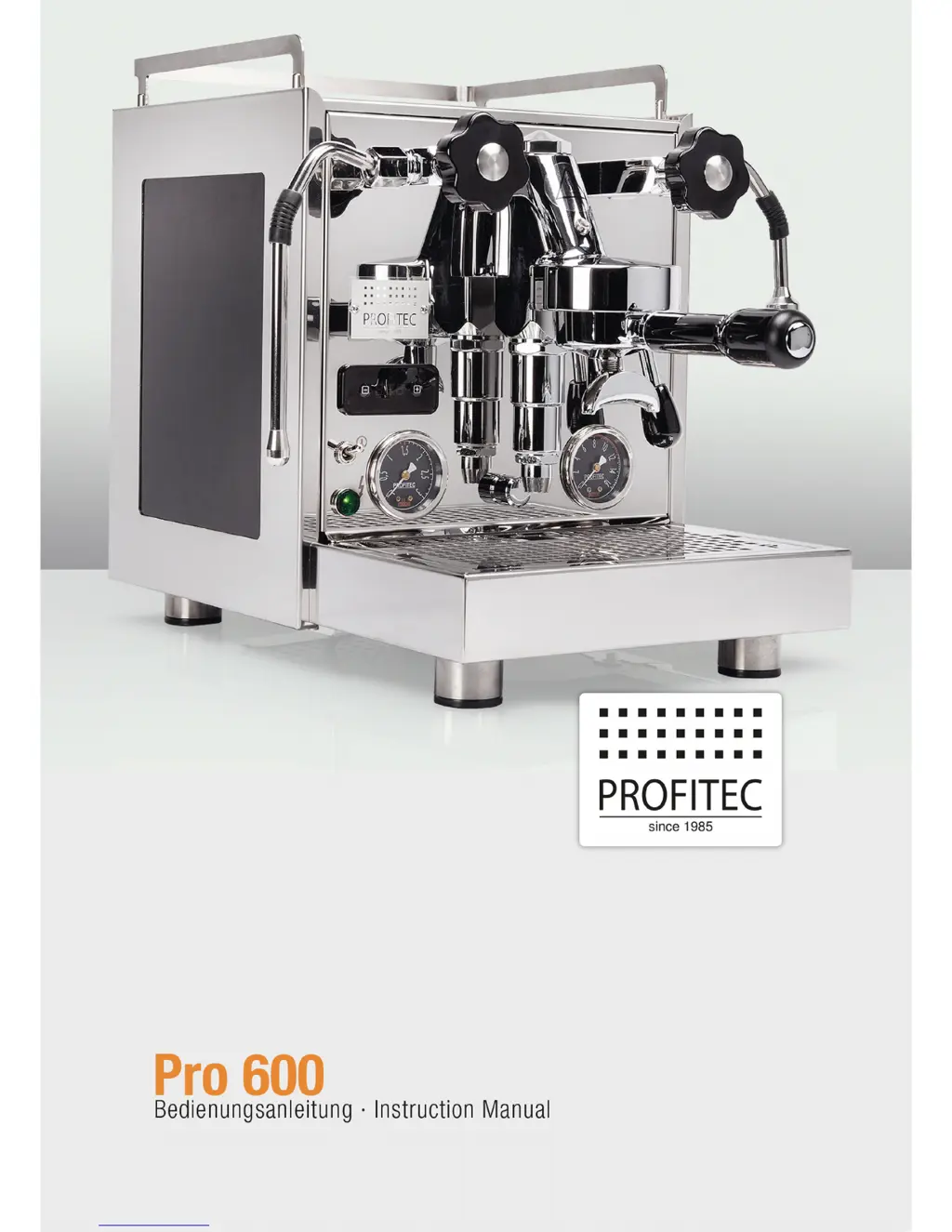
Profitec Pro 600 - User Manual

Profitec Pro 600
33 pages
Go to English
Print Icon
To Next Page IconTo Next Page
Loading...

Table of Contents

Questions and Answers

  • R
    rossjacquelineAug 16, 2025
    What does “CLn” mean on my Profitec Pro 600 display?
    • T
      Travis StuartAug 16, 2025
      If your Profitec Coffee Maker displays “CLn”, it means the cleaning mode is programmed. To resolve this, clean the brew group. After operating the brew lever 10 times, the “CLn” message will disappear.
  • K
    Kimberly KellyAug 19, 2025
    Why is there little or no crema on my Profitec Coffee Maker?
    • A
      Adam FitzgeraldSep 12, 2025
      If your Profitec Coffee Maker produces little or no crema, it could be due to several reasons. First, try using a finer grind and tamping the ground coffee more firmly, also reduce the brewing pressure. The coffee might be too old, so ensure you're using fresh coffee. Verify you're using the correct amount of coffee, approximately 7-9 grams per cup. Lastly, a dirty shower screen can also cause this issue, so clean the brew group.
  • J
    Jennifer MooreAug 22, 2025
    What to do if my Profitec Pro 600 is dispensing coffee drop by drop?
    • T
      Taylor VelezAug 22, 2025
      If your Profitec Coffee Maker is dispensing coffee sparsely, only drop by drop, the grind might be too fine. Try setting a coarser grind and tamping the ground coffee only slightly and increase the brewing-pressure. Also, ensure you are not using too much ground coffee; use approximately 7-9 grams per cup.
  • T
    Timothy StoneAug 25, 2025
    How to fix no steam issue on Profitec Pro 600?
    • B
      Barbara SwansonAug 26, 2025
      If your Profitec Coffee Maker isn't producing steam, check the PID menu to ensure the steamboiler is turned ON.
  • E
    Elizabeth KingAug 28, 2025
    Why does my Profitec Pro 600 get cold quickly?
    • M
      Michael WongAug 28, 2025
      If your Profitec Coffee Maker is quickly getting cold, the Eco-Mode may be activated. To resolve this, turn the Eco-Mode OFF in the PID menu or extend the switch-off countdown time.
  • J
    John LaneAug 30, 2025
    What to do if Profitec Pro 600 is on but not working?
    • J
      Jonathon AllenAug 30, 2025
      If your Profitec Coffee Maker is on but not working, and the PID display is off, try switching the machine off and on. Ensure the floater in the water tank is correctly positioned, with the magnet point facing inside the machine and on the upper part of the floater side. If the PID display is off, check if there's enough water in the fresh water tank and refill if necessary. Also, make sure the water tank is properly fixed.
  • D
    David BartonSep 2, 2025
    Why is my Profitec Pro 600 Coffee Maker portafilter/brew group dripping?
    • J
      Jesse RamosSep 2, 2025
      If the portafilter or brew group of your Profitec Coffee Maker is dripping, first ensure the portafilter is properly fixed. If the issue persists, the group gasket may be broken, requiring you to change the group gasket and shower screen.
  • R
    ritterdavidSep 6, 2025
    Why is my Profitec Coffee Maker producing foam instead of crema?
    • A
      adrian76Sep 6, 2025
      If your Profitec Coffee Maker is producing foam instead of crema, the beans you're using might be improper. Try using another type of coffee bean. Also, the setting of the coffee grinder might not be suitable for the coffee beans you're using. Adjust the coffee grinder accordingly, as changing the grind may be necessary when you change coffee beans.
  • L
    Lisa GibsonSep 9, 2025
    Why does my Profitec Pro 600 produce coffee with a weak body?
    • R
      Ruben GreerSep 9, 2025
      If your Profitec Coffee Maker produces a weak “body”, it could be that the grind is not fine enough, so set a finer grind. Alternatively, the coffee could be old, so use fresh coffee. Also, ensure you're using enough ground coffee, approximately 7-9 grams per cup. Finally, a dirty shower screen can also cause this, so clean the shower screen.
  • B
    Becky BuchananSep 12, 2025
    What does the dot on the display of my Profitec Pro 600 Coffee Maker mean?
    • M
      Michael SawyerSep 12, 2025
      If there is a dot on the display of your Profitec Coffee Maker, the display is switched off. Press the + button to turn it on.

Summary

1 INCLUDED WITH DELIVERY

GENERAL ADVICE AND SAFETY

General Safety Precautions

Covers precautions for operating the espresso machine, including electrical safety and user responsibility.

Water Hardness and Descaling Advice

Advises on water hardness for scale prevention and the need for professional descaling.

2.2 Proper Use

Intended Use and Prohibitions

Defines the intended use of the machine and prohibits commercial use.

MACHINE COMPONENTS AND SPECIFICATIONS

Overview of Machine Parts

Identifies and lists the various components of the PRO 600 espresso machine.

Technical Specifications

Provides specifications such as voltages, power, water tank capacity, dimensions, and weight.

3.3 PID-Temperature Control

MACHINE INSTALLATION

Preparation for Installation

Outlines the necessary steps and conditions before installing the machine.

Electrical Connection

Details the requirements for safely connecting the machine to the power supply.

INITIAL SETUP AND FIRST USE

Boiler Filling Procedure

Explains the process of filling the boilers using the PID display and brew lever.

OPERATING THE ESPRESSO MACHINE

Machine Preparation for Operation

Steps to prepare the machine before operation, including filling water and turning it on.

6.2 Manual Adjustment of the Brewing Pressure

PID CONTROLLER FUNCTIONS

Setting Boiler Temperatures

Guides on setting the desired temperatures for the coffee and steam boilers via the PID display.

Steamboiler On;Off Control

Instructions on how to enable or disable the steam boiler using the PID menu.

Group Cleaning Reminder Setup

How to set up a reminder for cleaning the brew group via the PID display.

Eco Mode (Automatic Shut-off)

Setting an automatic shut-off timer for the machine using the ECO mode.

Disabling the PID Display

Instructions on how to deactivate the PID display screen.

6.5 Preparing Coffee

6.6 Dispensing of Hot Water

6.7 Dispensing of Steam

CLEANING AND MAINTENANCE PROCEDURES

Daily and General Cleaning

Daily and necessary cleaning procedures for various parts of the machine.

Brew Group Cleaning and Degreasing

Detailed steps for cleaning the brew group using a special cleaner.

7.3 Maintenance

Replacing Group Gasket and Shower Screen

Step-by-step guide on how to replace the group gasket and shower screen.

TRANSPORT AND STORAGE

Original Packaging

Information about the original packaging and its importance.

Safe Transportation Guidelines

Guidelines for safely transporting the machine.

Storage Recommendations

Recommendations for storing the machine properly.

9 DISPOSAL

10 CE CONFORMITY

TROUBLESHOOTING COMMON ISSUES

Preparation for Long-Term Storage

Recommendations for preparing the machine for long-term storage.

11.2 How to Froth

Profitec Pro 600 Specifications

General IconGeneral
Boiler TypeDual Boiler
PID Temperature ControlYes
Steam Boiler Capacity1.0 L
Brew Boiler Capacity0.75 L
Housing MaterialStainless Steel
TypeSemi-Automatic Espresso Machine
Portafilter Size58 mm
Pre-infusionYes
Pump Pressure9 bar
Pump TypeVibration
Voltage230 V

Related product manuals