ENGLISH
Bedienungsanleitung / Instruction manual Profitec PRO 600 - I 25
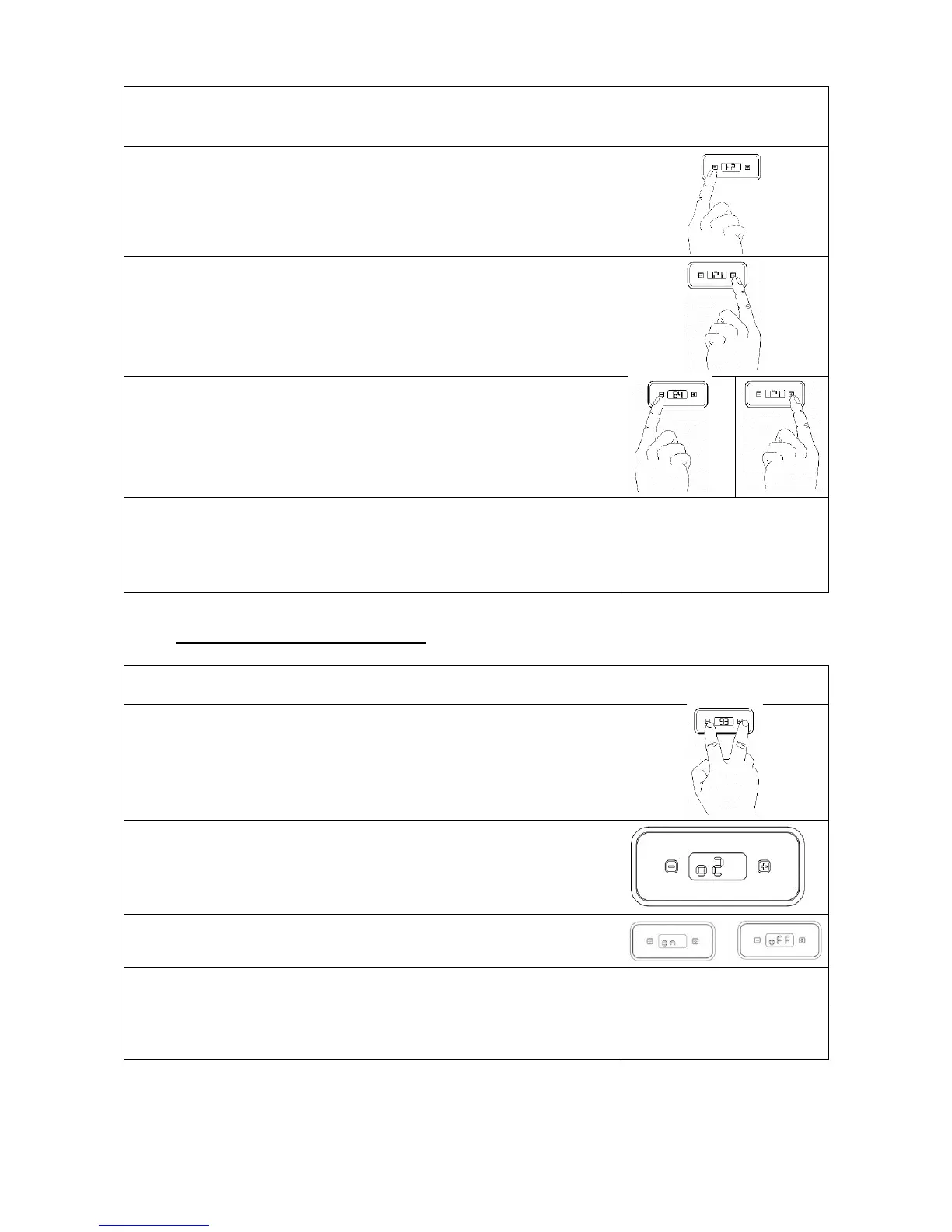
5. Please wait a short while after having set the nominal temperature
value; ‘t1’ will be displayed
6. Press – in order to display ‘t2’ (steam boiler). If you would like to
change just ‘t2’ and leave ‘t1’ unchanged, press – after step 2 in order to
progress directly to ‘t2’ and skip ‘t1’. Continue with step 7.
7. Press + in order to progress to the submenu of ‘t2’ and to change the
temperature value. The nominal temperature value is displayed.
8. Quickly press
– to decrease
+ to increase
the nominal temperature value.
9. Please wait a short while after having set the nominal temperature
value; The menu will be left automatically. The newly programmed
nominal temperatures are now saved. Both heaters are now activated
successively.
6.3.2 Switching ON / OFF the Steamboiler
2. Press + and – at the same time and “t1” will appear on the display.
3. Press the – button until you reach “o2”.
4. Press + to enter the o2 menu.
5. Now you can set the Boiler on or off by pressing +.
6. In order to leave the programming mode, wait a short time and the
menu will be left automatically.



 To Next Page