ENGLISH
Bedienungsanleitung / Instruction manual Profitec PRO 600 - I 29
10. Operate the group lever for approx. 20-30 seconds. Then move it back into the lower position.
11. Rinse the portafilter again and repeat point 10. After this, the brew group is ready for use.
12.
Exchange the blind filter for the coffeefilter
In case you programmed the cleaning mode, the“CLn” will disappear on the display after
having operated the brew group lever 10 times. The counter will then restart until the next
cleaning advice.
If you clean the brew group to often with cleaner, it may start squeaking. Don´t clean it to
often with cleaner, you will degrease all the moving parts and they will wear out quickly. It´s
better if you clean the brew group from time to time without cleaner.
Please find more information about how to program the group cleaning mode in chapter 6.2.
Caution!
Beware of hot water splashing while cleaning the group.
Empty the water drip tray regularly and do not wait until it is full in case the machine is not directly hooked up
to a water drainage.
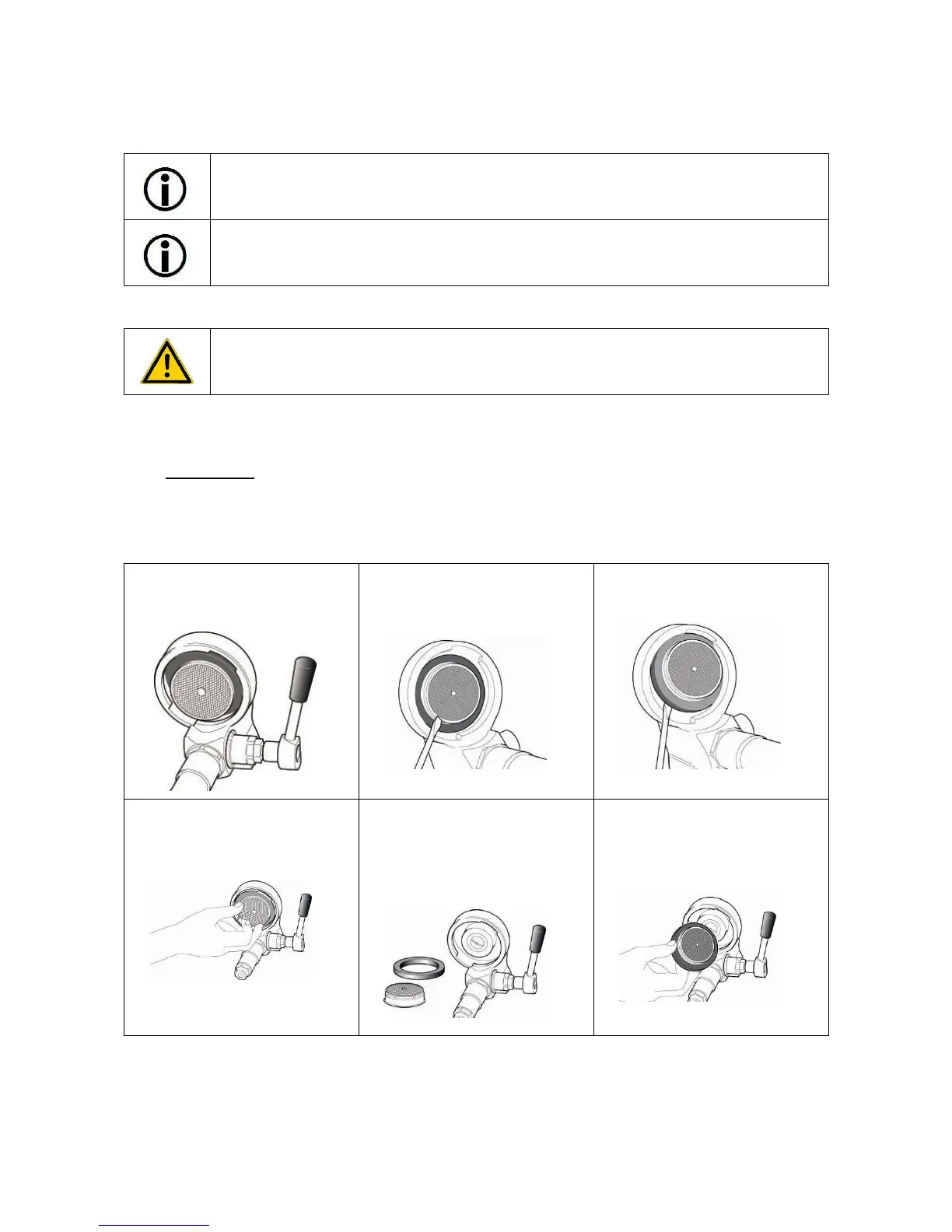
7.3 Maintenance
Replacing the group gasket and the shower screen
Switch off the machine, disconnect the power cord and let the machine cool down.
Follow the steps as indicated below:
1
Brew group in the beginning,
lower view.
2
Use a flat screwdriver to pry out
the shower screen and the group
gasket.
3
The shower screen and the
gasket are now nearly removed.
4
Remove the shower screen and
the gasket completely.
5
Keep the new spare parts ready
at hand (the rounded side of the
group gasket with ECM print
faced upwards to the brewing
group).
6
Clean the group with a brush.
Lock the shower screen firmly
into the gasket.



 To Next Page