ENGLISH
Translation of the German original user manual 23
Below you find a table that indicates the set steam temperatures and the resuling extraction
temperatures according to a measurement series with consistent parameters. At the time of coffee
extraction, the machine was on for 20-30 minutes.
This table can be used as a general guidance. However, please note that the temperature values indicated
in the table may differ from the actual temperature values due to parameters such as ambient
temperature, time of use of the machine since it has been switched on, extraction time of the coffee,
possible lime residues etc..
Technically, the boiler temperature can be set between 80° and 128°C (between 176°F and 262°F). In the
table, only the recommended boiler temperature interval from 120 to 124°C (from 248 to 255,2°F) is
indicated.
Boiler temperature at the measuring
point/display
Extraction temperature at the brew
group
Boiler temperature at the measuring
point/display
Extraction temperature at the brew
group
Please note that the use of water at room temperature serves as a basis for the measured
values. The ambient temperature or the temperature of the water is decisive for the
achievable temperature values.
To adjust the temperature please follow the instructions below:
1. Switch the machine on. The temperature of the boiler is of no
importance in programming. The heater is inactive during
programming.
3. Press +
the temperature value. The nominal temperature value is displayed.
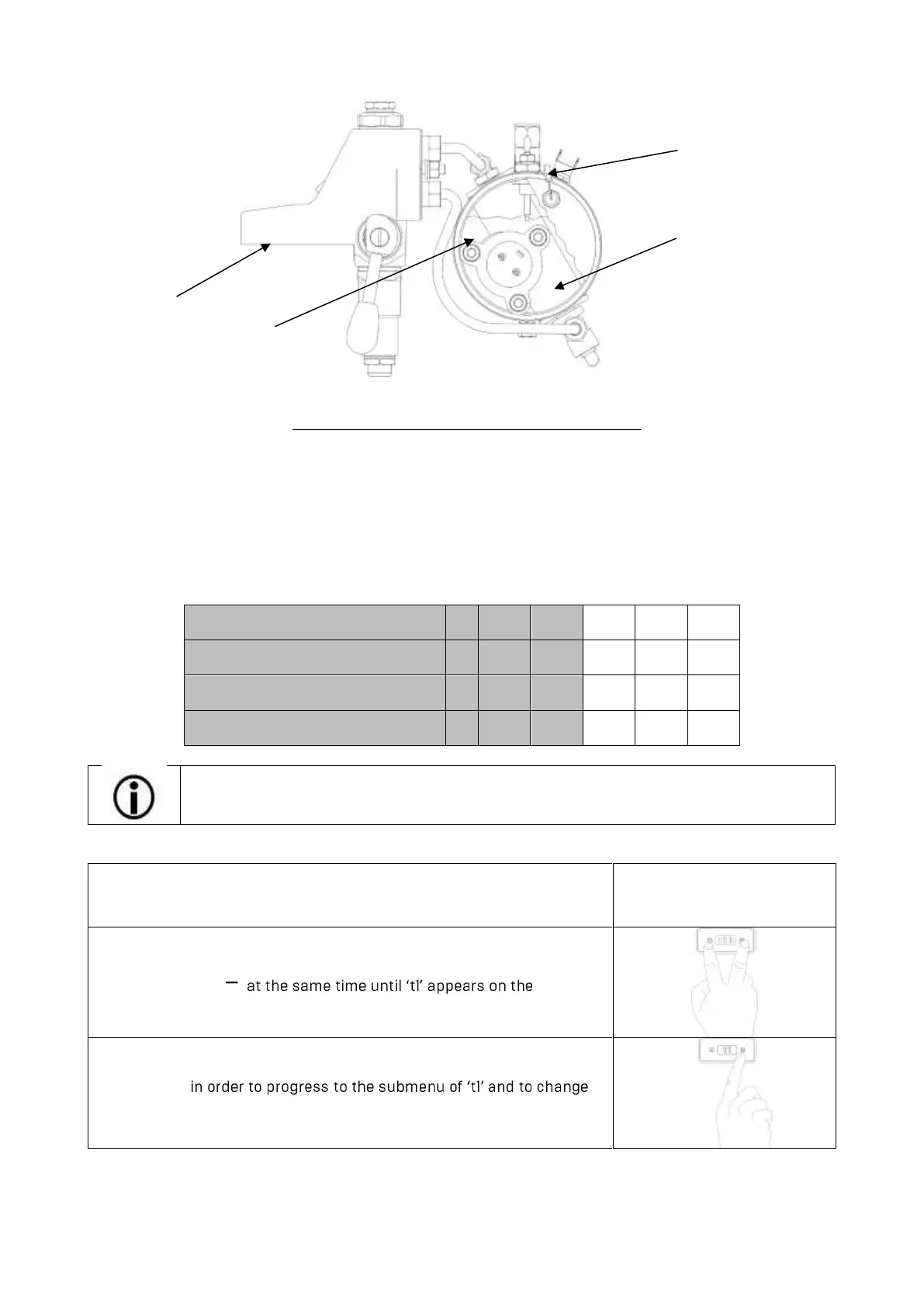
Sensor (Measuring
point for the display)
Brew group
(extraction temperature)



 To Next Page