ENGLISH
Translation of the German original user manual 28
4
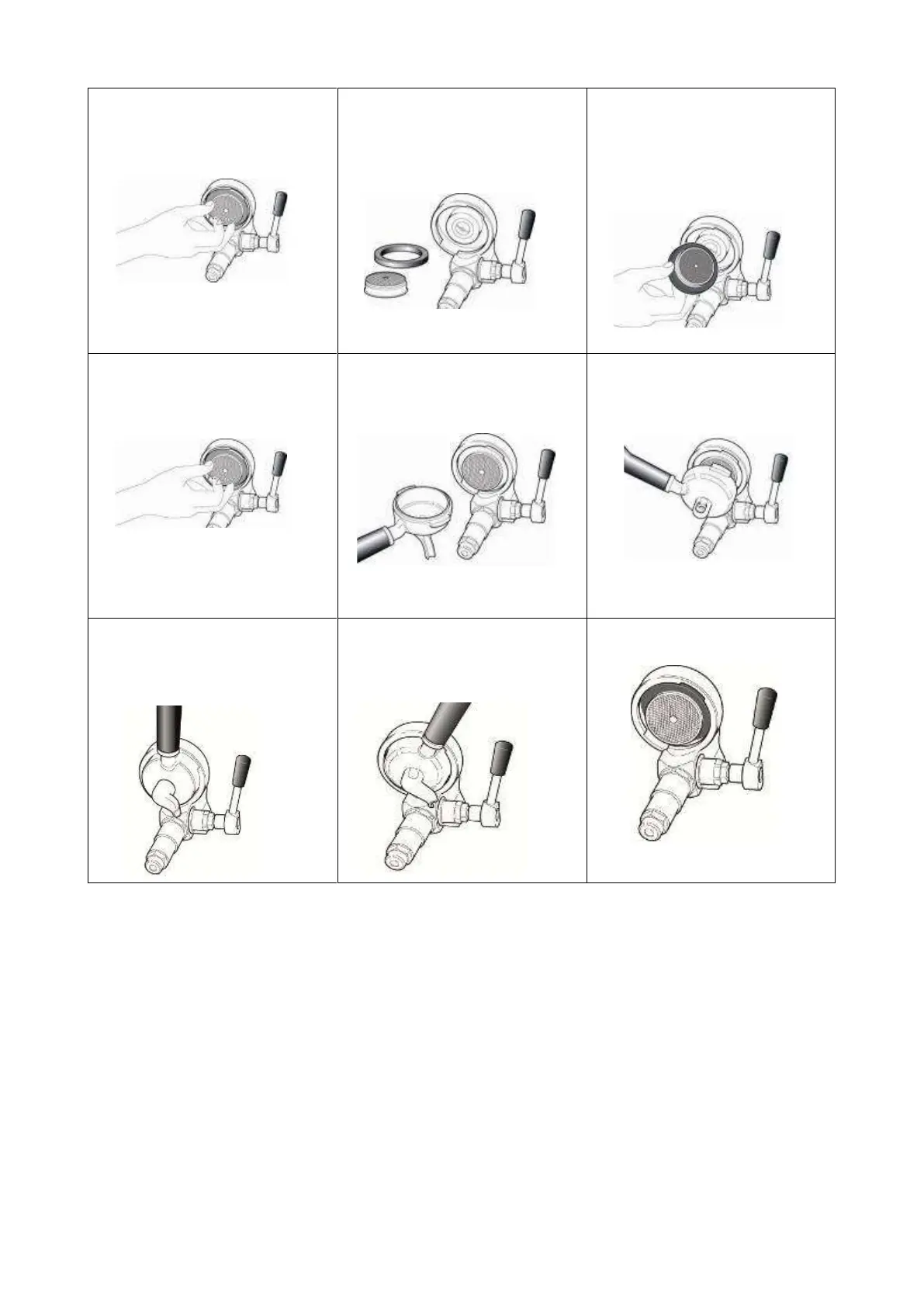
Completely remove the shower
screen and the gasket.
5
Keep the new spare parts ready
at hand (the rounded side of the
group gasket upwards into the
brew group).
6
Clean the brew group with a
brush.
Lock the shower screen firmly
into the gasket.
7
Insert the shower screen into
the brew group.
8
Take the portafilter without filter.
9
Clamp the portafilter into the
brew group.
10
Then, move the portafilter until
the shower screen is locked
firmly into the gasket.
11
Now you can easily lock the
portafilter into place.
12
The brew group is ready for use.
The machine can be used again, as described in chapter 6 of the instruction manual.
The steam nozzle is blocked
Clean the holes of the steam nozzle carefully with a needle or paper clip.
For this purpose the steam nozzle may be unscrewed as well.
Replace the steam nozzle.



 To Next Page