EasyManua.ls Logo

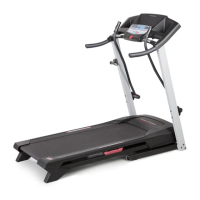
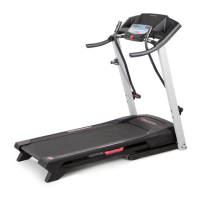
ProForm 3.9 Xm Treadmill - User Manual

ProForm 3.9 Xm Treadmill
32 pages
Print Icon
To Next Page IconTo Next Page
Loading...
Model No. PETL40807.0
Serial No.
CAUTION
Read all precautions and instruc-
tions in this manual before using
this equipment. Save this manual
for future reference.
Serial Number
Decal
USER'S MANUAL
QUESTIONS?
As a manufacturer, we are commit-
ted to providing complete customer
satisfaction. If you have questions,
or if there are missing parts, please
contact us at the numbers or ad-
dresses listed below:
Call: 08457 089 009
Outside UK: 0 (44) 113 3877133
Fax: 0 (44) 113 3877125
E-mail: csuk@iconeurope.com
Write:
ICON Health & Fitness, Ltd.
Unit 4
Revie Road Industrial Estate
Revie Road, Beeston
Leeds, LS11 8JG
UK
Write the serial number in the space
above for future reference.

Other manuals for ProForm 3.9 Xm Treadmill

Questions and Answers

  • S
    Sandra KingJul 31, 2025
    How to fix ProForm 3.9 Xm if the power does not turn on?
    • W
      Walter MooreJul 31, 2025
      First, ensure the power cord is plugged into a properly earthed outlet. If using an extension cord, it should be a 3-conductor, 14-gauge (1 mm[2]) cord no longer than 5 ft (1.5 m). Note that the treadmill isn't compatible with RCD-equipped outlets. Also, make sure the key is inserted into the console after plugging in the power cord. Finally, check the reset/off circuit breaker located on the treadmill frame near the power cord. If the switch protrudes, the circuit breaker has tripped; wait five minutes to reset it.
  • S
    Samuel SanchezAug 5, 2025
    How to fix ProForm Treadmill walking belt if it slows down when I walk on it?
    • H
      Haley RichardsAug 5, 2025
      If the walking belt slows when walked on, use only a 3-conductor, 14-gauge (1 mm[2]) cord that is no longer than 5 ft. (1.5 m) if you need an extension cord. If the walking belt is overtightened, it can decrease performance. Remove the key and unplug the power cord. Use the hex key to turn both rear roller bolts counterclockwise, 1/4 of a turn. When correctly tightened, you should be able to lift each edge of the belt 2 to 3 in. (5 to 7 cm) off the platform. Keep the belt centered. Then, plug in the power cord, insert the key, and run the treadmill for a few minutes. Repeat until properly tightened.
  • D
    Danielle VargasAug 11, 2025
    How to turn off demo mode on ProForm Treadmill?
    • K
      Katherine LewisAug 11, 2025
      The console features a display demo mode, designed to be used if the treadmill is displayed in a store. If the displays remain lit when you remove the key, the demo mode is turned on. To turn off the demo mode, hold down the Stop button for a few seconds.
  • R
    Rachel MclaughlinAug 18, 2025
    What to do if the walking belt is off-center on ProForm Treadmill?
    • J
      Jennifer BassAug 18, 2025
      If the walking belt is off-center, first remove the key and unplug the power cord. If the walking belt has shifted to the left, use the hex key to turn the left rear roller bolt clockwise 1/2 of a turn; if the walking belt has shifted to the right, turn the left bolt counterclockwise 1/2 of a turn. Be careful not to overtighten the walking belt. Then, plug in the power cord, insert the key, and run the treadmill for a few minutes. Repeat until the walking belt is centered.
  • M
    Melissa JacksonAug 25, 2025
    Why does my ProForm 3.9 Xm Treadmill turn off during use?
    • Y
      ykerrAug 25, 2025
      If your treadmill turns off during use, check the reset/off circuit breaker. If it has tripped, wait five minutes, then press the switch back in. Also, ensure the power cord is securely plugged in; if it is, unplug it, wait five minutes, and plug it back in. Another potential fix is to remove and reinsert the key from the console.

Summary

QUESTIONS?

Customer Support Contact Details

Provides phone, fax, email, and postal addresses for customer assistance.

WARNING DECAL PLACEMENT

Decal Application Instructions

Guides users on how to apply missing or illegible decals correctly.

Safety Warnings for Decals

Highlights crucial safety precautions associated with treadmill decals.

IMPORTANT PRECAUTIONS

BEFORE YOU BEGIN

Treadmill Parts Identification

Familiarizes users with the treadmill's components through a labeled diagram.

ASSEMBLY

Assembly Hardware Identification

Lists and illustrates the hardware components required for treadmill assembly.

OPERATION AND ADJUSTMENT

Walking Belt Lubrication and Care

Explains proper care for the pre-lubricated walking belt.

Power Cord Connection

Details the correct procedure for plugging in and grounding the treadmill power cord.

CONSOLE DIAGRAM

FEATURES OF THE CONSOLE

HOW TO TURN ON THE POWER

HOW TO USE THE MANUAL MODE

HOW TO USE A PRESET WORKOUT

HOW TO USE THE VIDEO SCREEN

HOW TO USE THE STEREO SOUND SYSTEM

THE INFORMATION MODE

HOW TO FOLD AND MOVE THE TREADMILL

Folding for Storage

Provides step-by-step instructions for folding the treadmill for storage.

Moving the Treadmill Safely

Details the correct procedure for safely moving the folded treadmill.

HOW TO LOWER THE TREADMILL FOR USE

TROUBLESHOOTING

EXERCISE GUIDELINES

Exercise Intensity and Heart Rate

Explains how to use heart rate to determine optimal exercise intensity levels.

Workout Guidelines

Provides advice on warming up, training zone duration, and cooling down.

Exercise Frequency Recommendations

Suggests how often to exercise for maintaining or improving fitness.

SUGGESTED STRETCHES

PART LIST

EXPLODED DRAWING A

EXPLODED DRAWING B

EXPLODED DRAWING C

EXPLODED DRAWING D

ORDERING REPLACEMENT PARTS

RECYCLING INFORMATION

ProForm 3.9 Xm Treadmill Specifications

General IconGeneral
BrandProForm
Model3.9 Xm Treadmill
CategoryTreadmill
LanguageEnglish

Related product manuals