8
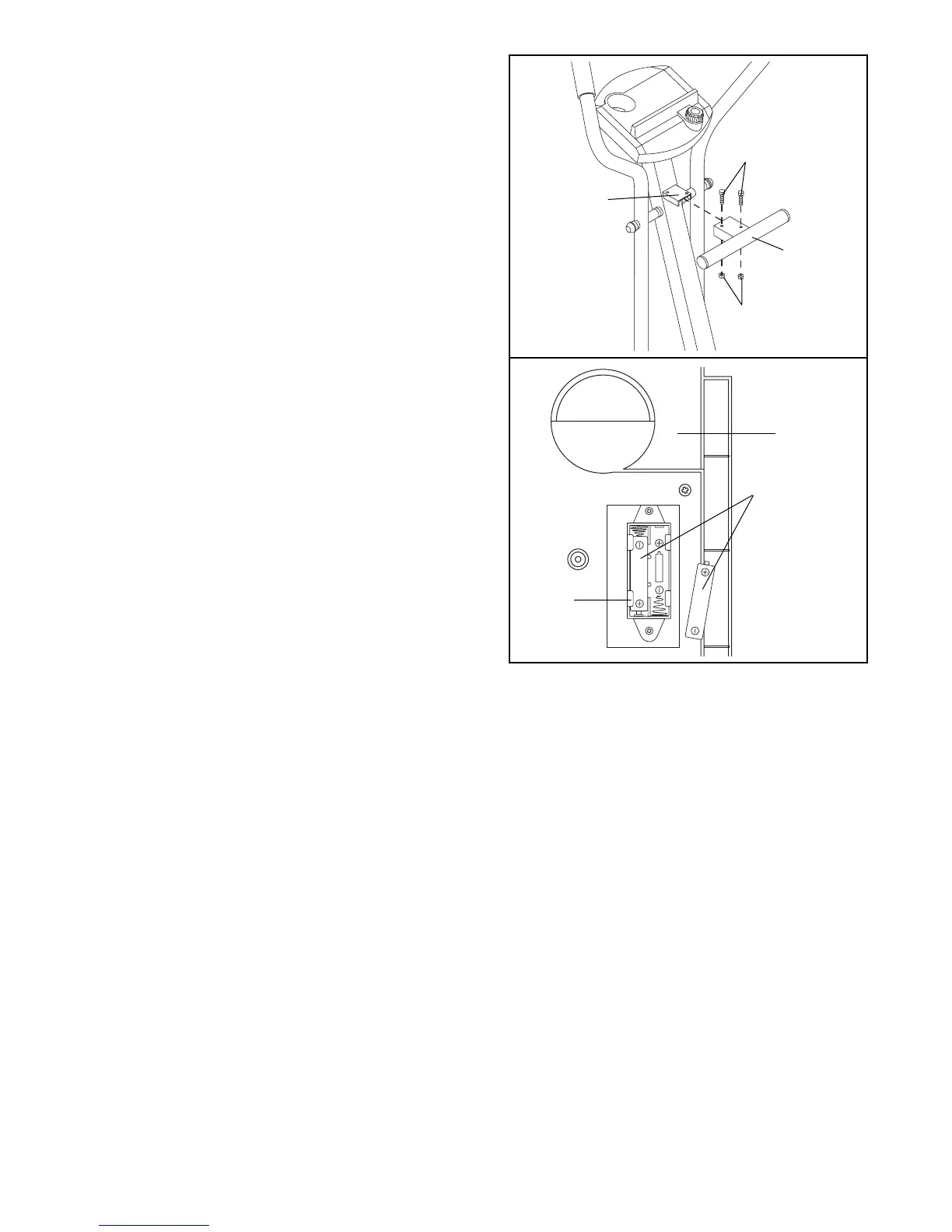
7. The Console (6) requires two ÒAAÓ batteries (not
included). Alkaline batteries are recommended.
To install batteries, first locate the battery clip under
the Console (6). Insert two batteries into the battery
clip as shown. Make sure that the batteries are
turned so the negative ends of the batteries
(marked ÒÐÓ) are touching the springs in the
battery clip.
8. Make sure that all parts of the 485E are properly tightened. Place a mat under the 485E to protect the
floor or carpet from damage.
6
7
6
55
54
10
3
Batteries
Battery
Clip
6. Attach the T-Handle (10) to the Upright (3) with two
M6 x 16mm Screws (54) and two M6 Black Nylon
Locknuts (55).







 To Next Page