EasyManua.ls Logo

ProForm RAZOR 400 ES - User Manual

ProForm RAZOR 400 ES
24 pages
Print Icon
To Next Page IconTo Next Page
Loading...
CAUTION
Read all precautions and instruc-
tions in this manual before using
this equipment. Keep this manual
for future reference.
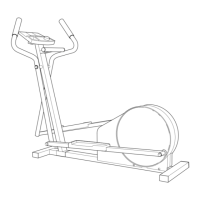
Serial
Number
Decal
Model No. PFEL53907.0
Serial No.
Write the serial number in the
space above for reference.
QUESTIONS?
As a manufacturer, we are commit-
ted to providing complete customer
satisfaction. If you have questions,
or if parts are damaged or missing,
PLEASE DO NOT CONTACT THE
STORE; please contact Customer
Care.
IMPORTANT: You must note the
product model number and serial
number (see the drawing above)
before contacting us:
CALL TOLL-FREE:
1-888-533-1333
Mon.–Fri. 6 a.m.–6 p.m. MST
Sat. 8 a.m.–4 p.m. MST
ON THE WEB:
www.proformservice.com
Visit our website at
www.proform.com
new products, prizes,
fitness tips, and much more!
USER’S MANUAL
Question and Answer IconNeed help?

Do you have a question about the ProForm RAZOR 400 ES and is the answer not in the manual?

Summary

WARNING DECAL PLACEMENT

IMPORTANT PRECAUTIONS

BEFORE YOU BEGIN

ASSEMBLY

ASSEMBLY STEPS

Step 3: Attach Upright and Manage Wire Harness

Connecting the upright and securing the wire harness.

Step 5: Install Console Power

Powering the console using batteries or an optional power supply.

Step 7: Attach Console Cover

Securing the console cover with round head screws.

Step 4: Attach Water Bottle Holder and Console Bracket

Installing the water bottle holder and console bracket.

Step 6: Connect Console Wire

Connecting the console wire to the harness and attaching the console.

Step 10: Install Pivot Axle and Upper Body Legs

Installing pivot axle and upper body legs with grease and screws.

HOW TO USE THE ELLIPTICAL EXERCISER

How to Move the Elliptical

Instructions for safely moving the elliptical exerciser.

How to Exercise on the Elliptical

Steps for mounting, pedaling, and dismounting the elliptical.

HOW TO ADJUST THE STRIDE OF THE ELLIPTICAL EXERCISER

FEATURES OF THE CONSOLE

HOW TO USE THE MANUAL MODE

Measure Heart Rate

Using the handgrip pulse sensor to monitor heart rate.

HOW TO USE A PRESET WORKOUT

MAINTENANCE AND TROUBLESHOOTING

EXERCISE GUIDELINES

ORDERING REPLACEMENT PARTS

Summary

WARNING DECAL PLACEMENT

IMPORTANT PRECAUTIONS

BEFORE YOU BEGIN

ASSEMBLY

ASSEMBLY STEPS

Step 3: Attach Upright and Manage Wire Harness

Connecting the upright and securing the wire harness.

Step 5: Install Console Power

Powering the console using batteries or an optional power supply.

Step 7: Attach Console Cover

Securing the console cover with round head screws.

Step 4: Attach Water Bottle Holder and Console Bracket

Installing the water bottle holder and console bracket.

Step 6: Connect Console Wire

Connecting the console wire to the harness and attaching the console.

Step 10: Install Pivot Axle and Upper Body Legs

Installing pivot axle and upper body legs with grease and screws.

HOW TO USE THE ELLIPTICAL EXERCISER

How to Move the Elliptical

Instructions for safely moving the elliptical exerciser.

How to Exercise on the Elliptical

Steps for mounting, pedaling, and dismounting the elliptical.

HOW TO ADJUST THE STRIDE OF THE ELLIPTICAL EXERCISER

FEATURES OF THE CONSOLE

HOW TO USE THE MANUAL MODE

Measure Heart Rate

Using the handgrip pulse sensor to monitor heart rate.

HOW TO USE A PRESET WORKOUT

MAINTENANCE AND TROUBLESHOOTING

EXERCISE GUIDELINES

ORDERING REPLACEMENT PARTS

ProForm RAZOR 400 ES Specifications

General IconGeneral
BrandProForm
ModelRAZOR 400 ES
CategoryElliptical Trainer
LanguageEnglish

Related product manuals