9
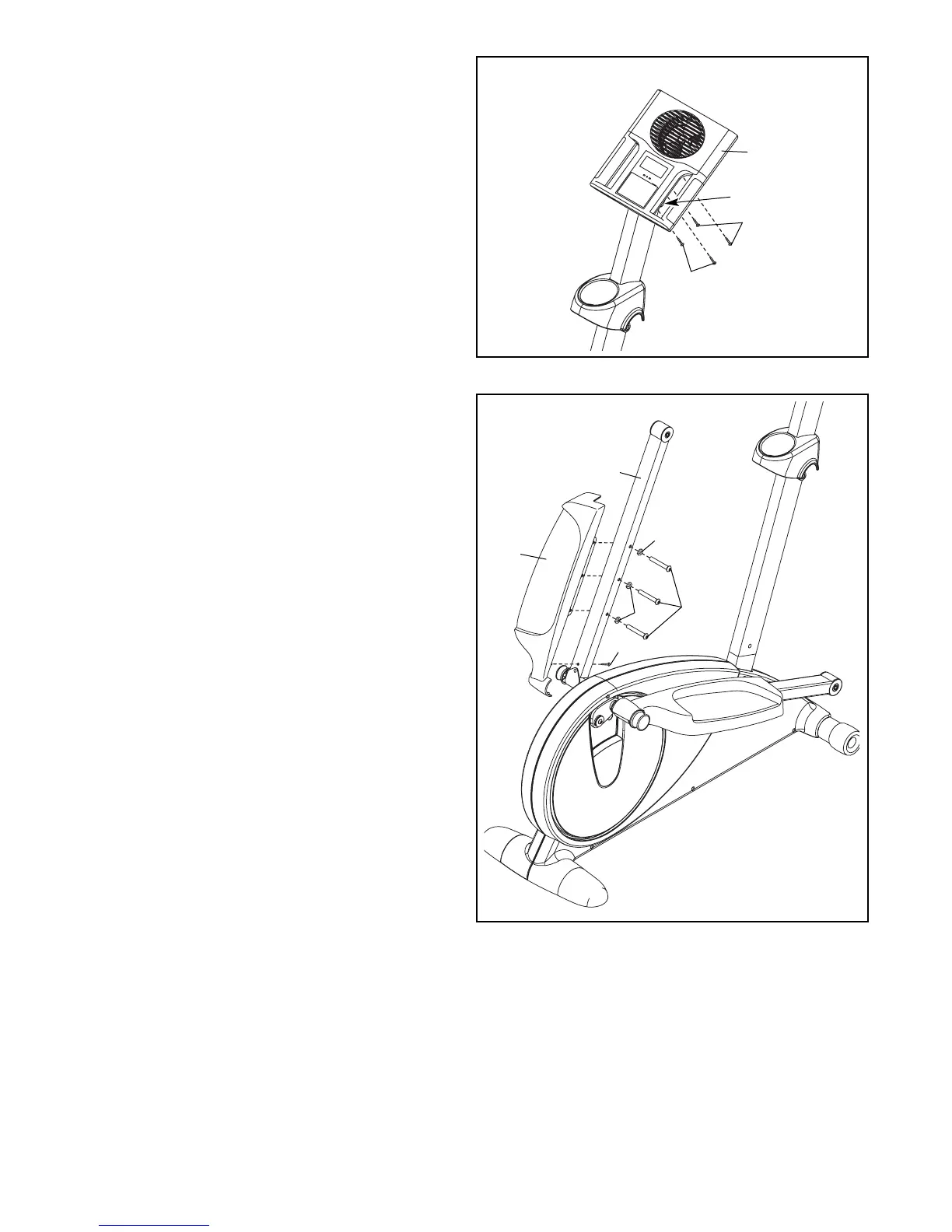
8. Attach the Left Pedal (12) to the left Pedal Arm
(14) with three M10 x 70mm Button Screws
(75), three M10 Split Washers (78), and an M4
x 16mm Screw (84).
Repeat this step on the right side of the
elliptical exerciser.
8
7
7. Slide the Console Cover (96) (see the drawing
in step 6) upward to the Console (4). Attach the
Console Cover with four M4 x 16mm Round
Head Screws (94).
96
94
94
14
75
78
78
12
84
4




 To Next Page