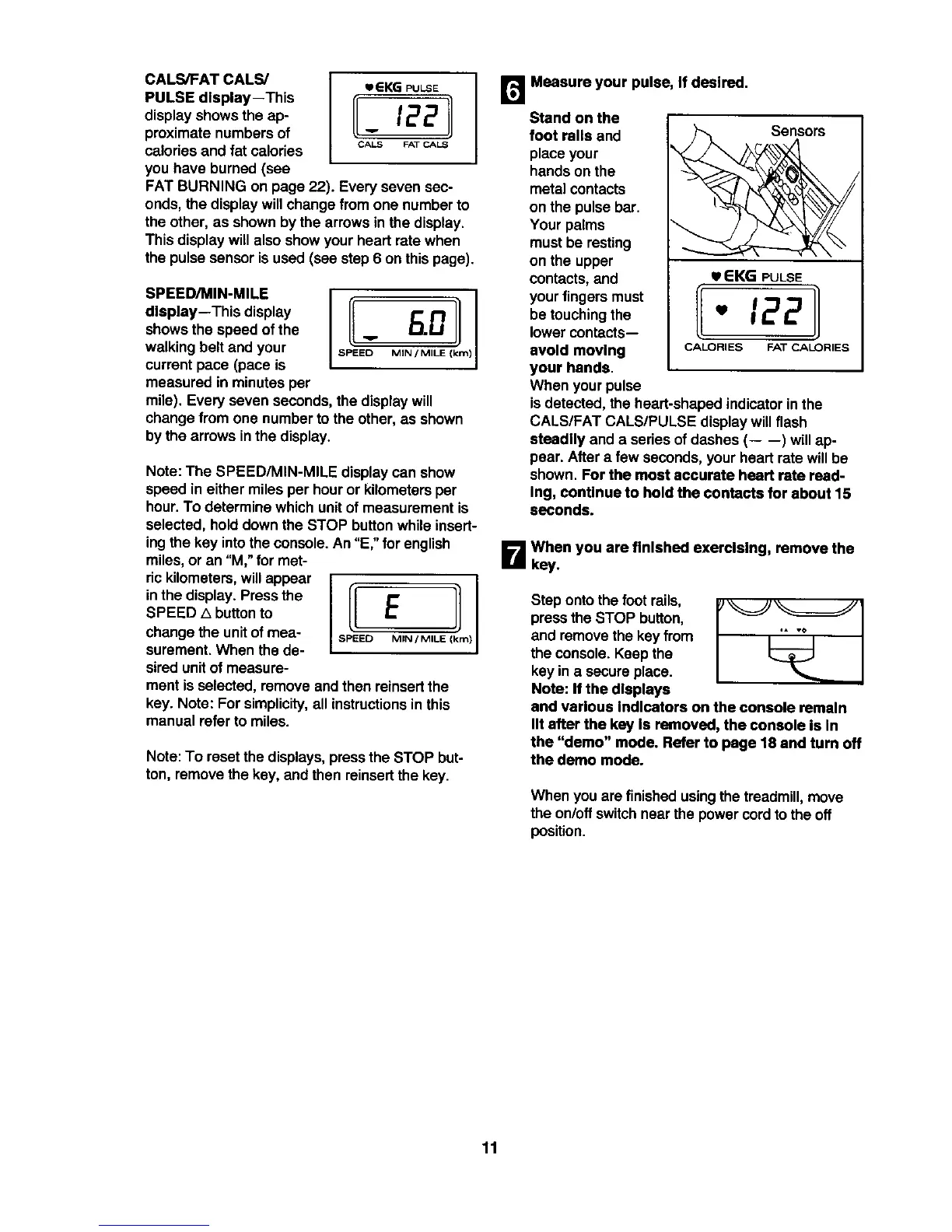
CALS/FAT CALS/
PULSE display--This
displayshows the ap-
proximate numbersof
caloriesand fat calories
you have burned (see
CALS FAT CALS
FAT BURNING on page 22). Every seven sec-
onds, the displaywillchange from one number to
the other, as shownbythe arrows in the display.
Thisdisplay willalso show your heart rate when
the pulsesensoris used (see step 6 on thispage).
SPEED/MIN-MILE
display--This display
showsthe speed of the
walking belt and your
current pace (pace is
measured in minutes per
mile). Everyseven seconds, thedisplay will
change from one number tothe other, as shown
by the arrows in the display.
Note: The SPEED/MIN-MILE displaycan show
speed in either milesper houror kilometersper
hour.To determine whichunitof measurement is
selected,hold downthe STOP buttonwhile insert-
ingthe key intothe console.An "E," for english
miles,or an "M," for met-
rickilometers,will appear
inthe display. Press the
SPEED A buttonto
change the unitof mea-
surement.When the de-
siredunitof measure-
IIE !
SPEED MIN / MILE )
mentisselected, remove andthen reinsertthe
key. Note: For simplicity,all instructionsin this
manual referto miles.
Note:To reset the displays,pressthe STOP but-
ton, remove the key, and then reinsertthe key.
r_ Measure your pulse, If desired.
Stand on the
foot rails and Sensors
place your
handson the
metalcontacts
on the pulse bar.
Your palms
mustbe resting
on the upper
contacts,and u EKG PULSE
yourfingers must
be touchingthe _ _ 2 2
lowercontacts--
avoid moving CALORIES FAT CALORIES
your hands.
When yourpulse
isdetected, theheart-shaped indicatorin the
CALS/FAT CALS/PULSE displaywillflash
steadily and a series ofdashes (-- --) willap-
pear. After a few seconds,yourheart rate willbe
shown. For the most accurate heart rate read-
Ing, continue to hold the contacts for about 15
seconds.
B When you are finished exercising, remove the
key.
Step ontothe foot rails,
press the STOP button,
and removethe key from
the console. Keep the
key ina secure place.
Note: If the displays
and various Indicators on the console remain
lit after the key Is removed, the console is In
the "demo" mode. Refer to page 18 and turn off
the demo mode.
When you are finishedusingthe treadmill,move
the on/offswitchnear the powercordto theoff
position.
11







 To Next Page