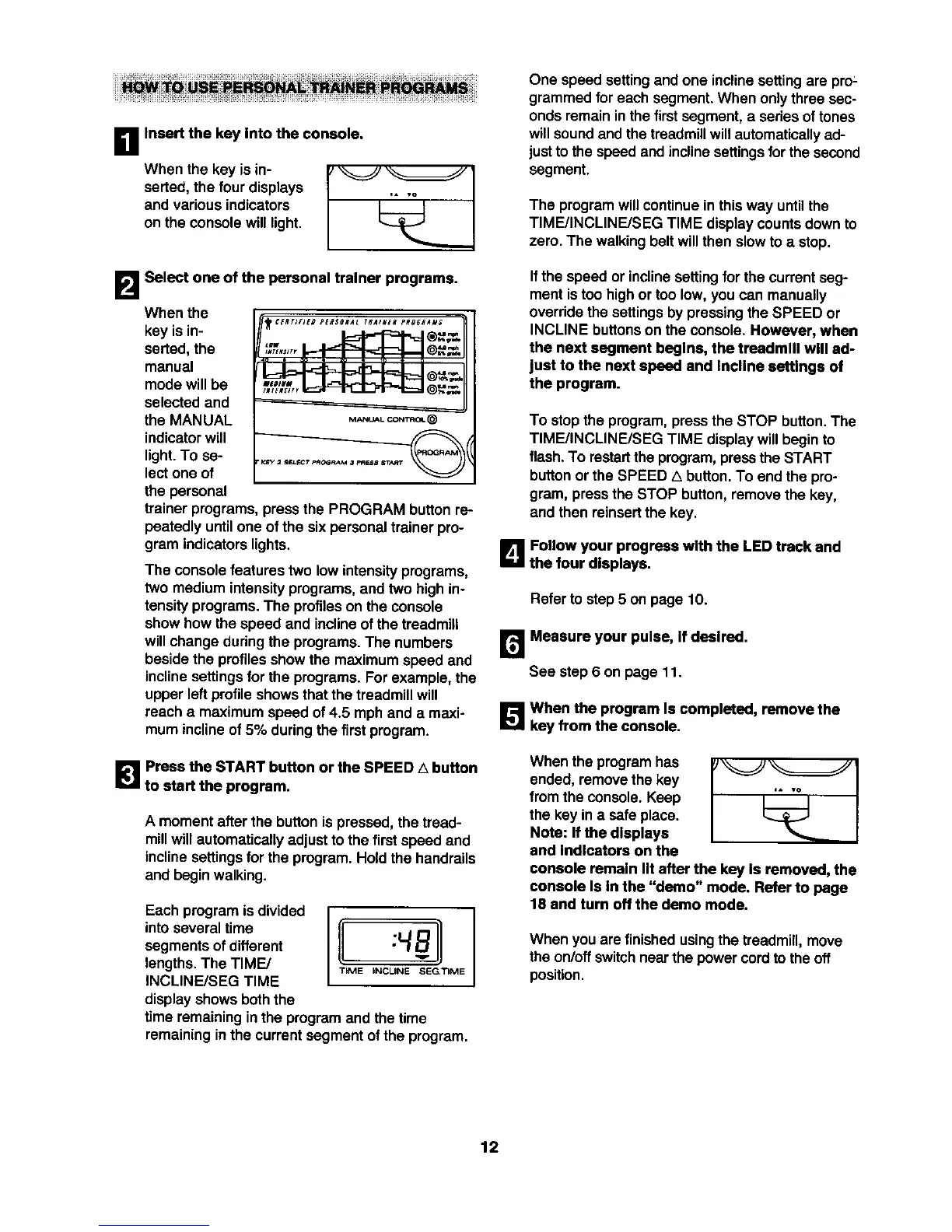
B Insert the key Into the console.
When the key is in- '_ _,,
serted, the fourdisplays [
and various indicators
on the console will light.
B Select one of the personal trainer programs.
When the
key is in-
serted,the
manual
mode will be
selected and
the MANUAL
indicatorwill
light.To se-
lectone of
the personal
trainerprograms, pressthe PROGRAM buttonre-
peatedlyuntilone ofthe six personaltrainer pro-
gram indicatorslights.
The consolefeatures two low intensityprograms,
two mediumintensityprograms,and two high in-
tensityprograms.The profileson the console
show how the speed and inclineof the treadmill
willchangeduringthe programs. The numbers
besidethe profilesshowthe maximumspeed and
inclinesettingsfor the programs.For example, the
upper left profileshowsthat the treadmill will
reach a maximumspeed of 4.5 mph and a maxi-
mum inclineof 5% duringthe first program.
1_1 Press the START button or the SPEED A button
to start the program.
A moment after the button is pressed, thetread-
millwillautomaticallyadjust to the first speed and
incline settings for the program. Hold the handrails
and begin walking.
Each programis divided
intoseveral time
segmentsof different
lengths.The TIME/
INCLINE/SEG TIME
displayshowsboththe
3"IME INCLINE SEG,TIME
timeremainingin the programand the time
remaining inthe currantsegment of the program.
One speed setting and one inclinesettingare pro:
grammed foreach segment. When only three sec-
ondsremain inthe first segment, a seriesof tones
willsoundand the treadmillwill automaticallyad-
justto the speed and inclinesettingsfor the second
segment.
The program willcontinuein this way untilthe
TIME/INCLINE/SEG TIME displaycounts down to
zero. The walkingbelt willthen slowto a stop.
Ifthe speed or inclinesettingfor the currentseg-
ment istoo high or too low,you can manually
overridethe settingsby pressingthe SPEED or
INCLINE buttonson the console. However, when
the next segment begins, the treadmill will ad-
just to the next speed and Incline settings of
the program.
To stop the program,press the STOP button. The
TIME/INCLINE/SEG TIME displaywillbegin to
flash.To restartthe program,presstheSTART
buttonorthe SPEED a button.To end the pro-
gram, pressthe STOP button, remove the key,
and then reinsertthe key.
L_lJFollow your progress with the LED track and
the four displays.
Refer to step 5 on page 10.
r_ Measure your pulse, If desired.
See step 6 on page 11.
[]When the program Is completed, _nnove the
key from the console.
Whenthe programhas
ended, removethe key
from the console.Keep
the key ina safe place.
Note: If the displays
end Indlcetors on the
console remain lit after the key Is removed, the
console Is In the "demo" mode. Refer to page
18 and turn off the demo mode.
When you are finished usingthe treadmill, move
the on/offswitchnearthe power cord tothe off
position.
12







 To Next Page