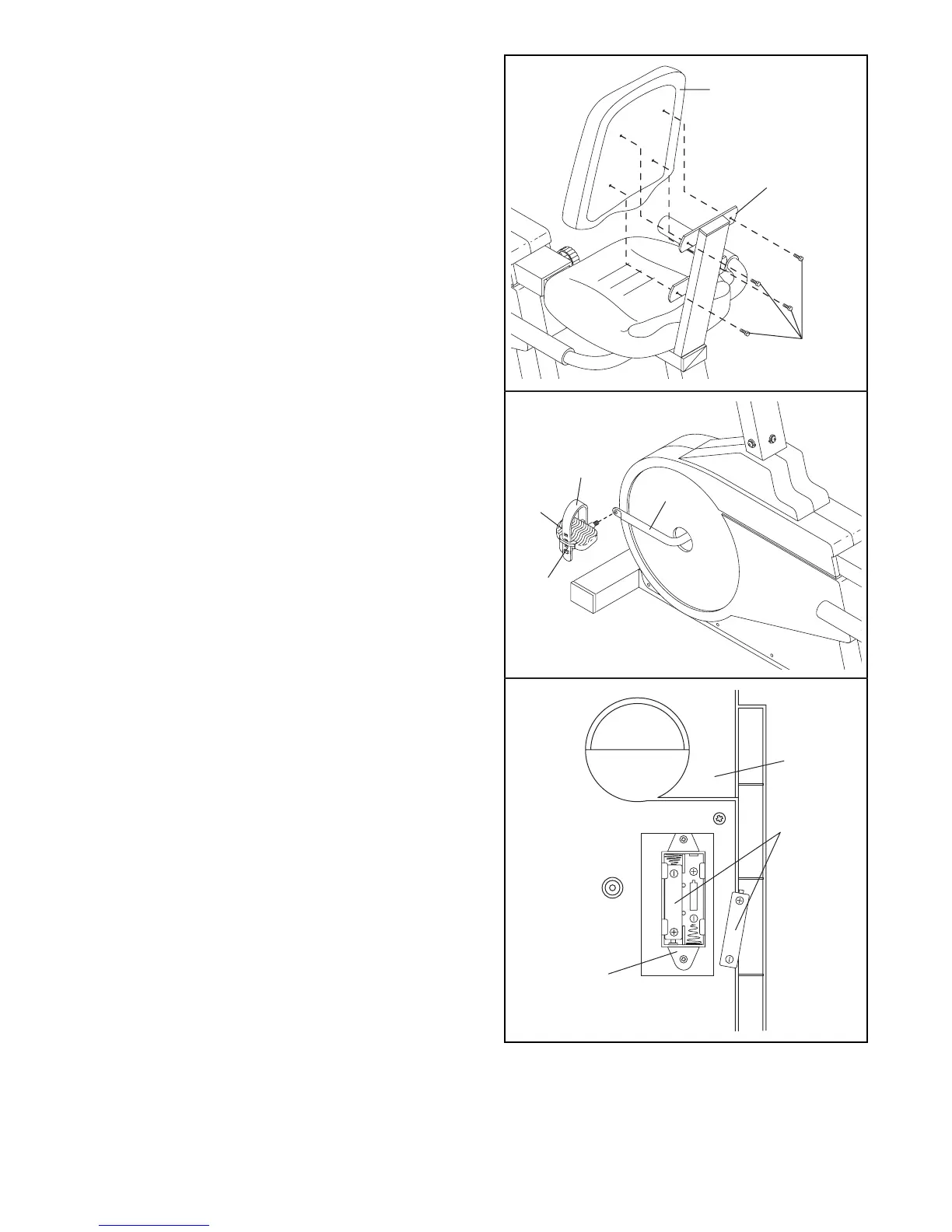
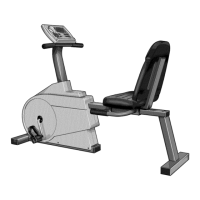
9. Attach the Backrest (15) to the Seat Bracket (69)
with four M6 x 16mm Hex Head Screws (24).
7
10. Identify the Left Pedal (45) (there is an ÒLÓ on the
Left Pedal for identification). Using an adjustable
wrench, tighten the Left Pedal counterclockwise into
the left arm of the Crank (29).
Tighten the Right Pedal (not shown) clockwise into
the right arm of the Crank (29).
Adjust the Pedal Strap (27) on the Left Pedal (45) to
the desired position. Press the Pedal Strap onto the
adjustment tab on the Left Pedal.
Adjust the Pedal Strap on the Right Pedal (not
shown) in the same manner.
15
24
69
29
27
45
Tab
9
10
11. The Console (8) requires either two or three ÒAAÓ
batteries (not included); alkaline batteries are
recommended. Open the battery cover (not shown)
on the back of the Console. Press the batteries into
the battery clip. Make sure that the negative (Ð)
ends of the batteries are touching the springs.
Close the battery cover. Note: If the battery clip
holds three batteries, you must insert three batteries.
11
8
Batteries
Battery
Clip
12. Make sure that all parts are properly tightened before you use the PROFORM
¨
975s.


 To Next Page