EasyManua.ls Logo

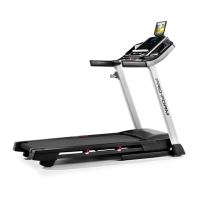
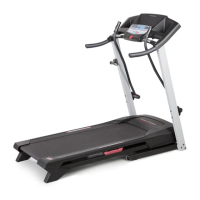
ProForm C950 PFTL69720 - User Manual

ProForm C950 PFTL69720
30 pages
Print Icon
To Next Page IconTo Next Page
Loading...
USER'S MANUAL
CAUTION
Read all precautions and instruc-
tions in this manual before using
this equipment. Save this manual
for future reference.
Serial Number Decal
Model No. PFTL69720
Serial No.
Find the serial number in the location
shown below. Write the serial number
in the space above for reference.
Visit our website at
www.proform.com
new products, prizes,
fitness tips, and much more!
QUESTIONS?
If you have questions, or if there
are missing parts, we will guar-
antee complete satisfaction
through direct assistance from
our factory.
TO AVOID UNNECESSARY DE-
LAYS, PLEASE CALL DIRECT TO
OUR TOLL-FREE CUSTOMER
HOT LINE. The trained techni-
cians on our Customer Hot Line
will provide immediate assis-
tance, free of charge to you.
CUSTOMER HOT LINE:
1-800-999-3756
Mon.–Fri., 6 a.m.–6 p.m. MST
Patent Pending
Question and Answer IconNeed help?

Do you have a question about the ProForm C950 PFTL69720 and is the answer not in the manual?

Summary

User Support and Safety

Customer Support and Questions

Contact information and support channels for product inquiries and assistance.

Initial Safety Caution

A critical warning to read all precautions and instructions before using the equipment.

Important Safety Precautions

User Safety and Operational Restrictions

Guidelines on user limits, clothing, and safe treadmill operation to prevent injury.

Electrical Safety and Surge Protection

Instructions for using surge suppressors and grounding to protect the treadmill from electrical surges.

Secure Use and Lifting Procedures

Precautions for securing the treadmill when not in use and safe lifting practices.

Advanced Safety Guidelines

Operational and Program Safety

Precautions for treadmill operation, iFIT.com usage, and preventing object insertion.

Electrical and Maintenance Safety

Critical warnings regarding unplugging, cleaning, servicing, and part tightening.

General Health and Exercise Warning

Advice to consult a physician before starting any exercise program.

Decal Warnings and Safety

Key safety instructions indicated by treadmill decals.

Getting Started: Before You Begin

Product Overview and Contact Information

Introduction to the treadmill and how to get assistance from customer service.

Treadmill Component Identification

Diagram identifying the various parts of the treadmill for user familiarization.

Treadmill Assembly Instructions

Attaching Handrail Extensions and Grips

Steps for installing handrail extensions and foam grips to the treadmill uprights.

Securing Foam Grips and Latch Assembly

Instructions for fastening foam grips and attaching the latch assembly.

Assembly Completion and Final Checks

Installing the Book Rack

Procedure for cleaning and properly mounting the book rack onto the console.

Ensuring Proper Tightness and Floor Protection

Final check of all parts and advice on using a mat for floor protection.

Operating and Adjusting the Treadmill

Walking Belt Lubrication and Care

Information on the walking belt's lubricant and important care instructions.

Proper Power Cord Connection

Detailed steps for connecting the power cord, including surge suppressor requirements.

Console Overview and Features

Understanding Console Displays and Controls

Explanation of the console's various displays, indicators, and quick speed controls.

Console Features and iFIT.com Technology

Details on console functions, personal trainer programs, and iFIT.com interactive capabilities.

Powering On and Manual Mode Operation

Starting the Treadmill Power

Step-by-step guide to safely turning on the treadmill's power using the key.

Using the Manual Exercise Mode

Instructions for operating the treadmill in manual mode, adjusting speed and incline.

Manual Mode Displays and Finishing

Understanding Manual Mode Displays

Explanation of the console displays for time, calories, heart rate, and speed during manual use.

Measuring Heart Rate and Ending Workout

How to measure heart rate and properly conclude an exercise session.

Using Personal Trainer Programs

Selecting and Starting a Program

Steps to choose and initiate a pre-programmed workout session.

Following Programmed Workouts

Guidance on how the treadmill adjusts speed/incline and how to manually override settings.

Personal Trainer Program Completion & Heart Rate Programs

Completing Personal Trainer Programs

Instructions on stopping, restarting, and finishing personal trainer workouts.

Getting Started with Heart Rate Programs

Initial steps for using heart rate programs, including sensor use and program selection.

Heart Rate Program Operation

Setting Age and Starting Heart Rate Programs

Entering user age and initiating heart rate controlled workouts.

Adjusting Settings and Finishing Heart Rate Programs

Manual adjustments during programs, pulse detection, and program completion.

Connecting External Audio Devices

Connecting Portable CD Players

Instructions for linking a portable CD player to the treadmill for iFIT.com audio.

Connecting Portable Stereos

Steps to connect portable stereos to the treadmill for iFIT.com audio.

Connecting Home Stereo and Computers

Connecting Home Stereo Systems

Guide for connecting home stereo systems to the treadmill for iFIT.com audio.

Connecting Computers for iFIT.com

Instructions for linking computers to the treadmill for internet-based iFIT.com programs.

Using iFIT.com Programs

Connecting Your VCR

Instructions for connecting a VCR to the treadmill for iFIT.com video programs.

Starting iFIT.com CD and Video Playback

Steps to select iFIT.com mode, insert media, and start playback.

iFIT.com Program Operation and Troubleshooting

Manual Overrides and Program Control

How to manually adjust settings during iFIT.com programs and handle program changes.

Troubleshooting iFIT.com Connectivity

Tips for resolving issues if the treadmill does not respond to iFIT.com program signals.

Using iFIT.com Web Programs

Accessing and Selecting Web Programs

Steps to connect to the internet and select programs from the iFIT.com website.

Running and Monitoring Web Programs

Instructions for starting web programs, interacting with the treadmill, and tracking progress.

Treadmill Modes and Optional Accessories

Information and Demo Mode Functions

Explanation of the information mode for tracking usage and the demo mode for store displays.

Adjusting Treadmill Cushioning

Guide on how to modify the treadmill's cushioning system for user comfort and performance.

Optional Pulse Sensor and Hand Weights

Information on purchasing and using optional accessories like the chest pulse sensor and hand weights.

Folding and Moving the Treadmill

Folding the Treadmill for Storage

Detailed steps for safely folding the treadmill into its storage position.

Moving the Treadmill Safely

Instructions on how to tilt and transport the folded treadmill to a new location.

Unfolding the Treadmill for Use

Lowering the Treadmill Safely

Step-by-step instructions for unfolding the treadmill from its storage position.

Treadmill Troubleshooting Guide

Power Issues: No Power or Power Off

Solutions for problems related to the treadmill not turning on or shutting off unexpectedly.

Display Functionality Problems

Troubleshooting steps for console displays that are not working correctly.

Walking Belt and Incline Troubleshooting

Walking Belt Speed and Slipping Issues

Resolving problems with the walking belt slowing down, being off-center, or slipping.

Incline Adjustment Problems

Troubleshooting steps for when the treadmill's incline mechanism is not functioning correctly.

Exercise and Conditioning Guidelines

Understanding Exercise Intensity and Zones

Guidance on determining target heart rates for fat burning and aerobic exercise.

Structuring Workouts and Frequency

Recommendations for warm-up, cool-down, training zone duration, and exercise frequency.

Suggested Stretching Exercises

Pre- and Post-Workout Stretches

Illustrations and instructions for various stretches to improve flexibility and prevent injury.

Comprehensive Part List

Identifying Treadmill Components by Key Number

A detailed list of all treadmill parts, including their key numbers and descriptions.

Exploded View of Treadmill Parts

Visual Diagram of Treadmill Components

An illustrated breakdown of the treadmill, showing the assembly and placement of parts.

Parts and Warranty Information

Ordering Replacement Parts

Instructions on how to order replacement parts, including required product information.

Limited Warranty Details

Overview of the product's warranty coverage, limitations, and legal rights.

Summary

User Support and Safety

Customer Support and Questions

Contact information and support channels for product inquiries and assistance.

Initial Safety Caution

A critical warning to read all precautions and instructions before using the equipment.

Important Safety Precautions

User Safety and Operational Restrictions

Guidelines on user limits, clothing, and safe treadmill operation to prevent injury.

Electrical Safety and Surge Protection

Instructions for using surge suppressors and grounding to protect the treadmill from electrical surges.

Secure Use and Lifting Procedures

Precautions for securing the treadmill when not in use and safe lifting practices.

Advanced Safety Guidelines

Operational and Program Safety

Precautions for treadmill operation, iFIT.com usage, and preventing object insertion.

Electrical and Maintenance Safety

Critical warnings regarding unplugging, cleaning, servicing, and part tightening.

General Health and Exercise Warning

Advice to consult a physician before starting any exercise program.

Decal Warnings and Safety

Key safety instructions indicated by treadmill decals.

Getting Started: Before You Begin

Product Overview and Contact Information

Introduction to the treadmill and how to get assistance from customer service.

Treadmill Component Identification

Diagram identifying the various parts of the treadmill for user familiarization.

Treadmill Assembly Instructions

Attaching Handrail Extensions and Grips

Steps for installing handrail extensions and foam grips to the treadmill uprights.

Securing Foam Grips and Latch Assembly

Instructions for fastening foam grips and attaching the latch assembly.

Assembly Completion and Final Checks

Installing the Book Rack

Procedure for cleaning and properly mounting the book rack onto the console.

Ensuring Proper Tightness and Floor Protection

Final check of all parts and advice on using a mat for floor protection.

Operating and Adjusting the Treadmill

Walking Belt Lubrication and Care

Information on the walking belt's lubricant and important care instructions.

Proper Power Cord Connection

Detailed steps for connecting the power cord, including surge suppressor requirements.

Console Overview and Features

Understanding Console Displays and Controls

Explanation of the console's various displays, indicators, and quick speed controls.

Console Features and iFIT.com Technology

Details on console functions, personal trainer programs, and iFIT.com interactive capabilities.

Powering On and Manual Mode Operation

Starting the Treadmill Power

Step-by-step guide to safely turning on the treadmill's power using the key.

Using the Manual Exercise Mode

Instructions for operating the treadmill in manual mode, adjusting speed and incline.

Manual Mode Displays and Finishing

Understanding Manual Mode Displays

Explanation of the console displays for time, calories, heart rate, and speed during manual use.

Measuring Heart Rate and Ending Workout

How to measure heart rate and properly conclude an exercise session.

Using Personal Trainer Programs

Selecting and Starting a Program

Steps to choose and initiate a pre-programmed workout session.

Following Programmed Workouts

Guidance on how the treadmill adjusts speed/incline and how to manually override settings.

Personal Trainer Program Completion & Heart Rate Programs

Completing Personal Trainer Programs

Instructions on stopping, restarting, and finishing personal trainer workouts.

Getting Started with Heart Rate Programs

Initial steps for using heart rate programs, including sensor use and program selection.

Heart Rate Program Operation

Setting Age and Starting Heart Rate Programs

Entering user age and initiating heart rate controlled workouts.

Adjusting Settings and Finishing Heart Rate Programs

Manual adjustments during programs, pulse detection, and program completion.

Connecting External Audio Devices

Connecting Portable CD Players

Instructions for linking a portable CD player to the treadmill for iFIT.com audio.

Connecting Portable Stereos

Steps to connect portable stereos to the treadmill for iFIT.com audio.

Connecting Home Stereo and Computers

Connecting Home Stereo Systems

Guide for connecting home stereo systems to the treadmill for iFIT.com audio.

Connecting Computers for iFIT.com

Instructions for linking computers to the treadmill for internet-based iFIT.com programs.

Using iFIT.com Programs

Connecting Your VCR

Instructions for connecting a VCR to the treadmill for iFIT.com video programs.

Starting iFIT.com CD and Video Playback

Steps to select iFIT.com mode, insert media, and start playback.

iFIT.com Program Operation and Troubleshooting

Manual Overrides and Program Control

How to manually adjust settings during iFIT.com programs and handle program changes.

Troubleshooting iFIT.com Connectivity

Tips for resolving issues if the treadmill does not respond to iFIT.com program signals.

Using iFIT.com Web Programs

Accessing and Selecting Web Programs

Steps to connect to the internet and select programs from the iFIT.com website.

Running and Monitoring Web Programs

Instructions for starting web programs, interacting with the treadmill, and tracking progress.

Treadmill Modes and Optional Accessories

Information and Demo Mode Functions

Explanation of the information mode for tracking usage and the demo mode for store displays.

Adjusting Treadmill Cushioning

Guide on how to modify the treadmill's cushioning system for user comfort and performance.

Optional Pulse Sensor and Hand Weights

Information on purchasing and using optional accessories like the chest pulse sensor and hand weights.

Folding and Moving the Treadmill

Folding the Treadmill for Storage

Detailed steps for safely folding the treadmill into its storage position.

Moving the Treadmill Safely

Instructions on how to tilt and transport the folded treadmill to a new location.

Unfolding the Treadmill for Use

Lowering the Treadmill Safely

Step-by-step instructions for unfolding the treadmill from its storage position.

Treadmill Troubleshooting Guide

Power Issues: No Power or Power Off

Solutions for problems related to the treadmill not turning on or shutting off unexpectedly.

Display Functionality Problems

Troubleshooting steps for console displays that are not working correctly.

Walking Belt and Incline Troubleshooting

Walking Belt Speed and Slipping Issues

Resolving problems with the walking belt slowing down, being off-center, or slipping.

Incline Adjustment Problems

Troubleshooting steps for when the treadmill's incline mechanism is not functioning correctly.

Exercise and Conditioning Guidelines

Understanding Exercise Intensity and Zones

Guidance on determining target heart rates for fat burning and aerobic exercise.

Structuring Workouts and Frequency

Recommendations for warm-up, cool-down, training zone duration, and exercise frequency.

Suggested Stretching Exercises

Pre- and Post-Workout Stretches

Illustrations and instructions for various stretches to improve flexibility and prevent injury.

Comprehensive Part List

Identifying Treadmill Components by Key Number

A detailed list of all treadmill parts, including their key numbers and descriptions.

Exploded View of Treadmill Parts

Visual Diagram of Treadmill Components

An illustrated breakdown of the treadmill, showing the assembly and placement of parts.

Parts and Warranty Information

Ordering Replacement Parts

Instructions on how to order replacement parts, including required product information.

Limited Warranty Details

Overview of the product's warranty coverage, limitations, and legal rights.

ProForm C950 PFTL69720 Specifications

General IconGeneral
Model NumberPFTL69720
BluetoothYes
Motor2.75 CHP
DeclineNo
Speed0 – 12 MPH Digital Speed Control
Display7" Backlit Display
Heart Rate MonitoringEKG Grip Pulse Sensor
FoldingYes
iFitYes (1-year membership included)
AudioYes (Speakers)

Related product manuals