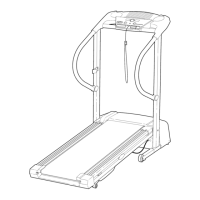
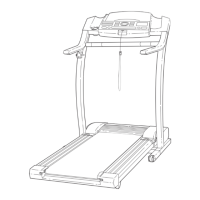
Key Key
No. Qty. Description No. Qty. Description
',01" 1 Pulse Bar 121 1 Optic Switch Nut
102 32 Screw 122 1 Optic Switch Washer
103 2 Pulse Bar Washer 123 1 Optic Switch Bolt
104 2 Pulse Bar Bolt 124 1 Optic Switch
105 4 Updght Endcap # 1 14" White Wire, 2 F
106 1 Upright Grommet # 1 8" White Wire, M/F
107 1 Magnet # 1 4" White Wire, M/F
108 1 Incline Reed Switch # 1 4" Black Wire, 2 F
109 1 Reed Switch Screw # 1 4"Black Wire, M/Ring
110 1 Reed Switch Clip # 1 9" Black Wire, M/F
f 11 2 Endcap Spacer # 1 8" Blue Wire, 2 F
112 2 2-1bWeight # 1 8" Red Wire, M/F
113 2 3-1bWeight # 1 8" Green Wire, F/Ring
114 2 Cushion Plate # 1 User's Manual
115 2 Adjustable Deck Cushion
116 2 Rod Nut # These parts are not illustrated
117 2 Rod Bolt * Includes all parts shown in the box
118 1 Cushion Rod
119 1 Incline Motor Spacer ** For more informationabout the optional pulse kit,
120 1 Incline Optic Disk see page 14.
Specifications are subject to change without notice. For information about ordering replacement parts, see the
back cover of this manual.
23


 To Next Page