9
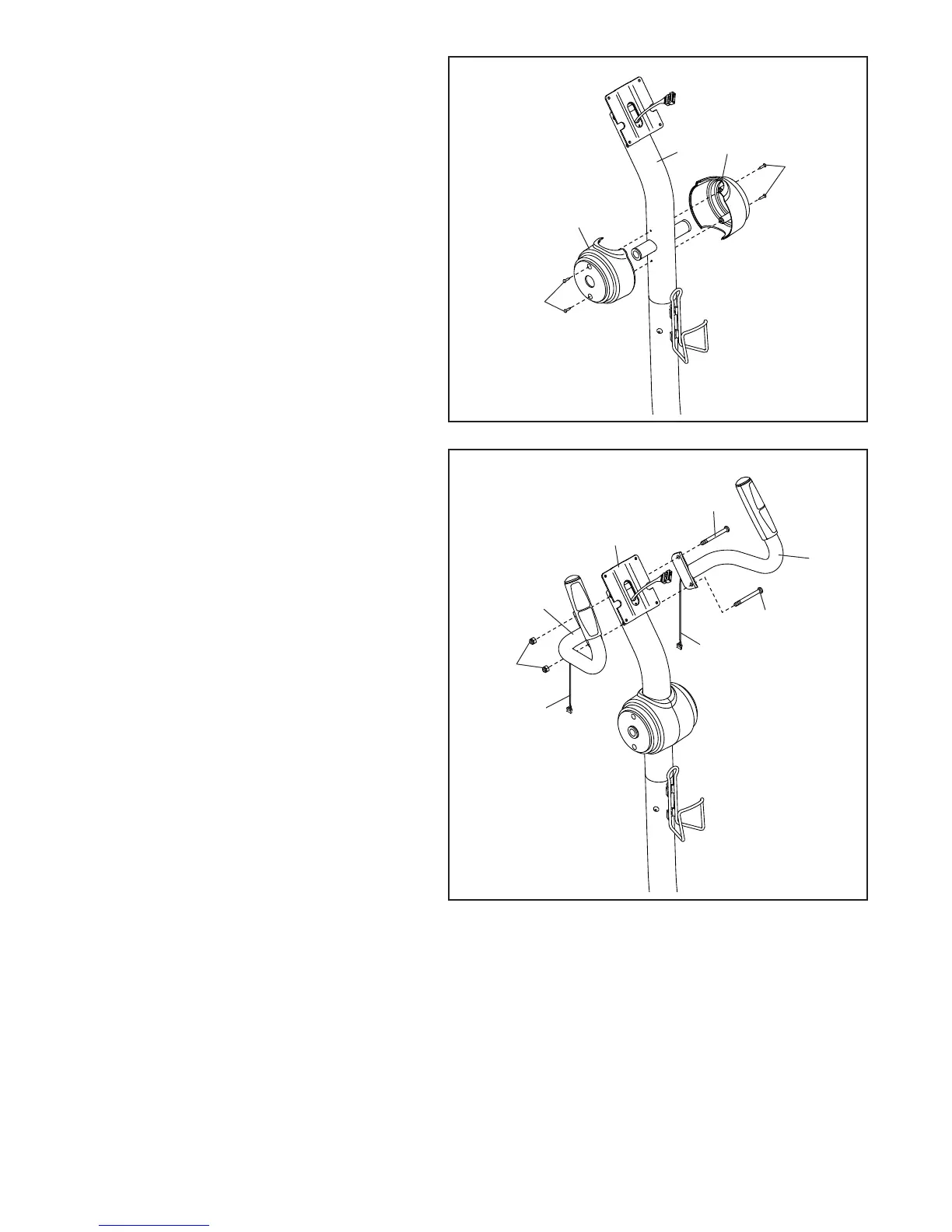
6. Identify the Left Upright Cover (17) and hold
it against the left side of the Upright (3).
Attach the Left Upright Cover (17) with two
M4 x 16mm Round Head Screws (101).
Attach the Right Upright Cover (39) in the
same way.
6
17
39
3
101
101
7. Identify the Left and Right Handlebars (119,
120) and orient them as shown.
Tip: Avoid pinching the Pulse Wires (118).
Attach the Left and Right Handlebars (119,
120) to the Upright (3) with two M8 x 80mm
Bolts (116) and two M8 Jam Nuts (79).
79
118
118
120
119
116
116
7
Avoid pinching
the wires
3





 To Next Page